SEO Title & Description in Cloud Issue

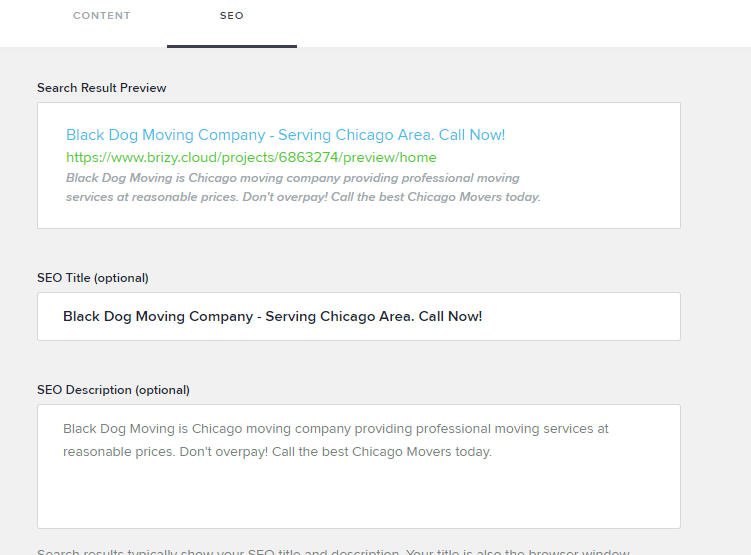
There is literally no need to have title and description in project settings, when you already have options in the page view. Plus why is there two sections in it for content and seo title and description, which makes it 3 settings to change just the title and description of the project, its too much messed up.
I would suggest to just have a single seo section to edit the meta tags which are title and description under each page.
As of now anything we put in title and description in project settings comes on top of anything we mention in content/seo title and description section. This is very inappropriate.
If there is any way to resolve this issue, kindly let me know.
-

Hi,
We have the "Site Settings" and "Social sharing" option under the "Project settings" for users who want to set up the same settings for all pages and posts from the site. If the user doesn't set the SEO option for the page or post, it will import the title and description set in the general settings.
We also have SEO options for the single page. See here.
Thank you for all your suggestions we will take them into consideration.
Best regards,
Sandra0 -
If i remove all data from site settings option of title and description and then update in seo option, then it only shows "home" in title. I even tried keeping title and description in content section but still it reverts back to "home" title.
In my opinion the seo tab data should overwrite all other data. Now i dont know how to solve this issue.
Following scenarios i tried:-
#Site settings title and description: blank
#Content title and description:- cant keep blank as home title is by default and doesnt change
#Seo title and description:- it does not overwrite the above sections.
Also if i add data in site settings then it gets added on top of the content data.
kindly provide a solution.
Thankyou
0 -

Even if you go to pages > SEO and set title and description there is still not showing . Look at example. SEO settings are saved for this page (i can exit , come back to projects and settings are there)
However when you look at code, there is no description and title is HOME
The worst part , at this point have no idea how it works - for some projects this works, for some i have to click for hour for this to somehow magically show, for some it is ignored no matter i do

 0
0 -

I'm looking into this right now. And create an issue for our team.
There are still some migration pending for the old projects that don't have the CMS options, and thus the SEO per page options. And the settings SEO options need to be there still.
Probably the best solution here is to remove the general SEO settings once all the projects are migrated (later this year) and leave the SEO as per page only in CMS.
We'll have to look into the implications here, but in principle you'll set SEO at the page lvl anyway, maybe keep the global option for SEO, if you are not setting anything on the page lvl, use those from the global. But once you change at the page lvl, that will overwrite the global title and description.
I'm thinking we remove any SEO or Description fields from the menu options, I agree that introduces some confusion into the equation.
Please correct me if I got something wrong.0 -
@Tom, @Krish - this might be a bug, I'll test it and add it on our list to be solved if that is the case.
0 -
I can confirm the issues mentioned above, the custom SEO for title and description on the per page are not displayed. I'm currently testing and creating the issues for the team to fix. We'll have everything sorted out as soon as possible.
Thanks for the patience and understanding.
0
Please sign in to leave a comment.
Comments
6 comments