Align buttons in POSTS module?

Is the a way to align "read more" buttons in the POSTS module? I get it like this. (I understand its because of excerpt lenght) It would be really great i we could set max chars in excerpt!
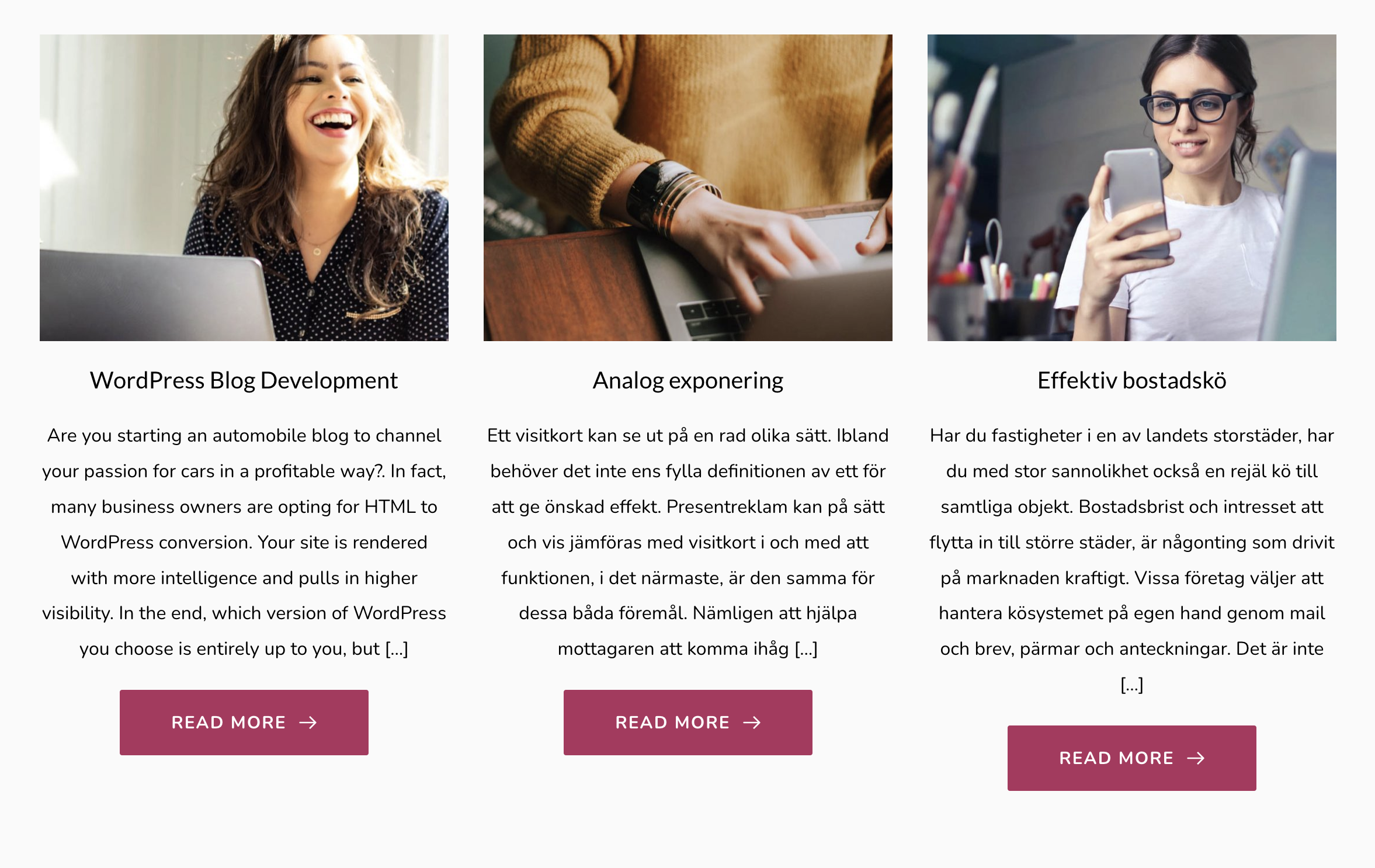
-

Hi Anders,
Thank you for your message! Unfortunately, at the moment, it isn't possible to set the max-height for the Excerpt element and for this reason the button may look a bit non-aligned. For this inconvenience, I can recommend adding manually the Post Except inside the Post https://jmp.sh/gl8p0UT.
Best regards,
Sandra0 -
Thank you Sandra! I hope you will make a max height solution because we have many blogs and editing the exerpt on everything is too time consuming. But thank you for a good solution =)
0 -
Hi,
Thank you for your kind reply!
The post excerpt isn't created and generated by Brizy. It is generated by the theme, Brizy only displays it. For example, see here how it is displayed the post excerpt when the activated theme is Twenty Nineteen and here when is activated the Blocks theme.
Best regards,
Sandra0 -

Hi,
we have exactly the same problem. It'd be great if the layout could come with fixed headers and footers.
There should be a way to stick the button down, e.g. something like
position:absolute;
bottom:5px;or so?
That's really crucial to us. We b.t.w. use manual excerpts and the problem is that they sometimes cannot have too many characters.
Best wishes,
Karsten
1 -

Hi,
Thank you for your message.
We can not add a fix for this option because this is not generated by Bizy builder. Regarding the second problem, if the excerpt doesn't have many characters you can add the space element between the text and the button. In this way, you can align all the buttons in one row.
Best regards, Nelea.
0 -

Good know after 4 yrs, we have a solution on this as Brizy cleverly introduce a Content - Top and Buttom alignement, it works for my case.
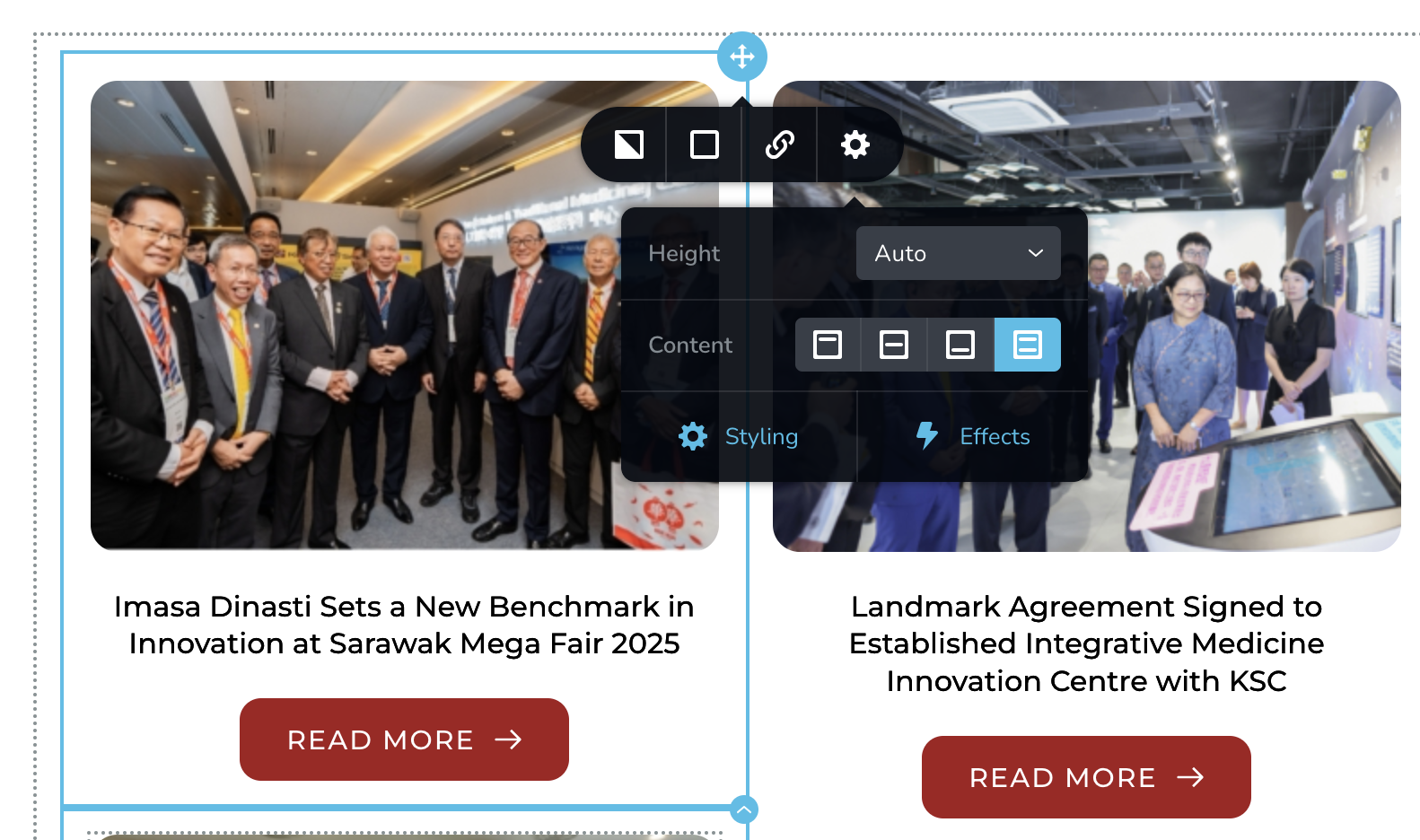 0
0
Please sign in to leave a comment.
Comments
6 comments