Image auto fit problem

Hello,
I am Anil. I am new to this platform. Love this platform and its features. I am using Brizy Cloud Pro Studio. I have few questions as below:
1. Unfortunately, the Images are not auto-resize (to fit proportionately on the placeholder) within the placeholder. It auto clips instead of autofitting. This was the feature available in many low-end tools. Is there a way to give auto-fit?
2. Also is there a way to remove the - light blue strip that comes between two blocks - shows pixel size on it - though I am able to reduce the height - to reduce the gap between two horizontal blocks.. (sorry I am not technical) or is it a non-removable part of a page builder.
3. How to apply the same style (not cloning) to another column (something similar to Format painter in MS Word)
4. How we can uniformly adjust the width of the four columns that come under Services section
5. Is there a way we can search and upload stock photos from Freepik, Pixabay, unsplash etc. within this platform.
6. What is the correct element to choose - to add a logo?
7. Is there a WhatsApp integration widget?
Could you please help me with the answers of the above questions.
Thanks,
Anil
-

Hi Anil,
My name is Sandra and thank you for your interest in Brizy Cloud and all your question. I am happy to help you!
1 - In Brizy builder, the image will be added into the Image element and regarding its sizes and dimensions will be added the image. The Image element, where is added the picture is something like a frame where is added a photo. If the photo is smaller than the Image element, it will be stretch to fit into the Image element and if is bigger then the Image element will decrease the width and height, to save the initial dimensions. But you can adjust them and always add the settings you need and want See here.
2 - Could you please give us more details about this inconvenience? Maybe a screenshot and URL link of the page will be very useful.
3 - To copy the styles of one column and paste them into another column you have to right-click on the column settings and select the "Copy" option. After this go to the column where you want to paste the styles, do right-click and select the "Paste styles". See here.
4 - If these four columns are placed in the same row then all of them will have the same height. They all will have the height of the bigger column. Unfortunately, it isn't possible to customize this height.
5 - At the moment, we don't have the option to upload photos from one of the Photo Stock sites but we are working in this direction and plan to release the integration with Unsplash. Now, we don't have the ETA for this feature but we are doing our best to release it as soon as possible;
6 - To add the site logo, you have to use the Image element.
7 - Unfortunately, at the moment we don't have the WhatsApp integration element but we have Facebook and Twitter elements.
Let us know if we can help you with something else!
Best regards,
Sandra0 -

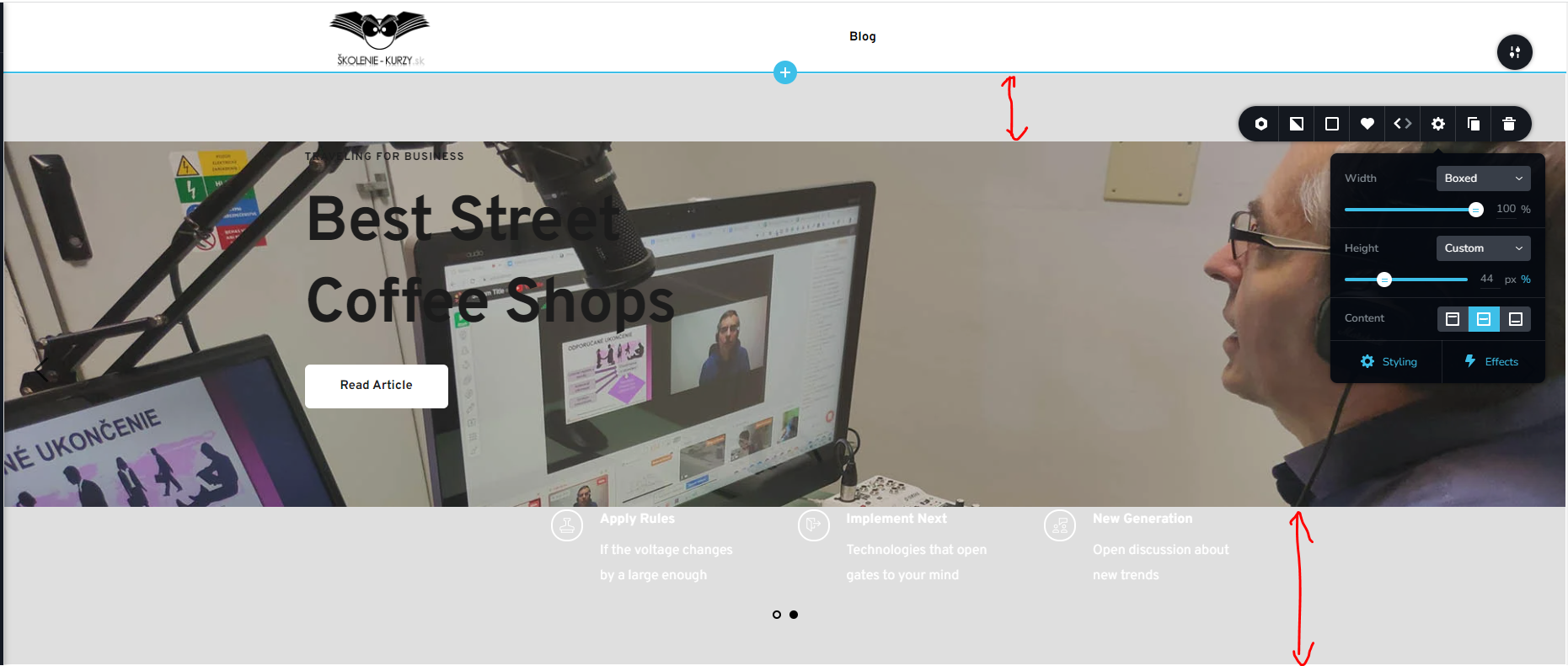
Hello Sandra, I have inserted this Block, but I am unable to make it narrower to insert the image. Also, I set it as a carousel, but I got the option only for 2 images, and I have no idea where to add another image. I may trying to copy website https://skolenie-kurzy.sk/, my website is https://blog-test.brizy.site/
My objective is to change my blog from WP to Brizy, since I have a permanent problem with indexing my website on Google. But it is a long way, since I am not very experienced on Brizy
 0
0 -

Hi Brano,
Please delete all content within the block like text, button and columns on both slider blocks and you should be able to set the height of the block. Once you set the height, you can add Text or other elements by dragging text and other elements from the elements panel on the left sidebar.
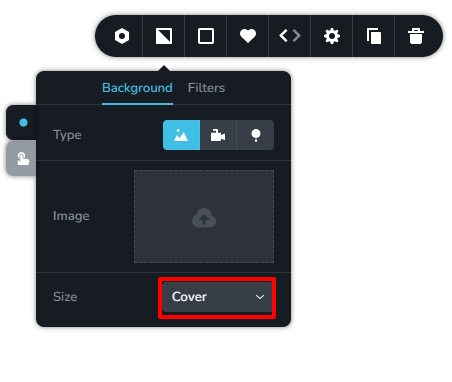
Please select the Cover option for the background image so that the image covers the entire height and width of the block.
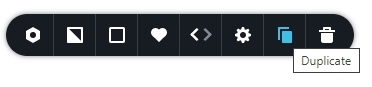
You can click on the Duplicate icon in the block settings to add additional blocks to your slider.
 0
0 -
Perfect! Everything works. I will continue building my blog website...
0
Please sign in to leave a comment.
Comments
4 comments