Bug with Image Dimension settings (for post elements)

There seems to be a bug with the dimension setting for images that are under the post elements.
I can't seem to get the whole image to show correctly. The image appears to get bigger as I adjust the height and weight.
I noticed that for a regular image, I could edit BOTH the height and width using percentages.
However, for the image that I put under "post elements," only the width has a percentage adjustment. The height only has pixel adjustment and no percentage. See the image below: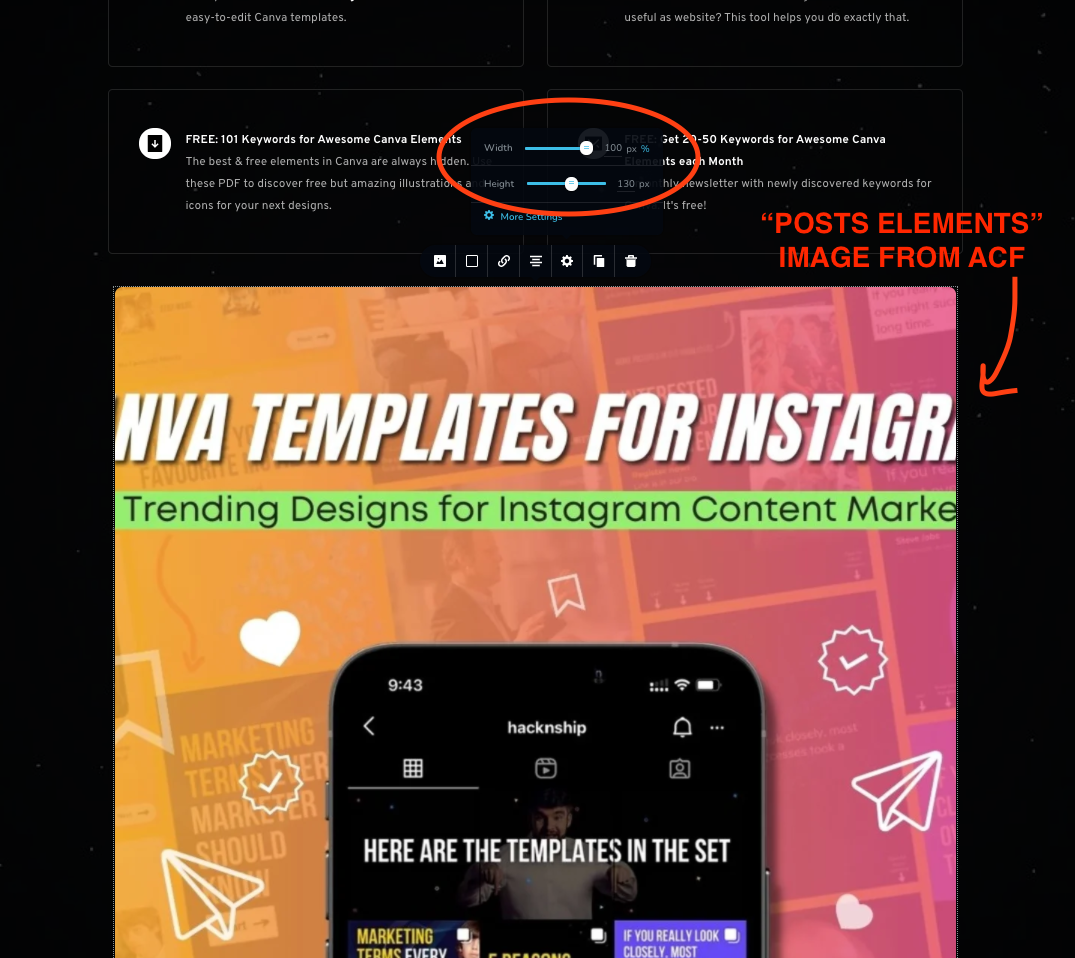
This is the image that I upload to an ACF post:

I have recorded a video to show the issue that I faced: https://drive.google.com/file/d/1jfMWOy7tiGIi7EZ94pmeEP8a_mZSDPqj/view?usp=sharing
I can't get the whole image to show regardless of the settings.
I hope to get help with this.
-

Hi,
Thank you for reporting this issue to us! We could reproduce it and inform our team. They will investigate it and will improve this issue. At the moment, the image is cropping a bit slow and for this reason, the modification you apply to the Dynamic image isn't displayed at the same moment. We recommend applying the height, click away from the image element and wait a bit. After 1-2 seconds the modification will be applied. See here.
Best regards,
Sandra0
Please sign in to leave a comment.
Comments
1 comment