Page doesn't reflect updates

I just finished editing my page but suddenly the 'Update button' doesn't reflect correctly the changes on the published page:
- Sliders not working
- Font weight not correctly displayed
- Colors don't match
Any idea on what I can try before starting again?
😕 Don't want to accept that I lost my time with all the details.
Thanks
-

Hi,
Thank you for all these details. When did you encounter this problem? What were your previous actions on the site? Do you have the latest versions for Brizy Free 2.2.17 and Brizy Pro 2.2.11? Could you please clean the site cache, temporary deactivate all external plugins (except Brizy Free and Brizy Pro) and activate the Twenty Nineteen default theme?
Also, could you check if the Site URL and WordPress URL are the same and both of them have HTTPS? See here.
Best regards,
Sandra0 -
Thanks for your answer Sandra,
Everything was working fine until I changed some colors in the text and added a new extra block, nothing different from what I've been doing to build the page...
- I'm using Brizy Versión 2.2.17
- I already cleared the cache and tried with Chrome and Firefox and still the same.
- I'm currently using Neve theme for my entire site and wouldn't want to change it (is it absolutely necessary?)
- Both wordpress and site URLs use https
🆕 I tried to build a new page but I'm having strange behavior, such as text disappearing: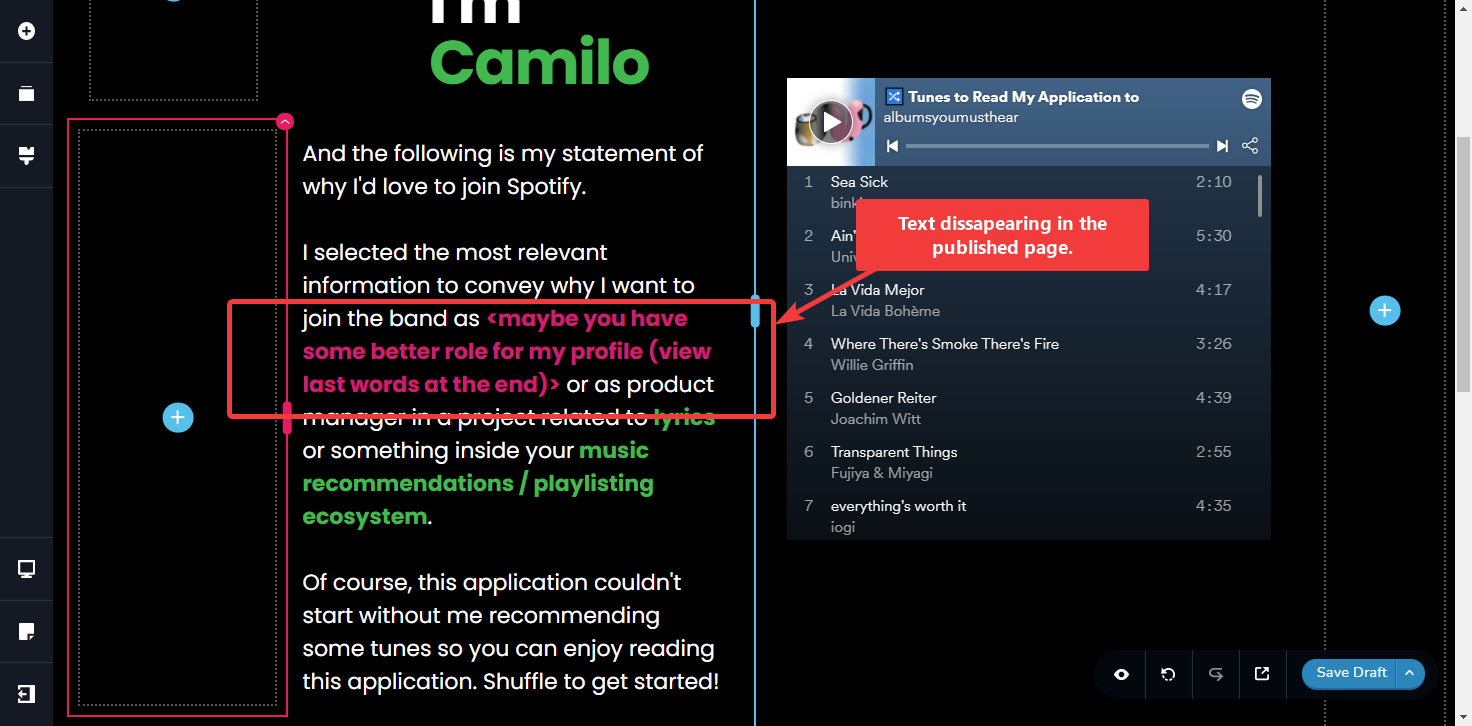
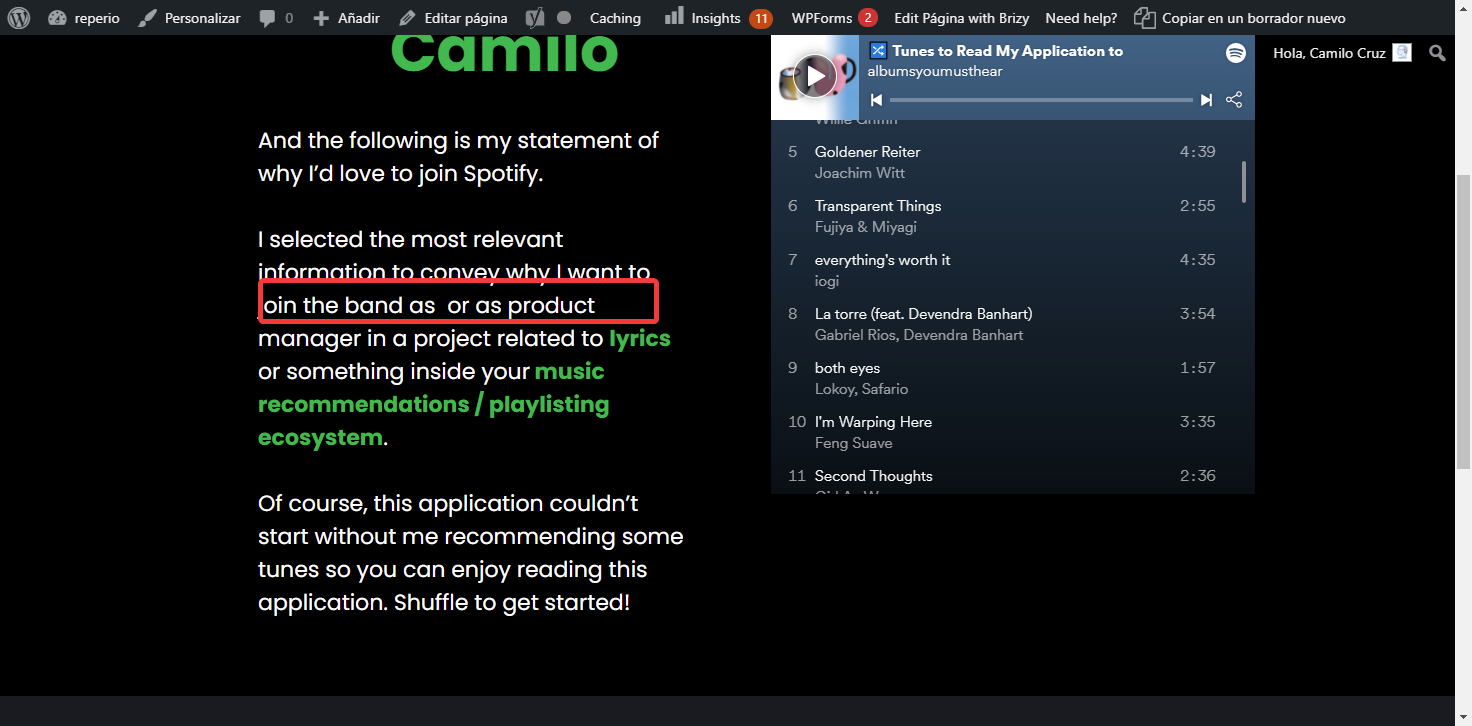 0
0 -
Hi,
Thank you for all these details. Could you please confirm if you try to temporarily deactivate all external plugins and activate the Twenty Nineteen theme? Do you have the same problem?
This is a temporary action to find if this inconvenience isn't caused by a plugin or the theme and exclude this possibility. After you will deactivate all external plugins (except Brizy Free and Pro) and activate the Twenty Nineteen theme, you will delete the browser cache, will go to the page, will make an update, cache and preview. If on the preview all will be displayed in the same way without any changes, then you can activate all external plugins and the theme again.
Overwise, if the problem will be solved, you will activate the theme and will check the page. If the problem appears after you will activate the theme, this means that the problem can be caused by the theme and it is recommended to keep it deactivated and activate all external plugins. If the problem doesn't appear, you can activate one by one plugin and check the page. If you will activate a plugin and the problem appear, this means that the latest activated plugin can cause this problem.
This is an inoffensive action and will not affect your site for the long term. When you will reactivate the theme and plugins all will work as previous.
Best regards,
Sandra0
Please sign in to leave a comment.
Comments
3 comments