Woocommerce images not displaying correctly

Hi
Woocommerce images not displaying correctly within a single product. Please can someone advise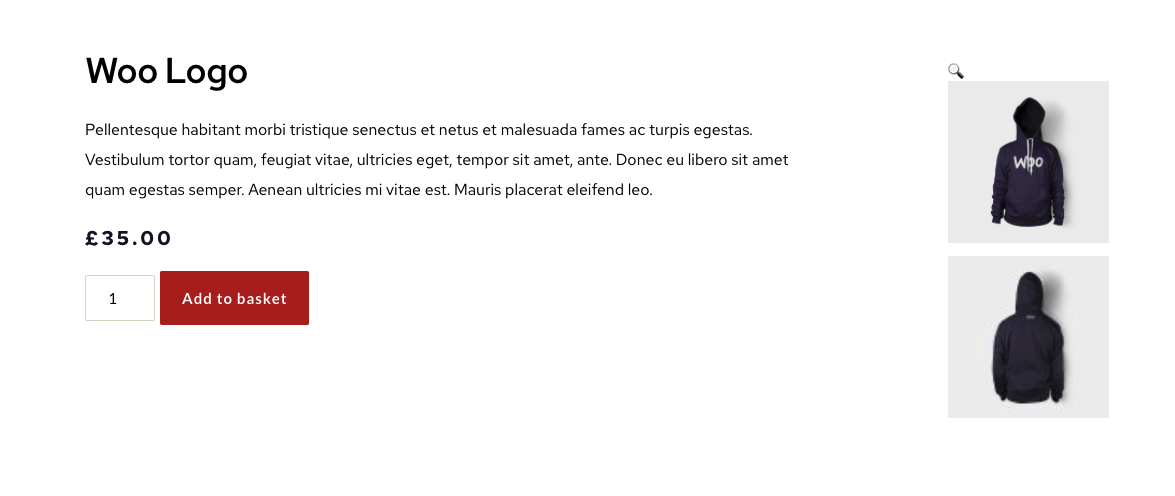 ?
?
Nick
-

Hi,
What element did you choose to display the Product Image? Could you please send us the URL link of this product?
Do you have the latest version for Brizy Free 2.2.13, Brizy Pro 2.2.9 and WooCommerce 5.2.2?
Best regards,
Sandra0 -
HeyYes, all on the correct versions. I'm using the woocommerce gallery element.Nick0
-
Hi Nick,
Thank you for all these details. How did you see the Gallery element inside the editor? Did you see it in the same way as in the preview one? What theme are you using? Could you please change the theme and activate the Twenty Nineteen theme? Could you please temporarily deactivate all external plugins (except Brizy Free, Brizy Pro and WooCommerce)? Do you have the same problem?
Thank you!
Best regards,
Sandra0
Please sign in to leave a comment.
Comments
3 comments