Hide Elements on Desktop / Mobile or all Views (because they are under construction)

Hi I want to hide elements because they are under construction.
This video tutorial says I can hide elements in different views and shows that they become blurred when they are hidden.
https://www.youtube.com/watch?v=l4ayHuEbzaE
This is different for me, hidden elements completely disappear and I can not not activate them again because I have no access anymore. I have to use the back button before saving otherwise my access to these element is gone.
-

Hi Marco,
If you hide an element and you notice that it disappear from the page, this means that you have activated the "Hide" option. Could you please deactivate it from here? When it is deactivated (https://jmp.sh/wRJaBh5), all hidden elements will be displayed as blurred, therefore you can re-make them visible.
Best regards,
Sandra0 -
Dear Sandra,
many thanks for your message.
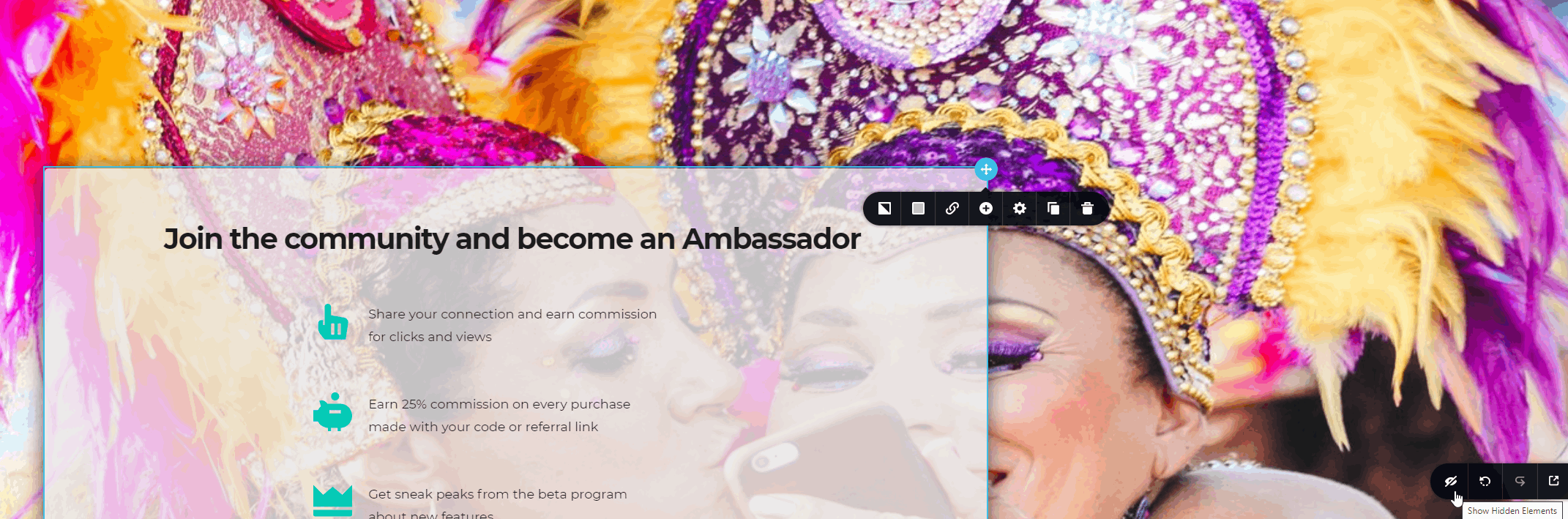
The "hide" button is in the right corner of the screen.
When I click the button nothing happens. How do I mark the Element I want to hide?
Best regards,
Marco
 0
0 -
Hi,
At the moment, you didn't deactivate the "Hide" option. Could you please check this video https://jmp.sh/VkyvI3o? There I tried to reproduce your case. Did you make the same?
Best regards,
Sandra0 -
Hey Sandra, it was a bit tricky to understand but I finally got it.
many thanks.
0 -
Hi,
Great! Thank you for updating us regarding this inconvenience!
Best regards,
Sandra0
Please sign in to leave a comment.
Comments
5 comments