'Out of stock' and 'Sale' badges not displaying in product category template

Hi,
If I use WooCommerce's default product category template, I get an 'Out of stock' badge on products in the product category pages if they are sold out. However, if I use a Brizy template for product categories, I do not get any such badge.
The same applies to 'Sale' badges, which also do not display in this way.
I assume if these badges normally appear in the default product loop, Brizy is removing them somehow. Is there a way to get them back in?
Thanks,
Peter.
-

Hi,
Thank you for reporting and informing us about this inconvenience! We informed our team about this problem and they will search for a solution.
Best regards,
Sandra0 -

Yes same here.
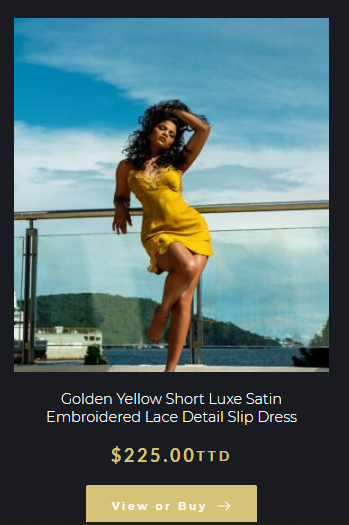
I have some items here that are out of stock and shows no badges or information. This particular item is out of stock. Is there a work around. Thanks. https://jfabthebrand.com/jfab-shop/
0 -
Hi,
Unfortunately, at the moment, we don't have a workaround for this problem but we are working hard to provide a solution and fix for this problem as soon as possible.
Best regards,
Sandra1 -

Hello Sandra, is there already a solution for that? We have the same issue...
0 -

Hi
Brizy still does not support the 'Sale' and 'Out of Stock' badges for the Archive element. However you can consider this work around to implement these two badges on the Shop and Category Archive pages if your theme support these badges.
I am using Blocksy theme and it supports the 'Sale' and the 'Out of Stock' badges. Please see my Shop and Product Category Archive page for Chairs category below.
- Shop: https://brizytest.online/shop
- Product Archive for Chairs: https://brizytest.online/product-category/chairs
Remove the Brizy Archive element from your Shop page and drag the Brizy Shortcode element to the page and add the shortcode.
[products]
Create different Product Category Archive templates for different categories. In place of the Brizy Archive element, please use the Brizy Shortcode element and add this shortcode. In this example, product category name is "Chairs"
[products category="chairs"]
In this approach, the product catalog design is set in your theme.
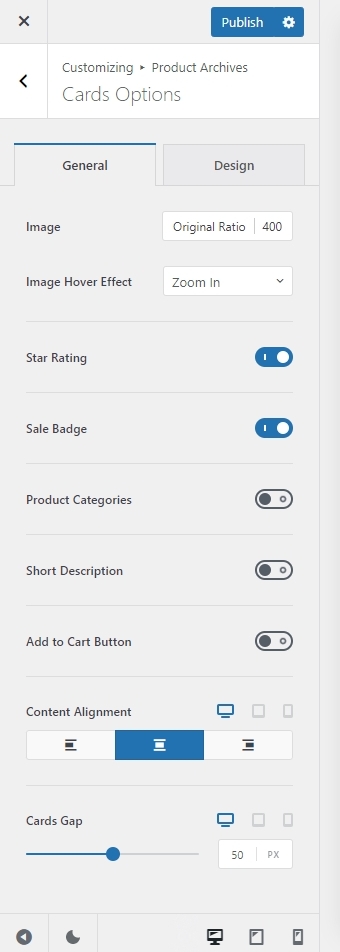 0
0
Please sign in to leave a comment.
Comments
5 comments