Dynamic background image of a column

Hi,
I added a dynamic background image in a column. The dynamic data is from MetaBox. All of the other custom fields work except for the background images, which is also a custom field.
The image does show if I add it as an image element instead of a background.
Is there any way I can sucessfully add this as a background image?
Thanks!
-

Hi,
Could you please give us more details about the problem you encounter? Did you encounter it on the Brizy Cloud or in the WordPress environment? I checked both environments and in both of them, all is working fine. See here a video from Wordpress and here from Cloud.
Could you please check if you have added the featured image to the posts/pages? Where do you want to display the featured image?
If you are working in the WordPress environment, could you please check if you have the latest versions for Brizy Free 2.2.13 and Brizy Pro 2.2.9? If you are working in the Brizy Cloud, could you please send us the URL link of the post/page where you encounter this inconvenience?
Thanks!
Best regards,
Sandra0 -
Hi Sandra,
Thanks for helping me. I appreciate you!
Actually, instead of the featured image, I want to add the image of a custom field created by MetaBox. This is for Wordpress. Will this work or must I only use featured image?
I've updated the Brizy plugins to the latest version.
Thanks again!
Joseph
0 -
Hi,
Yes, if you have added the Image element (from Upload section) in the MetaBox and after this, in a post, you upload here an image, therefore, you can place it in the background of the column or as a static image in the Image element. For this, you have to select the "Image" dynamic tag, not the "Featured Image".
How I did and all displayed fine? In the Meta Box generator, I created the field I need (inclusive of the Image element)https://jmp.sh/wqAvhcT. After this, in the post, I uploaded an image https://jmp.sh/H9QBWPz. In the template I created for my posts, I added an Image element a select to display the "Image" https://jmp.sh/m6CpzS3, the same I do for the column background image https://jmp.sh/jx15TM2. In the preview, all is displaying fine https://jmp.sh/2TckeGa. Could you please try again and check if all is working fine now?
Best regards,
Sandra0 -
Hi Sandra,
Hope you're having a great day.
Unfortunately, it's still not working for me. I did the same procedure as you did as per your post. Except, I created a custom post type and added a post there with the custom fields, including the image. I'm not sure if you also did that or added to the normal page or post? That's the only thing I can think of that's different.
I also noticed that my popup toolbar has fewer options than what's shown in your screenshots. Not sure if that meant something.
Here's what my looks like:

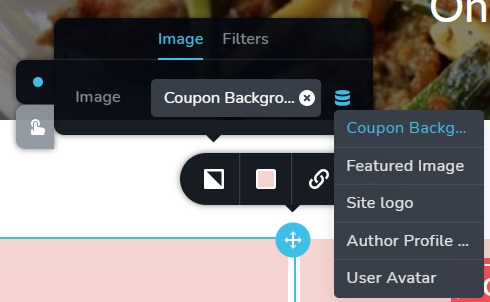
Thanks again!
Joseph
0 -
Hi,
Thank you! Hope you are well too!
I'm sorry for the question but I want to concretise a small detail. Do you see the background image in the preview mode? When is added a dynamic image (as our case is), the background image doesn't display in the editor mode. It is displayed in the preview and live mode. Could you please check this?
Thank you!
Best regards,
Sandra0 -
Hi Sandra,
Happy Friday.
I checked the front end of the site but the background image just won't load. I've tried creating the image custom field as "image", "single image" and "image advanced" but none of them work.
The console shows that Brizy is serving a "no-image" image at 1px x 1px. However, if I add it as an image instead of a background image, it shows just fine.
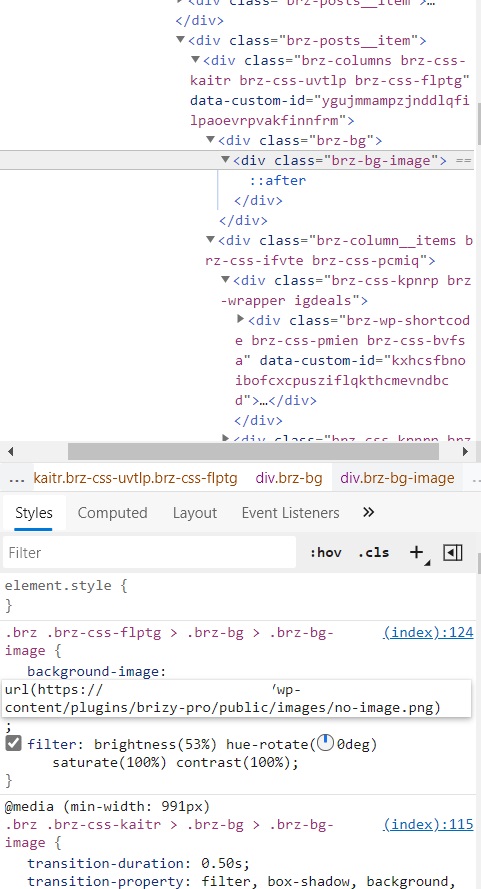
Thanks again for your help. Hope you'll have a great weekend.
Joseph
0 -
Hi Joseph,
Could you please give us more details about how did you add the MetaBox to the Custom Post Type? By default, it can be added to the Pages or Posts.
Thank you!
Best regards,
Sandra0 -

I'm having the same issue. I cannot get htis to work. The difference is that I'm using a "Setting Page" to store site configuration and parameters, like the desired background image and a simple phrase, and I want to show everything in my Home page. Nothing shows up.
0 -
Hi @Global Internet Corp,
Could you please give us more details about your case? Did you use the MetaBox? Did you set up the Metabox for the Pages? Could you send us a screenshot of how did you add the image and the text? What elements and configuration did you select to display them on the Homepage? Could you send us a screenshot from the editor mode of these elements and their configuration?
Do you have the latest version for Brizy Free 2.2.13 and Brizy Pro 2.2.9?
Thanks!
Best regards,
Sandra0
Please sign in to leave a comment.
Comments
9 comments