Heading not aligned in edit mode

Hello Brizy support team,
Since the last update the headings in my posts are suddenly not aligned anymore, but only in edit mode. When I preview the post it's aligned correctly.
But It is annoying when I edit a page and some parts are not aligned.
Please tell me how to fix this.
Kind regards,
David
-

Hi,
Here can be an inconvenience from the theme or one plugin. Could you please check if you have the latest Brizy Free 2.2.13 and Brizy Pro 2.2.9 version? Could you please temporary deactivate all external plugins (except Brizy Free and Brizy Pro) and activate a WordPress default theme? Do you have the same problem? Could you please send us the URL link of the page?
Best regards,
Sandra0 -
Hi Sandra,
I have deactivated all the plugins and the problem was still there. I have the newest versions of Brizy and Brizy pro installed.
I dont know where my last post ended up but I will explain the problem again.
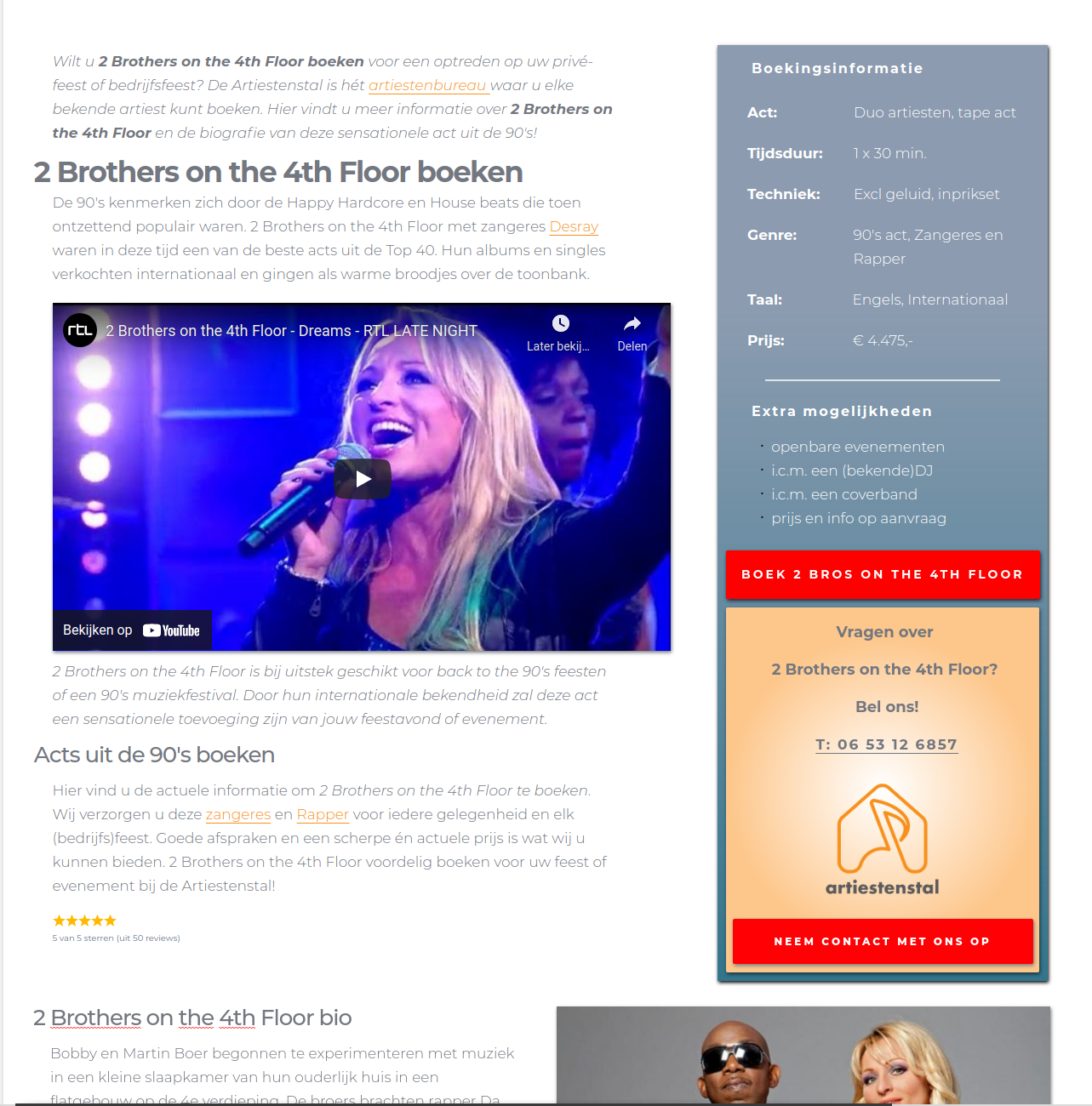
In brizy edit mode, while editing a standard page, the headings H2 - H6) are not aligned with the paragraphs as you can see on the image that I sent with this post. When you check the website live all looks good.
The website is:
You have an account on my site so you should be able to get in.
Brizy edit mode screenshot 1 (headings are 40px to the left)
Live website screenshot 2 (heading are aligned)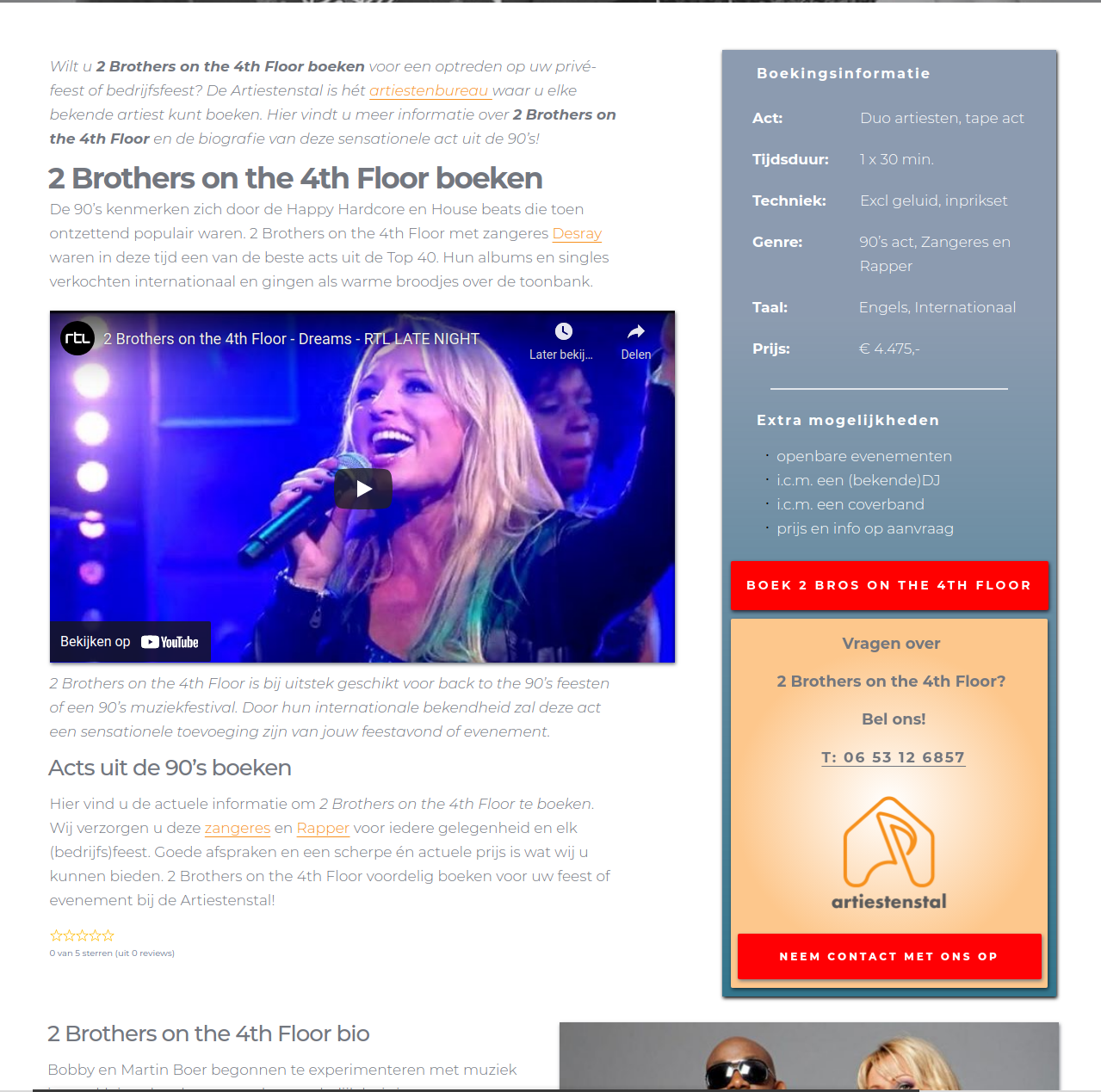 0
0 -
Hi,
Could you please remind us what email did you use to create for us the account? Just now, I tried to log in with the provided WP credentials but I am asked to check the email. See here. Also, could you please check if you have some Custom CSS that can affect the view in the editor mode? Did you clean the site and browser cache?
Thanks!
Best regards,
Sandra0 -
The credentials should be known by you guys since you have been in the account several times.
0 -
Hi David,
Thank you for all provided details. I checked the edit mode of the post and I found 2 details:
1 - the posts have the "Standart" template
2 - the heading have the -60px for the margin-left and the paragraph have the -10px margin-left.
See here.For this reason, the heading looks non-alligned in the editor mode. If you will set the margin-left for the heading and paragraph with the 0px, all will look correctly and alligned.
In the preview mode, you don't see this inconvenience because the theame and the page template you are using add a margin with 1.5em. See here. That code isn't a Brizy code but the theme one.
Best regards,
Sandra0 -
Hi Sandra,
That still doesn't explain why it was allways good and now suddenly like this. I tried by different pages to set the margin-left of the paragraphs and the headings to 0 but that didnt work.
Is it not okay to use standard templates instead of brizy templates? I've been using standard templates for all my posts and never had this problem.
Changing all of them to Brizy templates is too much work now. I thought that Brizy templates where only there for Dynamic content, meaning if I had a complete website in wordpress a Template can give the site a different look.
Regards,
David0 -
Hi,
Unfortunately, we can't provide an explication for this inconvenience and why it happens now, because it isn't related to some Brizy classes, settings or functions. The class that adds the margin: 1.5em, isn't a Brizy one but a theme one and it is applied to some elements from the single post. In your case, you are using the Default page template for the Brizy template applied to all posts, therefore the first classes of the posts are the theme ones. For this reason, that class "influence" the align mode of the headings and some other details. To check this, you can deactivate the Brizy template that is applied to all posts and check how will be aligned the headings.
Best regards,
Sandra0 -
Hello Sandra,
I understand that but I'm also a little dissapointed that you can't send me in the right direction. I'm working with WP Ocean as theme and that should work (according your website) with Brizy. I'm a pro member for 2 years now and supported Brizy all the way all the time.
At least tell me what I can do, you are able to get into my system and tell me what to do. I'm not using a Brizy template but I'm using Brizy to make the posts and pages layouts, because it has features that make life more pleasant :-)
I ca also write to WP Ocean and ask them what to do but i thought it would be easier if you can guide me in the right direction.
Regards,
David0 -
Hi,
In this case, I can suggest 2 solutions:
1 - Use the Brizy template as a page template for the template you created for Single posts;
2 - Add a Custom CSS to neutralize the margin: 1.5em; style. For this, you can go in the WP dashboard -> Appearance -> Customize -> Custom CSS and add the Custom CSS code.
You can add this CSS:
.single-post.content-max-width .entry-content h1, .single-post.content-max-width .entry-content h2, .single-post.content-max-width .entry-content h3, .single-post.content-max-width .entry-content h4, .single-post.content-max-width .entry-content h5, .single-post.content-max-width .entry-content h6 {
margin-left: 0 !important;
}I added it and all started to display as in the editor mode but if you dislike this solution you can delete it. Here is the CSS I added. Now, if you align the headings with the paragraph, I can recommend going to the editor mode and delete the margin-left: -60px, which is set for the heading, and set it with the 0 value. See here.
Best regards,
Sandra0 -
Hi Sandra,
Thank you for these solutions but unfortunately with option 2 I would have to change every post I made and that would be really a lot of work. It would mean that I have to delete the margin-left: -60px on every post I made :-(
Somehow I don't understand option 1, this must be some function in Brizy that I don't know. I didn't create a template for the single posts (i should have done that in the start) but I make every post from scratch and use saved or global blocks every time and change the content by hand. Can you please explain me how to do option 1?
Regards and sorry for the trouble.
David
0 -
Hi,
Thank you for all these details and reply!
Regarding the 1st solution - yes, you are right, you edited all posts inside the Posts without creating a template for all posts. In this case, you have to go to all posts and change the Page template from "Default" to the "Brizy Template". This solution will need the same action as in the second solution because this solution will "neutralize" the margin: 1.5em; added from the theme and the headings will display in the preview mode as in the editor mode. Therefore, you will need to go to all headings where you set the margin-left with -60px and reset it with 0px.
Best regards,
Sandra0
Please sign in to leave a comment.
Comments
11 comments