WooCommerce mini-cart text does not translate: "Subtotal", "View cart" and "Checkout"

Hi,
I'm using Brizy Pro and the WooCommerce plugin to build a german web-shop. Translation works fine out of the box, except the mini-cart does not translate. All text in the mini-cart remains english:

"Subtotal", "View cart" and "Checkout" should be translated to German. Also, if no item is in the cart, an english message appears: "No products in the cart".

When I deactivate Brizy and Brizy Pro plugin, all messages are displayed in German, as expected. So Brizy prevents the translation of these texts.
I tried to use Loco Translate to solve this issue. Unfortunately it does not find the stings which need to be translated.
It seems to me, this is a Brizy Pro bug, which must be taken care of.
There is a workaround however. By inserting this code to functions.php the text elements "Subtotal", "View cart" and "Checkout" can get translated:
add_filter( 'gettext', function( $translated_text ) {

    if ( 'View cart' === $translated_text ) {

        $translated_text = 'Zum Warenkorb';

    }


    if ( 'Checkout' === $translated_text ) {

        $translated_text = 'Zur Kasse';

    }

    if ( 'Subtotal' === $translated_text ) {

        $translated_text = 'Zwischensumme';

    }

    return $translated_text;

} );
-

Hi Uli,
Yes, we know about this inconvenience and we apologies for this problem. Our developers are already working on this aspect and now this issue is in the testing stage. Therefore, we suppose that in the next updates we will release this fix and you will be able to translate the WooCommerce Cart labels.
Thank you!
Best regards,
Sandra0 -
Now I finally found a solution to translate the sentence "No products in the cart". It is hard coded in this file (line 426): wp-content/plugins/brizy-pro/content/providers/woocommerce.php
privatefunctionget_empty_cart() {
?>
<divclass="woocommerce-mini-cart__empty-message">
<?php_e( 'No products in the cart.', 'brizy-pro' ); ?>
</div>
<?php
}
This is not a good programming style, you should add language support here! Or at least let your customers know, how to translate this sentence. Updating Brizy Pro will override the translation every time!Also the words 'View Cart', 'Checkout' and 'Subtotal' are hard coded in this file.Uli0 -
Hi Uli,
Thank you for your reply and for share with us the solution you found! Hope it will be useful for other users too till the moment we will release the fix that will make these things more easily to change. Our team are working on this aspect and we are doing our best to release the solution as soon as possible.
Thank you!
Best regards,
Sandra0 -
Hi,
The problem with the translation for the WooCommerce strings was already fixed. See here for an example. Could you please check it again?
Best regards,
Sandra0 -

Hi,
I kinda have the same problem with the text from the category information (product meta element) where "Category" is in English and I'd love to have it in French!
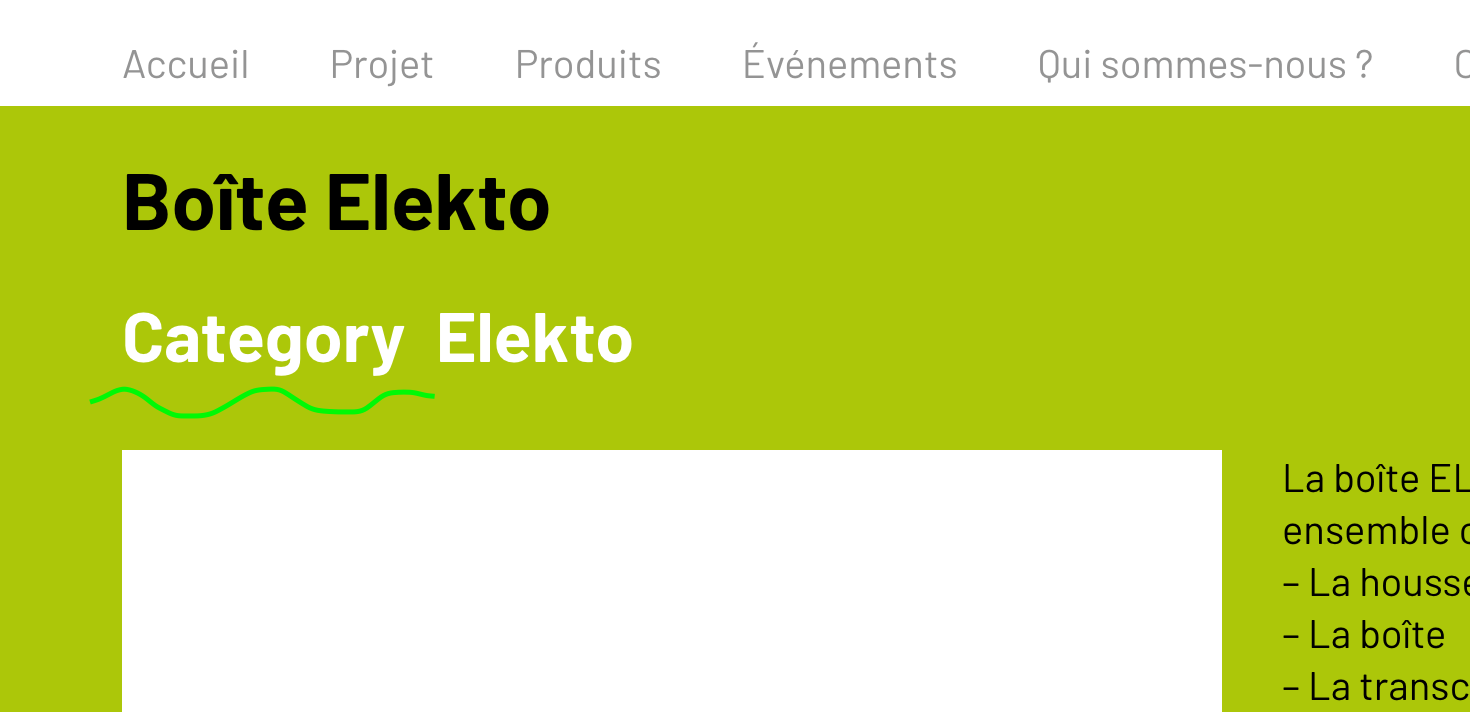
Am I missing something? Is this an issue or a error on my side?
Thank you for your help!
Best regards,
JP.
0 -
Hi again, and I have the same problem with the Breadcrumb that shows "Home" and I don't know how to change it!
Thanks!
JP.
0 -
Hi JP,
Could you please check if you have the latest versions for Brizy Free 2.2.17, Brizy Pro 2.2.11. and Loco Translate 2.5.2?
Just now, I tried to translate the "Home" word and all worked fine. See here. Could you please try to check it again?
Best regards,
Sandra0 -
Hi Sandra,
I didn't know the Loco Translate plugin, nice plugin! I'm on the latest version of Brizy Free and Pro and Loco Translate shows me that Brizy's plugins are translated at 100%. So I checked the Woocommerce plugins and they are shown to be also translated in French at 100%. But, there is this "home" in the breadcrumb and also all the sidebar from the cart:

Have you any idea of what I could do to translate this item?
Thanks a lot!
Have a nice day,
JP.
0 -
Hi,
Even if the Loco Translate plugin can display that the Brizy Pro is fully translated in the selected language, can be some words that aren't translated. As you can see in the video I send the previous message, it was displayed that the plugin is 100% translated but when I found the "Home" word, it wasn't trasnlated.
Could you please try to follow all the steps I show you in that video for "View Cart" and "Checkout" words?
I re-attach here the video https://jumpshare.com/v/urFpldFKw8u7guzSRdAt.
Best regards,
Sandra0 -
Hi!
I'm sorry I stopped my investigations just after looking at the Loco Translate plugin :(. I should have gone on with your very clear video! It's done, I have translated everything I needed to translate. Again, a massive thank you for your support, dead on point, as usual!
I have a last question about that breadcrumb item. If it is off-topic, let me know and I'll create another post. The root of the breadcrumb (Home :) ) is a link to the homepage of the website. Is there a way to change this behavior so that it is a link to the shop page (which is not the homepage of the website)?
Thanks a lot again!!!
Best regards,
JP.
0 -
Hi JP,
Great! Thank you for your feedback and warm words! It's my pleasure to help you!
Unfortunately, at the moment, it isn't possible to change the primary item from the breadcrumb element. By default, is set to display the Home page and it isn't possible to modify this.
Best regards,
Sandra0 -
Hi again!
Thank you for your quick answer. Ok, I hope it'll be possible in a future update!
Have a great day!
Best regards,
JP.
0 -
Hi JP,
Thank you! Have a great day too!
Best regards,
Sandra0 -

Incredibly this still happening. Any update on this?
0 -
I have already found a clue. I changed the language website's language from Español de Colombia to Español, and it worked. Can you put the translations in place for Español de Colombia?
0
Please sign in to leave a comment.
Comments
15 comments