I cannot make a header global (with pop up element)

Hi I've created this page
https://test.ambulante.com.ar/
and I want to make the header global but is not possible, when I click on make it global I see the loading wheel but nothing happens it's stay in that state for ever. The header has an popup element, I think that is the problem, because I tested with another header without this and I can make it global without problem. Can you help me with this please?
-

Hi,
How did you create the pop-up from the header? Is the pop-up set as global? Could you please unset it as a global one and try to set again the header as global?
Do you have the latest Brizy Free 2.2.11 and Brizy Pro 2.2.8 version?
Thanks!
Best regards,
Sandra0 -
Hi Sandra,
The popup is inside the icon element. I created an icon and in the link I selected Popup and created a popup from there.

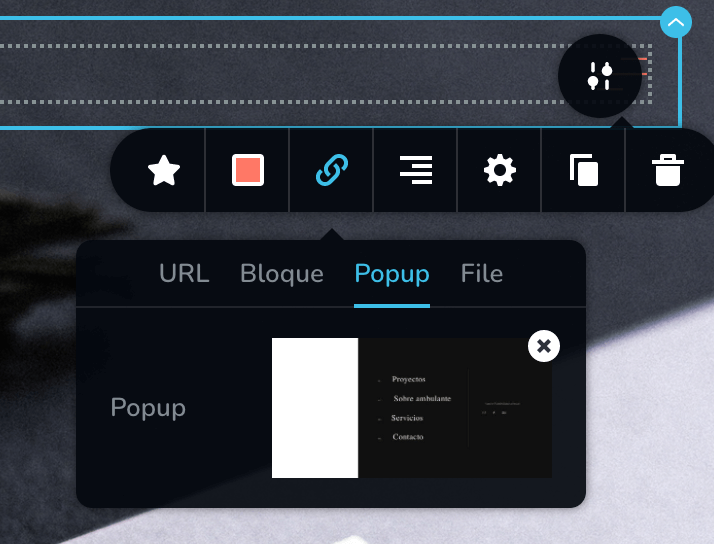
The pop-up isn't seted as global, only the header block and when I do it the loading wheel start to make circles and never end

When I click on Update the same thing happens with the loading circle.
0 -
Hi,
Could you please activate the license key and update the Brizy Pro to the latest version? I tried to update the Brizy Pro 2.2.9 version but I received an error about the license key. Therefore, could you please check in your Brizy account if you didn't disable the license key or if it isn't expired? If you disabled it, could you please copy it again, go to the WordPress dashboard -> Brizy -> Settings -> License and deactivate the existent one and then re-add it (don't forget to click on "Activate")? If the license is expired, you can try to generate a new license and make the same steps as before.
After you will update the Brizy Pro, could you please go to the global block and try again to make it global?
Thanks!
Best regards,
Sandra0 -
Hi Sandra,
Sorry for that. The license is activated now. I tested and the same thing happens.
I also tried to make global another block but I received this error:
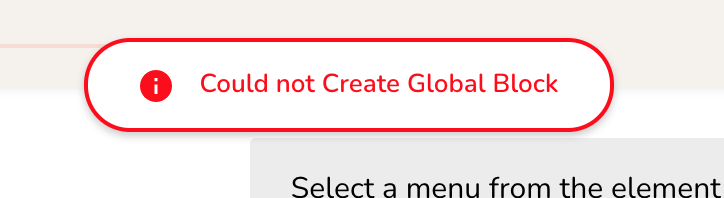
Can you help me please? Thank you!
0 -
Hi,
Thank you for all these details! I have created a private ticket for this request. Our developers and testers will investigate this problem and will get in touch with you on that private ticket. Could you please check it?
Thanks!
Best regards,
Sandra0
Please sign in to leave a comment.
Comments
5 comments