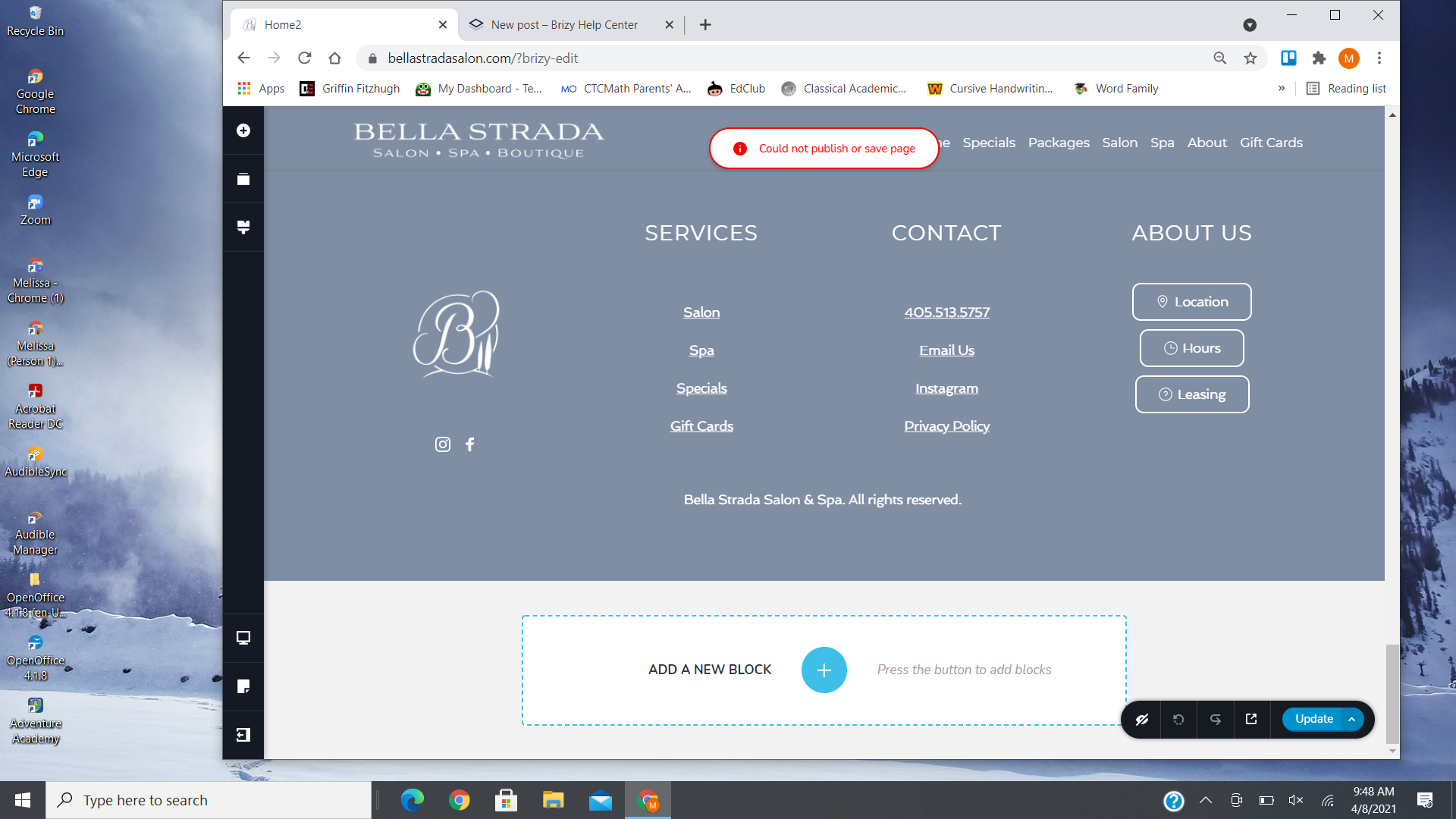
Error message: "Could not publish or save page"

When I click the Update button after making changes, I get an error message at the top of the page that says "Could not publish or save page".
I have updated to the latest version of Brizy and Brizy Pro.
This happens on all pages of my client's website.
Screenshot:
-

Hi,
Could you please give us more details about this problem? When did you encounter it? Is it happen on all pages?
I notice that you said you have the latest versions for Brizy plugins but could you please check if you have certainly the 2.2.11 version for Brizy Free and the 2.2.8 for Brizy Pro? Could you please temporary deactivate all external plugins (except Brizy Free and Brizy Pro) and activate a WordPress default theme? Do you receive the same problem?
Thanks!
Best regards,
Sandra0 -

Hi,
I am having the same error , I deactivated all plugins except Brizyx2 and checked and I rechecked and I have 2.2.11 version for Brizy Free and the 2.2.8 for Brizy Pro.
The problem is still there and happening with all my pages.
2 -

I'm having the same issue.
I successfully performed a save on another site using version 2.2.10, but when I upgraded the plugin to 2.2.8 I received the error.
Brizy was the only plugin I updated.
2.2.11 version for Brizy Free and the 2.2.8 for Brizy Pro
Here's the browser console message:
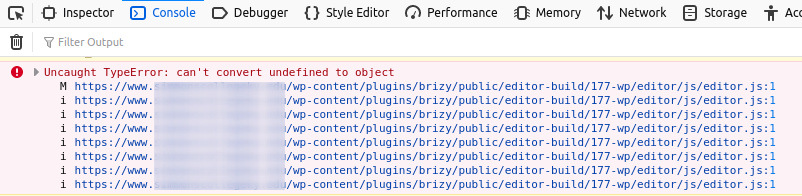
We cannot drag&drop any new elements onto the pages and we cannot remove any existing elements from the pages.
We deactivated all plugins except Brizy -- still receiving the error message.
-JL
1 -

yes
0 -
 The exact same thing happens to me. I updated to the latest version and I cannot update the pages. I have the latest versions of the free and pro plugins and I deactivated all the plugins and activated the default theme and the same thing happens.0
 -
- I encountered the error today.
- Yes, it is happening on all pages.
- Yes, I have Brizy Free 2.2.11 and Brizy Pro 2.2.8
- Yes, I’m using a Wordpress theme.
- Yes, I have deactivated all other plugins.
The problem is still occurring.1 -

I just updated to the latest version and I'm getting the same error.
And the mobile version of my site is broken. I had to restore to a previous backup point of my site.
1 -

same here, Brizy is not working. Everything goes bad.
0 -

Hello. I have exactly the same problem since yesterday.
I have Brizy version 2.2.11 and Brizy Pro 2.2.8.
I have also deactivated a lot of pluggins (but normally, they worked quite well before until yesterday).
I am using wordpress default theme (twenty-twenty). So, I doubt that the problem comes from brizy itself. Could you please help?
1 -

Hello Everyone!
Natalia here.
Thank you for reporting this bug. and sincere apology for this inconveniences.
I've made private tickets for all users with this issue. Please, reply to my request as soon as possible.
Regards, Natalia
0 -
Is there any progress in fixing this error?
1 -
Hi,
Our developers already are working on this problem and prepare a new update where will be fixed the problem. We are doing our best to release this update as soon as possible.
Thank you!
Best regards,
Sandra0 -

I am also getting the same issue of error message. when I try to update page and unable to click on left side menu. Also error with blocks. see screen shot below.
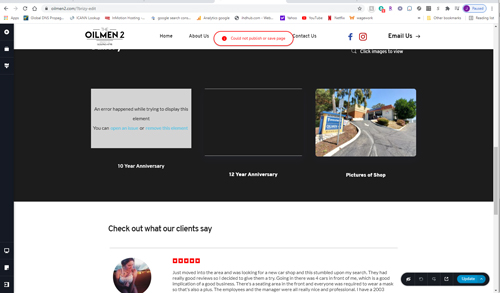
it all started after I updated to latest update brizy free Version 2.2.11 and Brizy pro Version 2.2.8.
Do you guys use bots to manage the brizy plugin? I noticed SmrushBot and Yandex Bot.
Thank you
Jericho
0 -

I am having the same issue as well. I have a client waiting on an update, a simple update and they are not waiting patiently.
0 -

Hello. I have exactly the same problem since yesterday.
I have Brizy version 2.2.11 and Brizy Pro 2.2.8
This happened when I updated the plugin0 -

Hello,
Impossible to save and edit pages.
I have exactly the same problem that the others.
I have Brizy version 2.2.11 and Brizy Pro 2.2.8
0 -
FYI, I have downgraded it to Brizy version 2.2.9.1 and it is working well.
Rgrds
0 -

Is there any update with this issue? I am having the same problem...
0 -

Dear users,
In a couples of hours we will have a new update, for this fix.
Regards,
Nelly
0
Please sign in to leave a comment.
Comments
19 comments