image gallery woocommerce not working

when I add the gallery item on the template page for products, it shows me a fatal error on the product page. when I remove the gallery item, it is working fine.
Fatal error: Uncaught Error: Call to a member function get_image_id() on string in /srv/www/vhosts/<DOMAIN>/httpdocs/wp-content/plugins/woocommerce/templates/single-product/product-image.php:28 Stack trace: #0 /srv/www/vhosts/<DOMAIN>/httpdocs/wp-content/plugins/woocommerce/includes/wc-core-functions.php(345): include() #1 /srv/www/vhosts/<DOMAIN>/httpdocs/wp-content/plugins/brizy-pro/content/providers/woocommerce.php(270): wc_get_template() #2 /srv/www/vhosts/<DOMAIN>/httpdocs/wp-content/plugins/brizy-pro/content/providers/woocommerce.php(65): BrizyPro_Content_Providers_Woocommerce->get_gallery() #3 /srv/www/vhosts/<DOMAIN>/httpdocs/wp-content/plugins/brizy/content/placeholders/simple.php(37): BrizyPro_Content_Providers_Woocommerce->{closure}() #4 /srv/www/vhosts/<DOMAIN>/httpdocs/wp-content/plugins/brizy-pro/content/placeholders/simple-product-aware.php(20): Brizy_Content_Placeholders_Simple->getValue() #5 /srv/www/vhosts/<DOMAIN>/httpdocs/wp-content/plugins/brizy/content/placeholder-replacer.php(45): Briz in /srv/www/vhosts/<DOMAIN>/httpdocs/wp-content/plugins/woocommerce/templates/single-product/product-image.php on line 28
is this error already known?
thanks for your feedback :)
-

Hi,
Did you receive this problem when you add the WooCommerce Gallery element or the Brizy Gallery element? How do you configure the Gallery element? Could you please give us more details about it?
Could you please check if you have the latest Brizy Free 2.2.10, Brizy Pro 2.2.7 version and WooCommerce 5.1.0? Could you please temporary deactivate all external plugins (except Brizy Free, Brizy Pro and WooCommerce) and activate a WordPress default theme? Do you have the same problem?
Thanks!
Best regards,
Sandra1 -
Hi Sandra
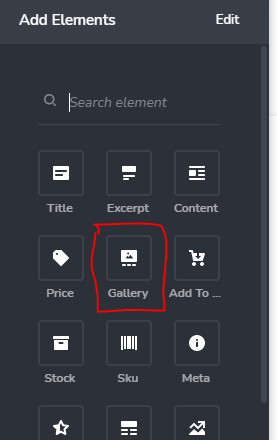
I'm receiving this problem when I add the WooCommerce gallery item to the template page.
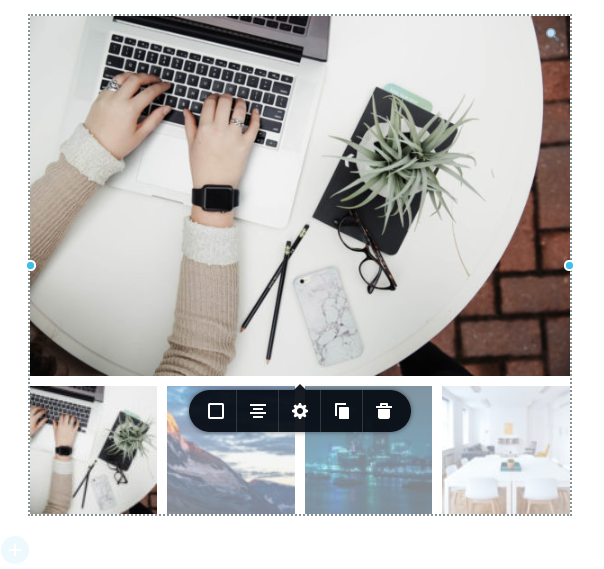
In the brizy editor it shows up just fine. I didn't edit any settings, it's the default settings
there aren't any other active plugins and I'm using twenty-twenty-one theme. I already tried using another theme. The plugins are up to date. I'm using Briz Pro 2.2.7 Studio
1 -
Hi,
Unfortunately, we couldn't reproduce this problem. Did you receive this inconvenience in the preview and live mode? Could you please send us the URL link of the product you receive this problem?
Thank you!
Best regards,
Sandra1 -
Hi Sandra
The error only occurs in the live website:
1 -
Hi Manuel,
I'm sorry for the late response. Your message was added to the Spam folder and for this reason, we couldn't reply to you sooner.
Thank you for all these details! We would like to check this problem from your dashboard. Could you please send us the WP credentials to this site?
I have created a private ticket for this request. You had to receive a notification regarding this by email. Could you send us in that private message the WP credentials to this site?Also, could you please update the Brizy Free and Brizy Pro to the latest updates? At the moment we have the 2.2.13 version for Brizy Free and the 2.2.9 for Brizy Pro.
Thanks!
Best regards,
Sandra0
Please sign in to leave a comment.
Comments
5 comments