Issues with WP's "Default Login" and "Forgot Password" on my Brizy Membership Website

Hello:
# ISSUE 1: WP Default Login Page (link is below):
https://tankwoodard.org/wp-login.php
• Issue details: Certain scenarios cause users to leave my website and go to the default WP login page (link is above).
• Questions:
— Is there a way to "force direct" users to my custom Brizy login page (https://tankwoodard.org/login/) so that the WP default login page is never seen?
— If not, is there a way in Brizy to customize the WP default login page (e.g. add my header and footer and replace the default WP logo with my own logo?)
— If not that either, is the only option to customize the WP default login page to use script or a plugin like Colorlib's "Login Customizer": (https://wordpress.org/plugins/colorlib-login-customizer/)
# ISSUE 2: Lost Password Feature (link is below):
https://tankwoodard.org/my-account/lost-password/
• Issue details: When you click on the 'lost password' link on either my custom Brizy login page or the WP default login page, you get the message "You must be logged in to view your account details"
• Questions:
— How can people who forgot their passwords log in to recover their passwords? (Obviously, those who are logged out need a feature to recover their forgotten passwords so that they can log in.)
— I know you can hide the "forgot password" feature on my custom Brizy login page, but that doesn't solve the problem for the WP default login page, and it eliminates the very useful lost password feature from my custom Brizy login page.
— How can I use the forgot password feature in light of these issues/questions?
Thank you!
-

Hi,
Thank you for your message!
1 - Yes, at the moment, when the user inserts a wrong password or username/email to log in, it is redirected to the WP default log-in page. The log-in element doesn't have the possibility to inform about the wrong inserted data. We are working to improve this aspect and in the future will be possible to avoid such behaviour.
The Brizy Header and Footer can't be added to the non-Brizy pages. A solution for this situation I can recommend using an external plugin/service that has this functionality. Be sure that the plugin/service you choose has the ability to export the log-in form in the embed code or shortcode.
2 - At the moment, the Brizy builder doesn't have the form for the forgotten password, therefore, it isn't possible to create a Brizy page for this purpose. But the same as in the previous question, you can choose a plugin/service that provides not only the Log-in possibility but also the option to customize the page for forgotten password.
Best regards,
Sandra0 -
Sandra,
Thank you. But one of my issues wasn't addressed, which is related to the lost password feature... I understand now that you cannot customize the lost password page, but what I'm asking about is its functionality... On my membership site, when someone who is not logged in forgets their password, there's no way currently for them to recover it... when they click the lost password link, it says "You must be logged in to view your account details"
So the issue isn't how the lost password page looks (headers, footers, images, etc)—no, instead it's how the lost password page functions (i.e. it doesn't function)... instead of getting a form where you can enter your email address and have a new password sent, instead of that, again, you get a message that says "You must be logged in to view your account details"
You can see the problem... if you don't know your password, you cannot log in to view account details and change the password... Do you see what I mean?
Thank you,
TW
0 -
Just to be as thorough as possible, when I click the "forgot password" link, I do *not* see the below (which I need to see):

Instead, I see the below message: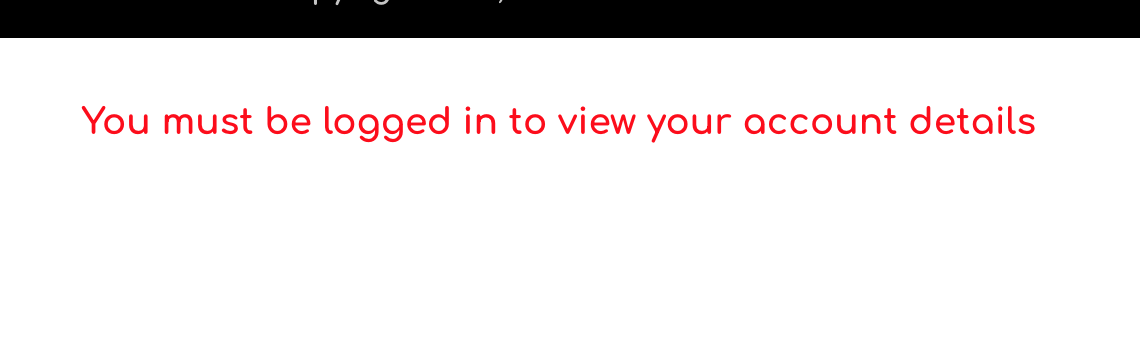 0
0 -
Hi,
Could you please check the Login form and the "Forgot password" option on the incognito page? Just now, I checked it and all worked correctly. See here. If you don't have the same behaviour, could you please check if you have the latest Brizy Free 2.2.10 and Brizy Pro 2.2.7 version? Could you please temporary deactivate all external plugins (except Brizy Free and Brizy Pro) and activate a WordPress default theme?
Thanks!
Best regards,
Sandra0 -
Sandra,
I figured it out... On the template used on the "my account page," I had the "my account page block" set to "customer role" on the Membership setting... after I disabled the unnecessary Membership setting for that block, it worked as intended...
Thank you
0 -
Hi,
Thank you for updating us regarding this issue! Great to know that all is working fine now!
Best regards,
Sandra0
Please sign in to leave a comment.
Comments
6 comments