Brizy Woocommerce catagories

I can't seem to get my product catagories to assemble how I want them on my shop page. How do I select only certain catagories whilst omitting others?
At the moment it is displaying all of the catagories I have available for display, and it is displaying them all in a vertical column. I would like only to display three and have them display in a row. Can you help?
Thanks,
Reuben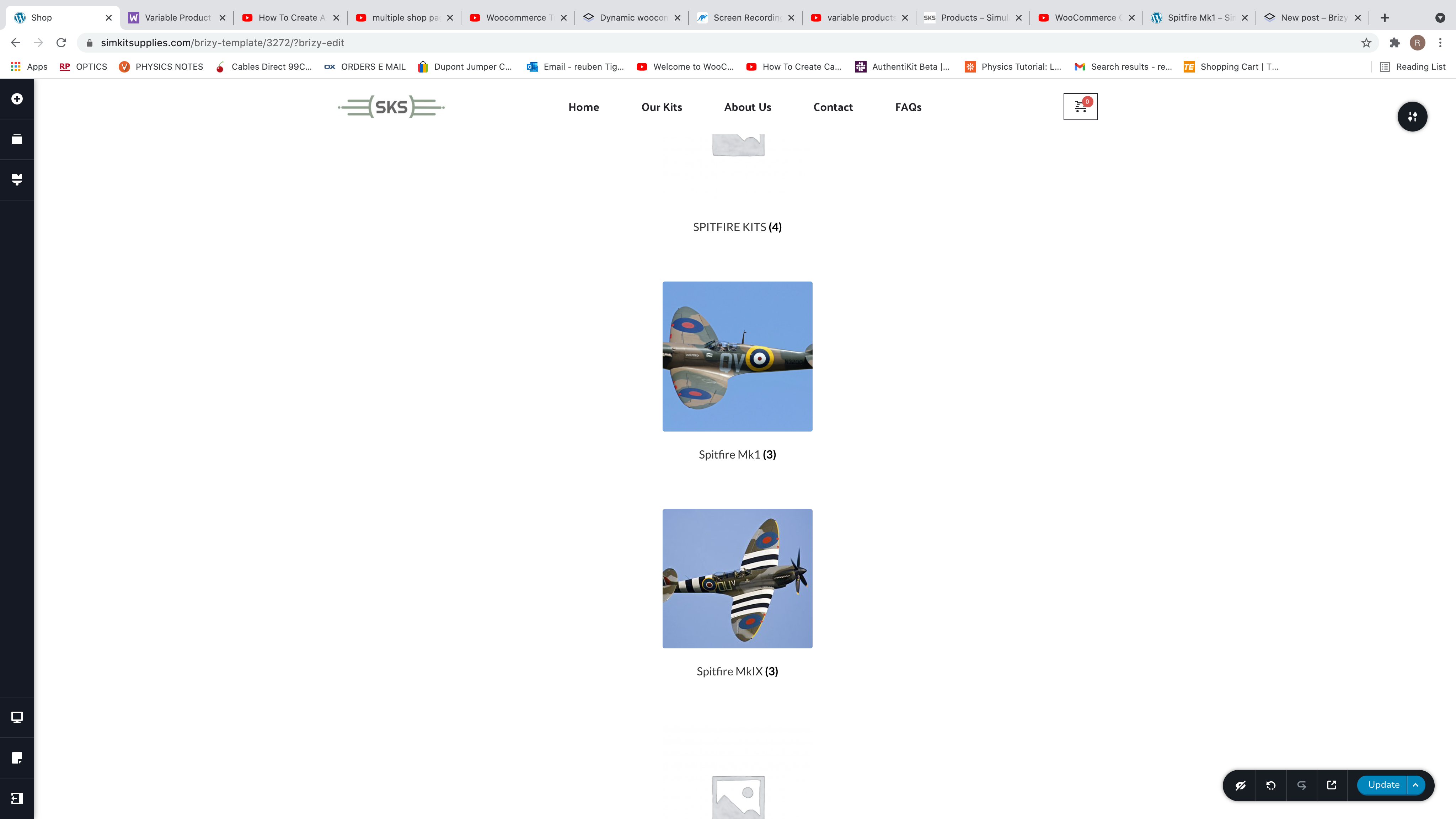
-

Hi,
You can use the Products element. Using this element you can select the category of posts you want to display and also the number of rows and columns. See here.
Best regards,
Sandra0 -
Hi Sandra,
Thanks for your reply.
I have been using the product element. But now I would first like to display my 3 different catagories, then use the product element for each of them. Does that make sense? What is the best way for me to do that?Thanks again for your help.
0 -
When I watched the tutorial for using the "catagories" element, it didn't seem to present the same issue as I am having - lining all the catagories up in one column - They seemed to come out in two neat rows. Is there no way to control that?
0 -
Hi,
Do you want to display on the same page 3 columns and in each column to display products from a certain category? For example, in the first column to display products from category X, in the second columns - products from category Y and in the last column - products from category Z?
Yes, it is possible to do this. For this, you have to add 3 columns in the row element and in each column to add the "Products" element. After this, in the first Products element select to display the Category X, in the second element - Category Y and in the last one the Category Z. See here.
Best regards,
Sandra0 -
OK. I'll give that a go. Just to clarify, the first 3 things I want to display are Catagories of the products, they are not themselves products. I just want x , y , z in a row. Then to be able to click on each one, and find the variety of products within that.
Anyway I'll try this out and get back to you if there's a problem. Thanks again you've been helpful.0 -
Doing that doesn't work, as it is just displaying a product from that catagory. Not the catagory itself.
I want to do this...
0 -
So that the images and number of items in the thumbnail correspond to the catagories I have set up in woocommerce.
0 -
Hi,
Ohh, I'm sorry, seems I misunderstand your request. I reviewed the entire post and your initial request. Unfortunately, at the moment in the Category WooCommerce element, it isn't possible to select what categories to display. You can customize the number of categories you want to display and filter them.
If you want to display 3 categories in a row, you have to set the number of columns exactly with the number of displayed categories. See here.
Best regards,
Sandra0 -
Hmm, that doesn't seem to be working for me?
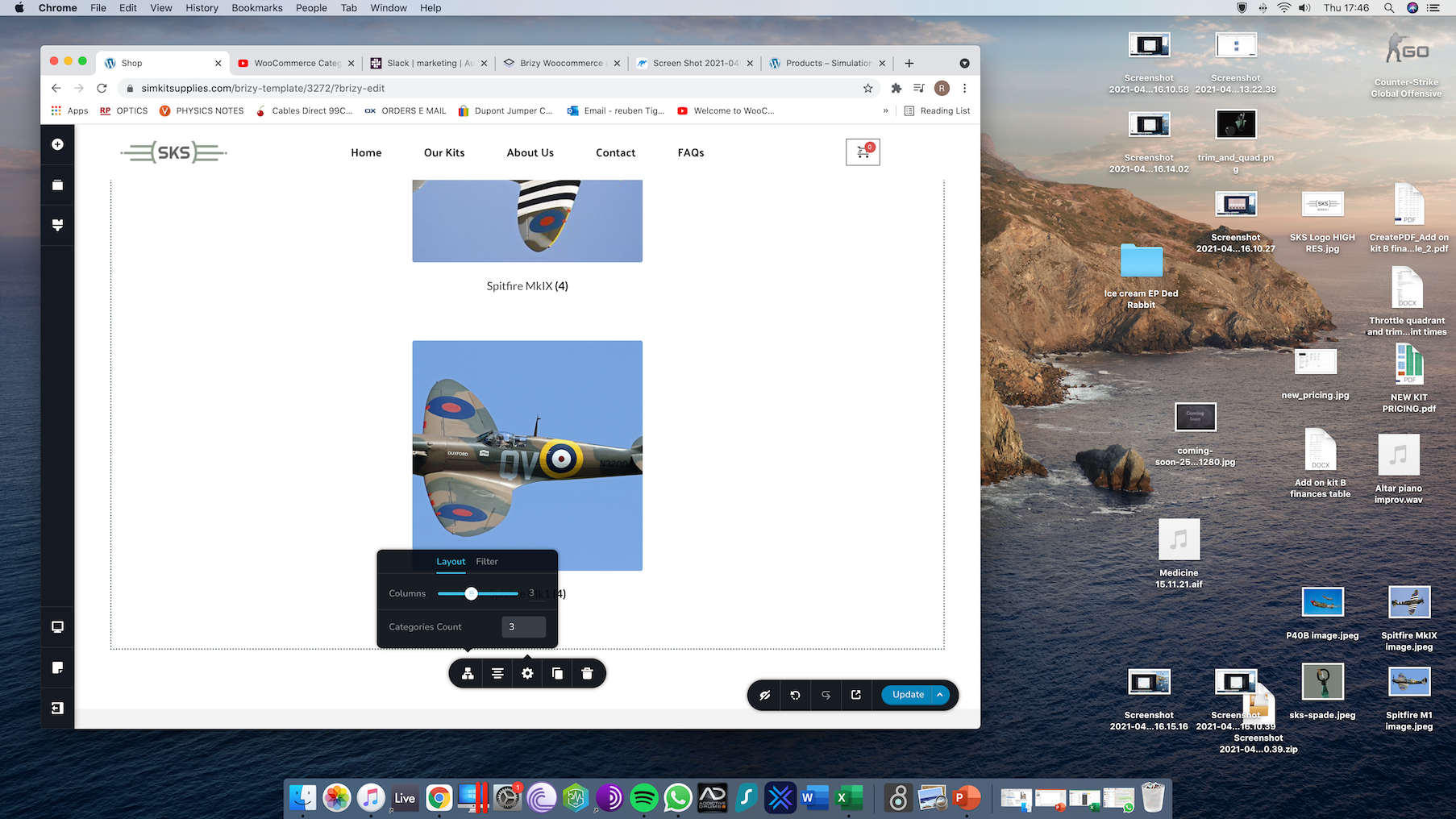 0
0 -
I have another query regarding this. So I will just try and lay out what I would like to do, it is slightly complicated so please let me know if you don't understand from my explanation.
1. In the shop page. I first want to display 3 categories. A , B and C.
2. Within each category are 3 products X , Y and Z.
3. Within each product, I would like to display another two different options of the same product, X1 & X2, Y1 & Y2 etc. another carousel or "product element" if possible, so another step like step 2. above, before eventually getting to the product page. Is it possible using sub-catagories? Do you understand what I mean by this or not?
Sorry if that's not clear, a bit tricky to explain...
0 -
Hi,
Regarding the primary question with the Category element - could you please check if you don't have some padding and margin set-up to the Carousel element? See here. Do you have the latest versions for Brizy Free 2.2.10 and Brizy Pro 2.2.7?
Now, about the second question. This isn't possible to make with the Category element but you can make it in the way I explained in a previous message. See here. About the 3rd point "Within each product, I would like to display another two different options of the same product, X1 & X2, Y1 & Y2 etc. another carousel or "product element" if possible, so another step like step 2. above ...", for me it is a bit impossible to imagine how this should display but I can surely say that it isn't possible to display featured or similar posts.
Best regards,
Sandra0 -
I suppose the way would be.
1. Catagory.
2. Subcatagory
3. Product
Is that possible?
It is possible with woocommerce and wordpress. I just need to edit the display of the shop here to display catagories, then subcatagories.
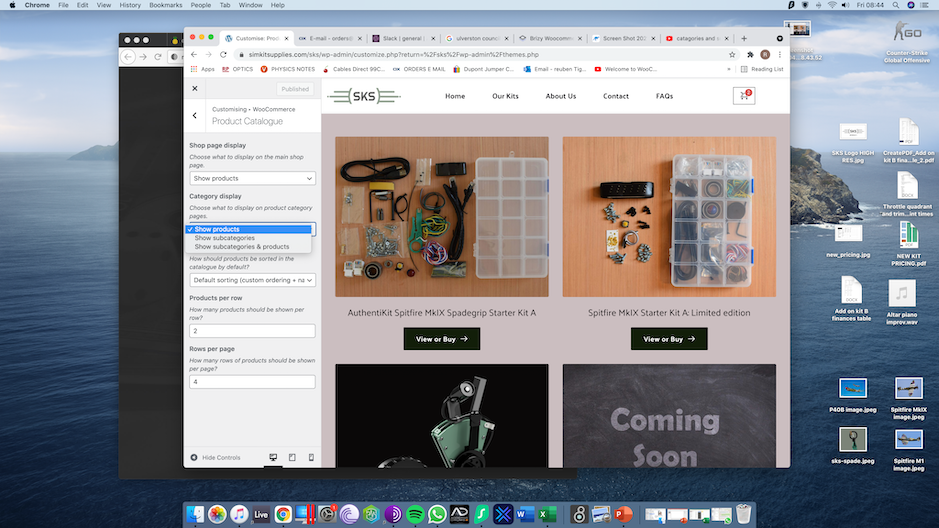
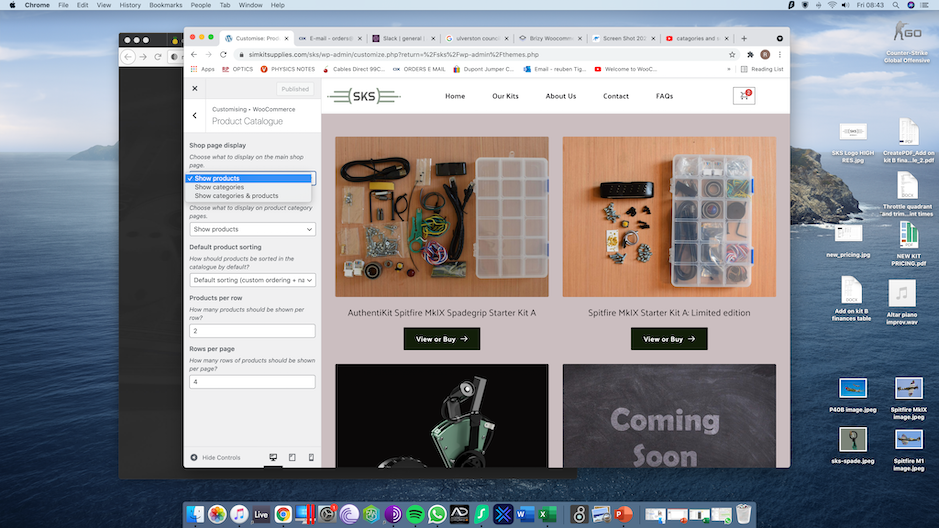
I just don't know how to do that with Brizy. Is it possible?
0 -
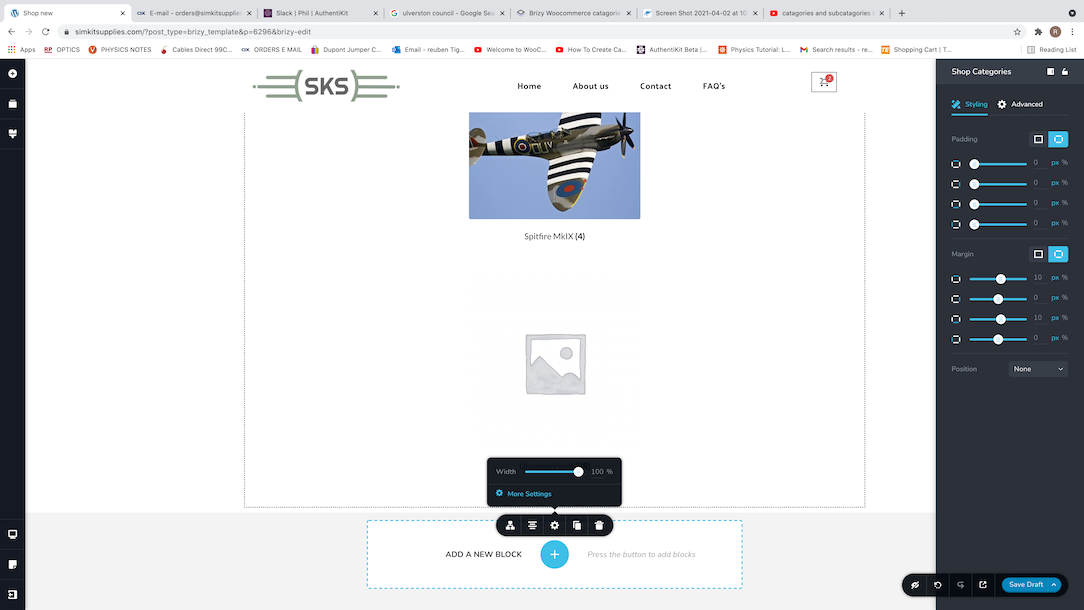
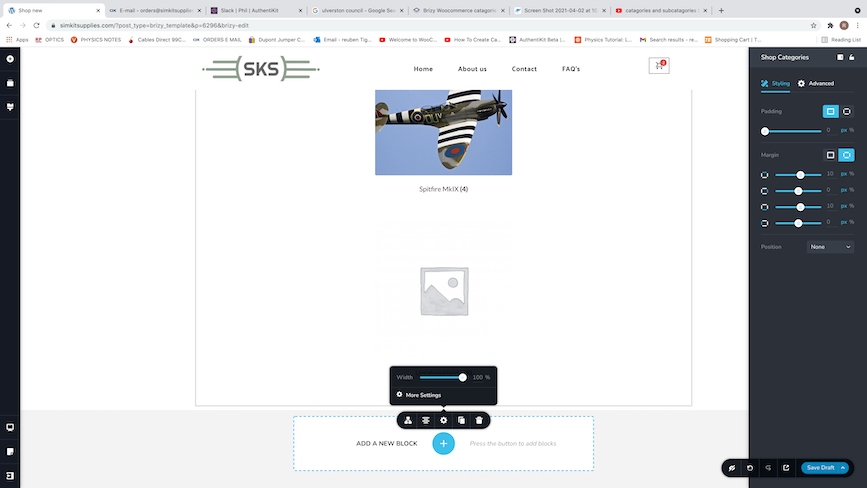
I do have the latest updated version of Brizy pro yes. Pretty sure my margins and padding is OK, I did shuffle those around quite a bit.
If I uninstall and reinstall BRizy, will my website be effected or will it all still be there where I left it? Is there a way to refresh Brizy or something?
 0
0 -
I think I have it sorted now. I took advice from your 2nd post about the products
"Yes, it is possible to do this. For this, you have to add 3 columns in the row element and in each column to add the "Products" element. After this, in the first Products element select to display the Category X, in the second element - Category Y and in the last one the Category Z. See here."
and applied that to the categories. I had to change details of my catagories a lot though so that I could display 3 seperate catagories. It would be a good idea to consider this in an update perhaps because it's not user friendly at the moment.
I appreciate all of your help through this though, the customer support here is great. Thanks.
0 -
Hi,
Thank you for your message and kind words! It is a pleasure!
About this request:
"I just need to edit the display of the shop here to display categories, then subcategories. " - Yes, it is possible to display the categories of the products inside the Shop page. But firstly, I want to concretise, did you edit the Shop page with Brizy? Could you please check if you followed all these steps to create the Shop page with Brizy?1 - Set up un the WooCommerce settings what page do you want to set as a Shop page https://jmp.sh/bdxiyGA;
2 - Go to Brizy -> Templates -> Add new and create a template https://jmp.sh/V7gT3G2;
3 - In the template add a suggestive name and most important add the right display condition. For the Shop page, you have to select the Product Archive and from here add the "Include -> Shop page". See here https://jmp.sh/mcF5TiR. Don't forget to click on "Add" and after this on the "Publish" to publish the template;
4 - Inside this template, you have to add the elements you want to display on the Shop page (header, footer, block with Archive element - we suggest adding this element because it will select all products from all category and will display on this page) https://jmp.sh/xMRRb1G.One important tip, on the Shop page from "Pages", you shouldn't have activated the Brizy editor. If for the Shop page you see this https://jmp.sh/b5qtE9p, please deactivate the editor for this page in such a way https://jmp.sh/9a5TgwQ.
If you respect all these steps, this means that your Shop page is configured correctly. Now, to display the categories of the product, you have to drag and drop the Text element and type "#Product categories". When you will type the "#" symbol, you will see a dropdown list with the suggestions. We recommend selecting from that list the #Product categories dynamic tag. See here.
Best regards,
Sandra0 -
Hi Sandra,
Thanks for this last message and for double checking I have the shop page set correctly. I did have it all set up correctly so no problems there.
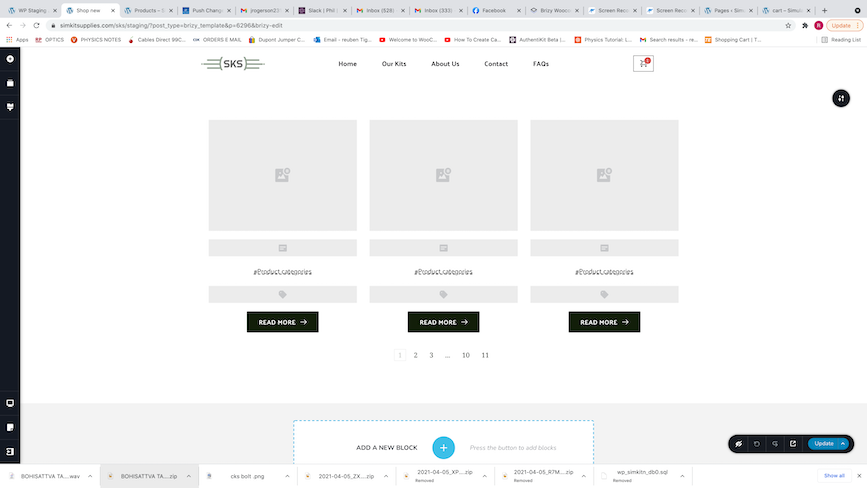
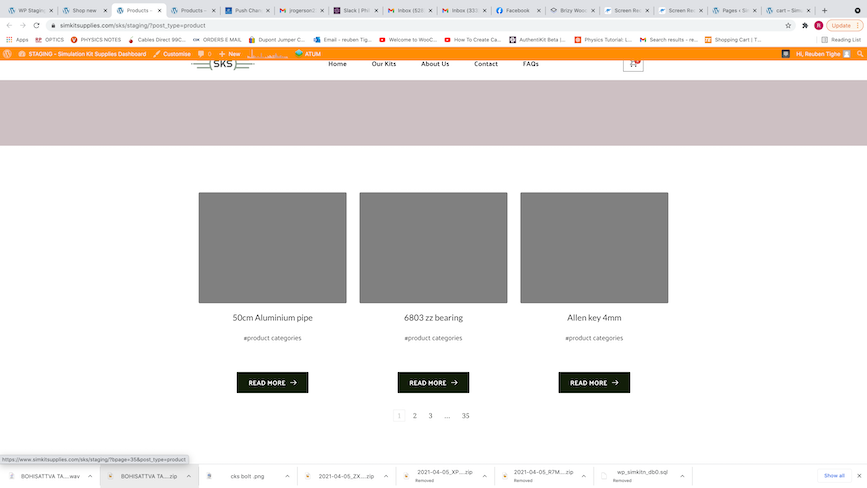
I have added the archive element into an empty block, and selected "#product categories", but it seems to be displaying every single product I have, rather than the categories. Some "products" I don't sell, they are materials I use to make the products etc.
What am I doing wrong?
 0
0 -
I noticed in one of your videos you have a template in Brizy for categories, and products. Do I need to set up some template pages for categories, products etc. in order for this to work perhaps?
0 -
Hi,
I'm sorry but I'm a bit confused. In my last reply, I send you a response to this question "I just need to edit the display of the shop here to display categories, then subcategories." which you addressed us in your last reply. See here.
Could you inform us where and how do you want to display the Categories? Do you want to display inside the single products the categories of the products? Or do you want to display the Categories you have in the dashboard?
Thank you and sorry for this inconvenience!
Best regards,
Sandra0 -
No problem at all. It's difficult describing it, the product is quite unique and complicated, so sorry for the inconvenience on your end.
Basically I have 7 categories in total logged into woocommerce, including "uncategorised". I would like to display ONLY 3 of them on my shop page, in a row. 1 next to the other. 'X' , 'Y' & 'Z'.
Within each category, There are 6 products. I would like these 6 products to be split into 2 further categories. So within the first category - 'X', for example - , I would like 2 further categories - 'Xa' and 'Xb'. Inside 'Xa' there are 3 products, and inside 'Xb' there are 3 products. The same follows for category Y and Z.
Does that make sense? Let me know if you are still confused?
I followed the steps in your previous post but my pages don't respond in the same way yours do when you add the archive element and type #product categories". I just get every single product. Not their categories.
I would be happy to make a screen shot video to show you what is going on if that is more useful?
Thanks for your continued support,
Reuben
0 -
Hi,
I suppose I understand now what you want to create but unfortunately, it isn't possible to create it. The only way to achieve your description is to create it the manual way with buttons or text element by adding manually the link to the category and subcategory pages.
About issue #2 with "#Product category" set to the Products from the Shop page. It is a bit strange situation because between screenshot from editor mode and the preview one, isn't a concordance. If you check it more attentively, you will find that in the editor mode is added "#Products categories" (with P in uppercase) but in the preview mode is displayed "#product categories" (with p in lowercase). Therefore, could you please delete the browser cache, update again the template (make double sure that the "Product categories" is underlined) and go to preview mode to check the categories.
Best regards,
Sandra0 -
OK. Thanks for your advice here. Can you tell me how to find the URL links for each different product category page? I would need a different URL for each category, since there are different products within each category. I'm not sure how to find those URL's? I hope that makes sense.
For example, if I
- Create a page to display 3 categories (manually, with buttons etc.)
- Link each button to a page displaying all the related products in that category - how to find these URL's?
- Each product in here should link to it's own product page.
Thanks,
Reuben
0 -
Could I create a product page for each category in the Brizy template section? And use each corresponding URL? If so, how do I find those URL's?
0 -
Hi Reuben,
In this article https://docs.woocommerce.com/document/permalinks/, you can find all details about WooCommerce permalinks.
I want to add one small detail about this "Each product in here should link to it's own product page", here it isn't necessary to display the products in a manual way. You can add the Products element and select the sub-category of the products you need to display. Similar to what I showed you in this video https://jumpshare.com/v/eUEAH3okIp1AfxFNZT4Q.
Best regards,
Sandra0 -
Yes, but I create 3 different product pages in the brizy templates right? And each page I make the product categories and select the product I want to display through that page. Then make permalinks?
I think I have it. Thanks very much!
Reuben0 -
Hi,
No, it isn't necessary to create 3 different product pages for product categories. As in the article from the WooCommerce is related, the link to the Product Categories pages you can find in the Products -> Categories. To find easier the URL link of a certain product category page you can preview a category page and copy the URL link it is displayed. See here. After you copied the URL link of the category, place it to the button or element you need to place the link.
P.S. In my video, for the Category pages you can see the Brizy template. This happens because I create a template for the Products Category pages, but if you don't have a template for such pages this isn't a problem.
Best regards,
Sandra0 -
Hi Sandra,
I almost have everything how I want it now, which is great. Thanks again for all your help.I can't get rid of the "related products" in the bottom of the page though and wondering if you can tell me how to do that?
Thanks
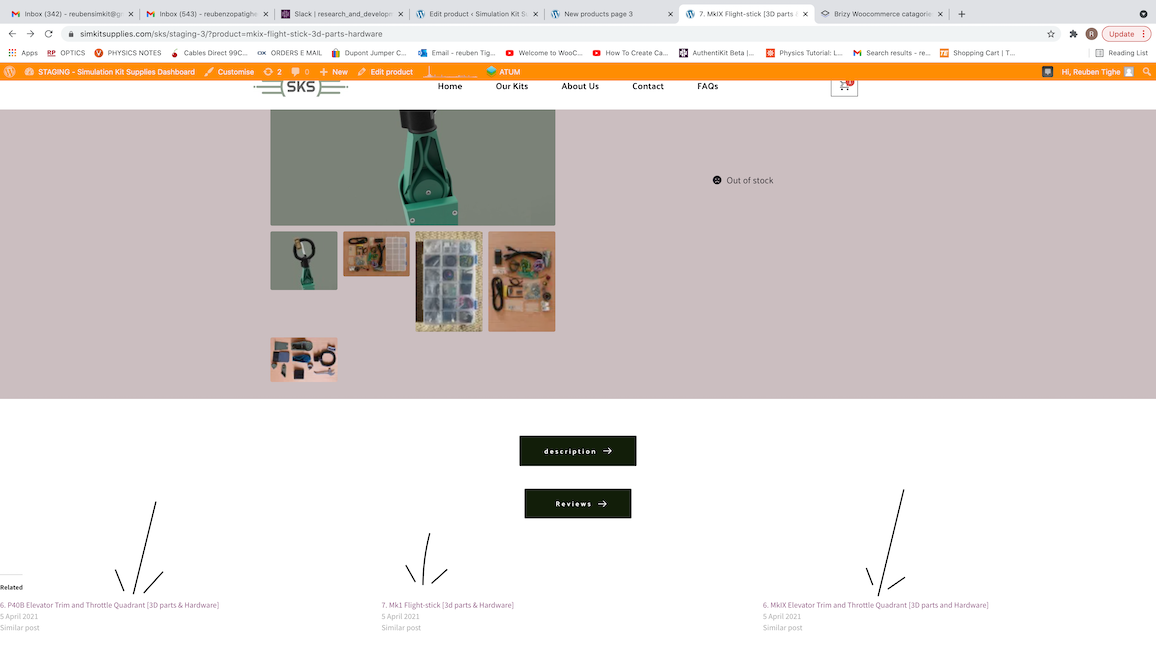 0
0 -
Hi,
Unfortunately, in Brizy builder it isn't possible to display the "related products". This feature isn't available in the Brizy builder yet. I'm sorry for this inconvenience!
Best regards,
Sandra0
Please sign in to leave a comment.
Comments
27 comments