menu active state css selector

what is the css selector I have to add to make the menu active for a child page of a specific parent page?
Or how do I give a menu entry an active state of a subpage.
Thanks
regards
Achim
-

Hi,
Unfortunately, it isn't possible to set up the specific styles for a submenu item when this page is open and therefore has the active state. The styles will be applied to the parent menu item. It is more visible and explicit to find what menu item is in the active mode.
Best regards,
Sandra0 -
Hello Sandra, thanks for the fast reply.
I do not want to set a specific status.
Here is what I want.
Menu item "1" links to page 1, which has a link to page 1.1
1.1 is a Subpage of page 1 . When page 1.1 ist shown I want to have the active state on menu item "1".
How can I accomplish this?
thanks.
regards
Achim
0 -
Hi,
Yes, it is possible to do in Brizy editor. For this, you have to click on a menu item and go to the colours option. From here you will find 3 option for the normal state, hover state and the last one for the active state. You have to access the last option and customize the way you want to display the menu item for the hover state.
After this, you can access the submenu, click on the submenu item and go to the colours. For the submenu, you have the same possibility to customize the way it displays the submenu item in the normal, hover and active state. Therefore, you can customize this too.
In the preview mode, when will be accessed the submenu item, the primary menu item will be set up with the active mode settings and the same with the submenu item. See here a video that displays all these details.
Best regards,
Sandra0 -
Hi Sandra, I see.
Would it be possible to add more editing possibilities to brizy for the submenu (padding for example) and for the menu-drawer on mobiles (background-color for example)?
Thank you.
Regards,
Achim0 -
Hi,
Yes, for the active mode, you can customize the text colour, background colour and shadow. See here. Unfortunately, the padding isn't possible to customize.
Best regards,
Sandra0 -

Is it possible to customize the "bold" state when hovering over a menu item?
I tried adding some CSS to the Menu but it will only make ALL MENU ITEMS Bold, not the one i actually hover over with the mouse.
0 -

Hi Georg,
Thank you for contacting us.
Could you please share the URL of the page you’re working on and describe exactly what you’d like to happen when hovering over a menu item? With that info, we may be able to provide you with a custom CSS solution.
Looking forward to your reply.
Best regards,
Ariel H.0 -

When you hover over with the mouse, the text should become bold.

so this would be the desired outcome.
0 -
Hi Georg,
Just a quick update, we've added the custom CSS to apply the bold hover effect to the menu items.
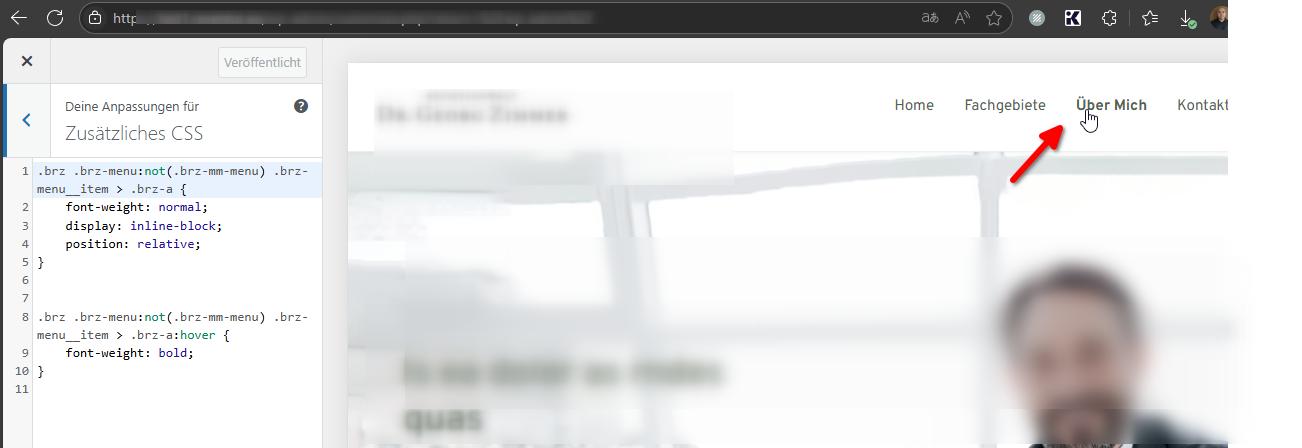
Best regards,
Ariel H.0
Please sign in to leave a comment.
Comments
9 comments