Blog childproof

Hi, I have to structure a site with a part of news for a client.
I will use the blog to manage the news, but it must be childproof, because it will be managed by the client himself.
In creating the post, the possibility of directly inserting the main text is missing. Is there any tricks to do this?
In extremis I could use the "Excerpt", but how can I limit the number of characters displayed?
Thank You
-

Hi,
Thank you for getting in touch with us!
Could you please give us more details about settings up the Blog as the childproof to be managed only by the client? Do you want to offer the ability to create blog posts only to a single user? The Blog posts can be created by the Designer, Manager and Owner, therefore, you can attach him to one of these roles and invite him to the subaccount where you created his project.
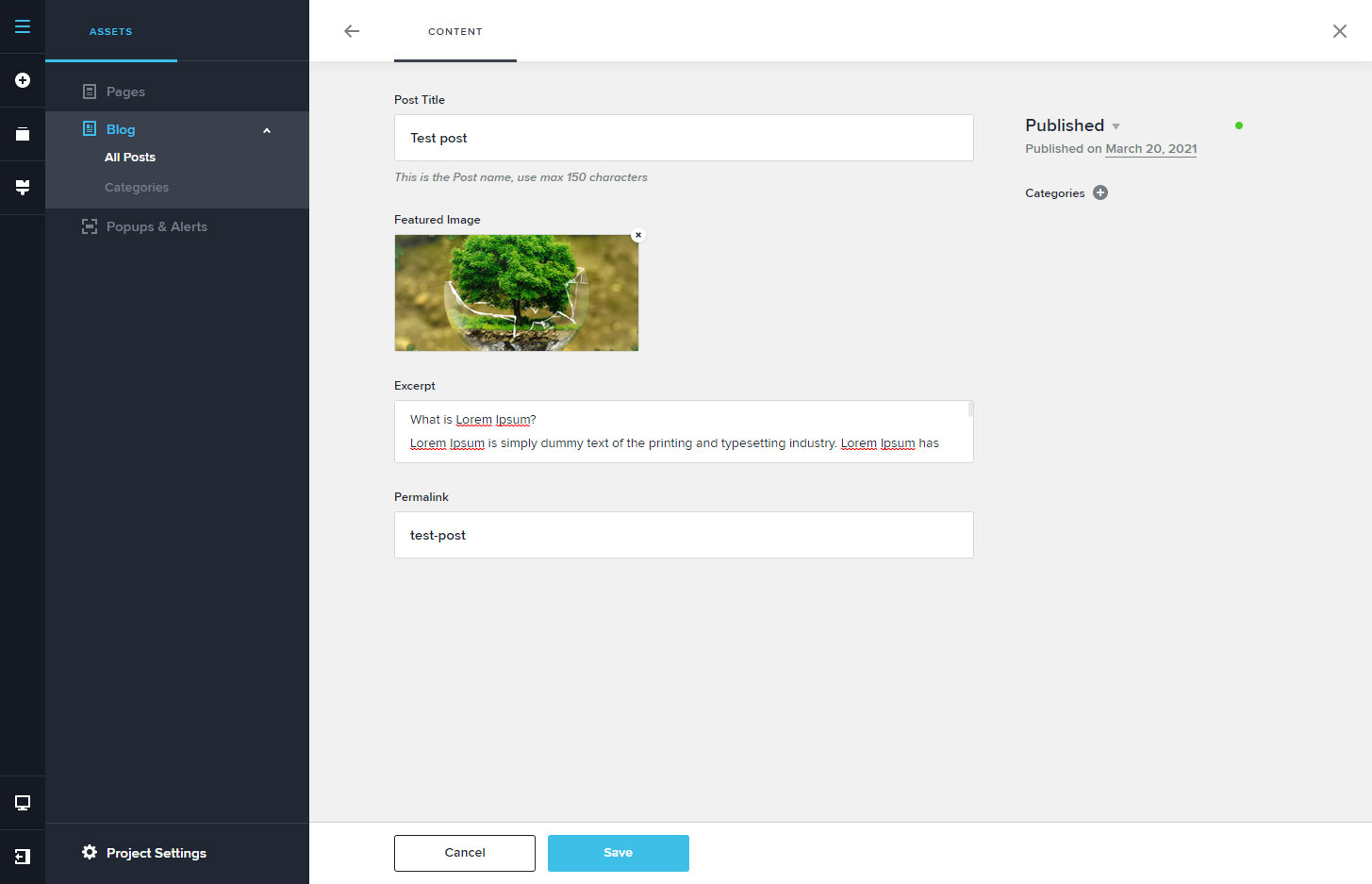
"In creating the post, the possibility of directly inserting the main text is missing." - are you about the Title of the post? If so, when you create the post you have the option to set the Post Title and Post Excerpt. See here.
At the moment, when you use the Posts or Archive element to display the excerpt, it isn't possible to set another limit of the displayed character. It is a predefined value and it can't be modified. If you want to display a custom excerpt, you can set it manually for posts.
Best regards,
Sandra0 -
In wordpress the customer enters the creation of a post, inserts title and image (so far as in brizy cloud) and then inserts all the text he wants to be able to modify it as he wants (H1, H2 ... bold, alignment, etc.). End.
I will then decide the style with templates.
In Brizy cloud, during the creation phase, the customer can only put a short description, without the possibility to change the style of the text (H1, H2 ... bold, alignment, etc.).
I can't expect him to enter the post, have him insert an empty ROW, then a text, change the padding, have him set the different styles in responsive ...
All this must be managed automatically by a template.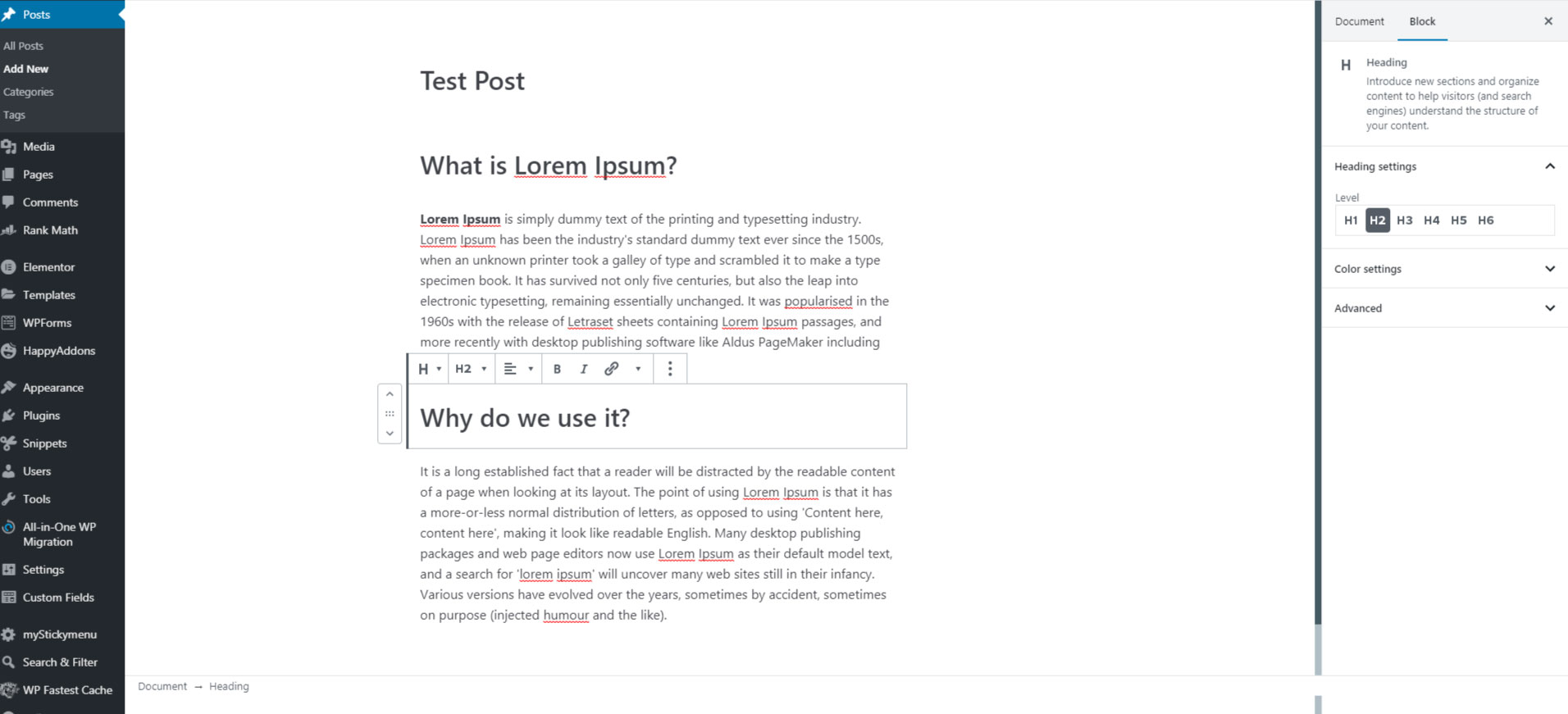
 0
0 -
Hi,
At the moment, in Brizy Cloud, it isn't possible to create templates for the posts as in WordPress because the process is a bit different. For more details please access this link. Therefore, to create the content for the Post you have to click on the "edit" button for the post and start editing it. See here.
Best regards,
Sandra0 -
But did you read my previous message? I can do everything. it's my job.
What I have presented, inserting some illustrative images, is that during the creation of a post a user with no experience will find himself in great difficulty.
Just add a "Text" element before the "Excerpt" element and then add a dynamic "Text" element.0 -
Hi,
Thank you for all your details and yes, I read all your messages. In the link I send you, this exactly, I make you a reference to "How to create a template in the Brizy Cloud". You can create a post, add there the Dynamic content (Title, Featured image), set all padding, margin, blocks and all details and then add it in the "Saved" Layouts. In such a way, when you will want to create another post, you can add a new post and add there the saved layout of the post. In such a way you can guide the client about how to create a new post when he/she will want. Therefore, she/he will need to go to Posts, create a new post and add there the Saved Layout and in the empty places, to add the content. In such away, you can create some more variants and the client will have the possibility to choose what Template/ "Saved layout" to use for this post.
Or much simpler, as you can see in the mini-video from the same link source, you can make them all blocks like "global" and as a display condition to add "Include - Posts - All".
Best regards,
Sandra0
Please sign in to leave a comment.
Comments
5 comments