Pop-up embed issue

Hi, I'm trying to create a popup that will work on any site builder. I published my popup and placed it on a test page on my site in the footer and it's not working.
Also when I go to the popup editor, sometimes it loads a 404 page. What am I missing?
-

Hi,
Can you please send the pop-up code so we can see the problem? Please also send a screenshot of the display conditions you set for that popup. Thanks.
0 -
Sure thing. I haven’t set any conditions, we just want it to display every time the page is loaded.
Here is the code. I screenshot it as well if it doesn’t go through properly.
<script>!function(p,n,o){if(!(o=n.getElementById("brz-external-popup")))return(o=n.createElement("script")).async=1,o.id="brz-external-popup",o.src="https://s3.amazonaws.com/brizy.cloud/popups/popup.js",o.onload=e,void n.body.appendChild(o);function e(n,e){p.brzExternalPopup?p.brzExternalPopup("https://blackberry5651327.brizy.site"):(n=o.onload,o.onload=function(){n(),p.brzExternalPopup("https://blackberry5651327.brizy.site")})}e()}(window,document);</script>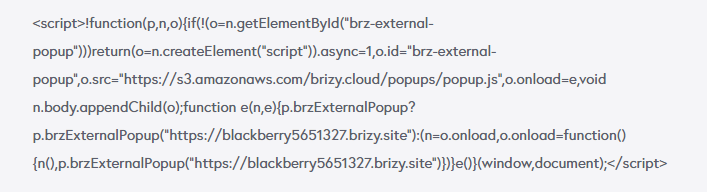 0
0 -
Hi,
I just had a word with the devs and there is a problem with External Plugins that will be fixed on Saturday(we have a scheduled update for Brizy Cloud:https://status.brizy.io/ ) Sorry for the created inconvenience.
0 -
Hi,
I tried it again, but still not able to get the popup to load on my site.
I got the code from the Brizy Cloud again. just in case if the update on Saturday changed it, but still having issues.
<script>!function(p,n,o){if(!(o=n.getElementById("brz-external-popup")))return(o=n.createElement("script")).async=1,o.id="brz-external-popup",o.src="https://s3.amazonaws.com/brizy.cloud/popups/popup.js",o.onload=e,void n.body.appendChild(o);function e(n,e){p.brzExternalPopup?p.brzExternalPopup("https://blackberry5651327.brizy.site"):(n=o.onload,o.onload=function(){n(),p.brzExternalPopup("https://blackberry5651327.brizy.site")})}e()}(window,document);</script>0 -
Hi,
I confirm this. I noticed that the pop-up appears but for various reasons it comes with opacity: 0: https://jmp.sh/YfLL7de
We will fix it. Sorry for the created inconvenience.
0 -
Thanks,
I noticed it turned transparent last night in the editor so I went in and created another simple popup with a solid background, and loaded it on a test page on our site and that still isn't displaying.
The new nontransparent popup code I added is.
<script>!function(p,n,o){if(!(o=n.getElementById("brz-external-popup")))return(o=n.createElement("script")).async=1,o.id="brz-external-popup",o.src="https://s3.amazonaws.com/brizy.cloud/popups/popup.js",o.onload=e,void n.body.appendChild(o);function e(n,e){p.brzExternalPopup?p.brzExternalPopup("https://quince5819526.brizy.site"):(n=o.onload,o.onload=function(){n(),p.brzExternalPopup("https://quince5819526.brizy.site")})}e()}(window,document);</script>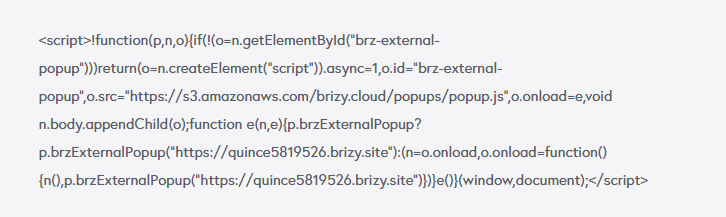
We need to figure out if this will work for us or not soon, otherwise, we will need to look into alternative options.
0 -
Hi,
This one works for me: https://jmp.sh/C0sS5r0 Can you please send the link to the website where you added it so I can inspect the code?
0 -
Looks like you didn't add the right code. From what I see, you have an additional <script> tag: https://jmp.sh/nKXNl2B
0 -
That worked, thank you!
0 -
Anytime ;)
0
Please sign in to leave a comment.
Comments
10 comments