No image zoom control in post template

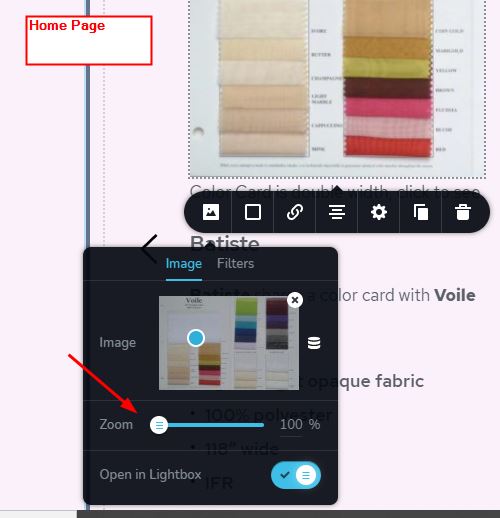
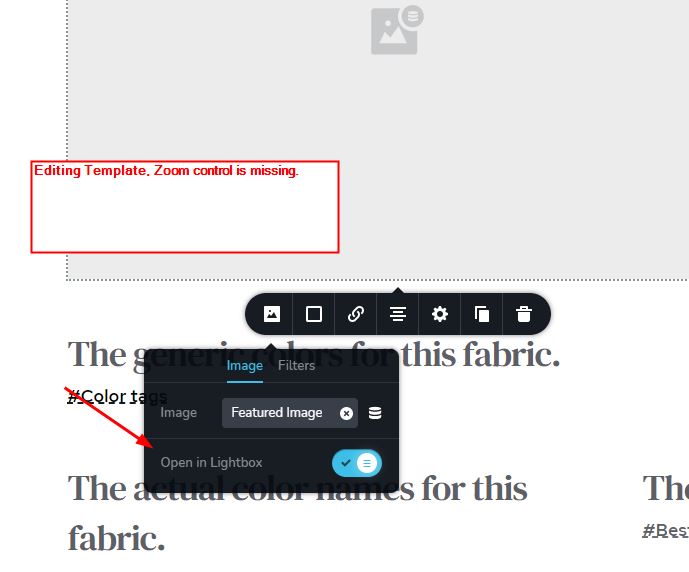
I have built a post template and included an image in it that I set dynamically for the featured image. Unlike in a page, there is no zoom control under the image selector. As a result, the image is cropped from what appears to be zooming in too far.
Compare the images on encore.websitesbykts.com with any of the images on the single fabric posts, accessible from the list of fabrics on the right side of the home page. An example would be https://encore.websitesbykts.com/bengaline/.
-

Hi Jack,
Yes, at the moment, it isn't possible to set-up the zoom for the dynamic images but you can set the width and height to the image container. See here.
Best regards,
Sandra0 -
I have often run into problems with how Brizy initially displays an image. To date, that has been with static images. The problems are that the Zoom is not always 100% or not always appropriate. Also, the width and height are often not 100% and, further, not matched, so that it comes in at, say, 100% width and 80% height, which works very poorly.
The functionality of the zoom setting and the separate width and height settings are not equivalent. The zoom essentially sets what portion of the image is displayed. The width and height set the size of the image on the screen.
If you look at the posts for each of the individual fabrics you can see the variation in how the images are displayed. It's really not acceptable. The images are all the same size, but the zoom is significantly different. You can compare them to the images on the home page.
https://encore.websitesbykts.com/batiste/
https://encore.websitesbykts.com/bengaline/
https://encore.websitesbykts.com/duvetyne/
https://encore.websitesbykts.com/encore-satin/
https://encore.websitesbykts.com/phoenix-suede/
https://encore.websitesbykts.com/premium-poplin/
https://encore.websitesbykts.com/regent-spun/
https://encore.websitesbykts.com/savannah-taffeta/
https://encore.websitesbykts.com/venice-velour/
https://encore.websitesbykts.com/voile-crushed-voile/
Brizy has to address this!
0 -
Hi,
I checked the links you send us and I found that not all images have the same dimensions. Some of the images are in the portrait mode https://jmp.sh/HQrJT8x and others are in the landscape mode https://jmp.sh/NFC8yl1.
In the dynamic content for the image element, is created the same container for all images. When it opened a post, the dynamic image is added in that container that has certain sizes that were added in the editor mode. See here. In this video, you can see that the height and width for the image container are set at 100% and both images have 660x495px. These values were converted from the 100% width and 100% height you set in the editor mode and they depend a lot on the column sizes. When the image has 100% width and height this means that it totally has to fit in the column container sizes.
Best regards,
Sandra0
Please sign in to leave a comment.
Comments
3 comments