Fallback Font Times New Roman - replacement

Hi,
how can I circumvent this issue when the Page loads it shows Times New Roman or a Serif character set before loading the custom uploaded Frontest Myriad Pro?????
One of the Pages I am talking about is a current project:
akademie.org
Thank you.
-

Hi,
I opened the URL you send us and I found that it is loading with the Custom Font set in the editor. See here. As you can see this font-family hasn't overwritten and maintain the custom font.
How do you see the page in the preview? Could you please check the page in the incognito browser mode or delete the browser cache?
Thanks!
Best regards,
Sandra0 -
I got feedback from several people involved that they see Times New Roman for a couple seconds which then eventually will get replaced with Myriad Pro.
I see If I can create a Video as I don't see this on my dev system.
0 -
Here is a short video demonstrating this issue!
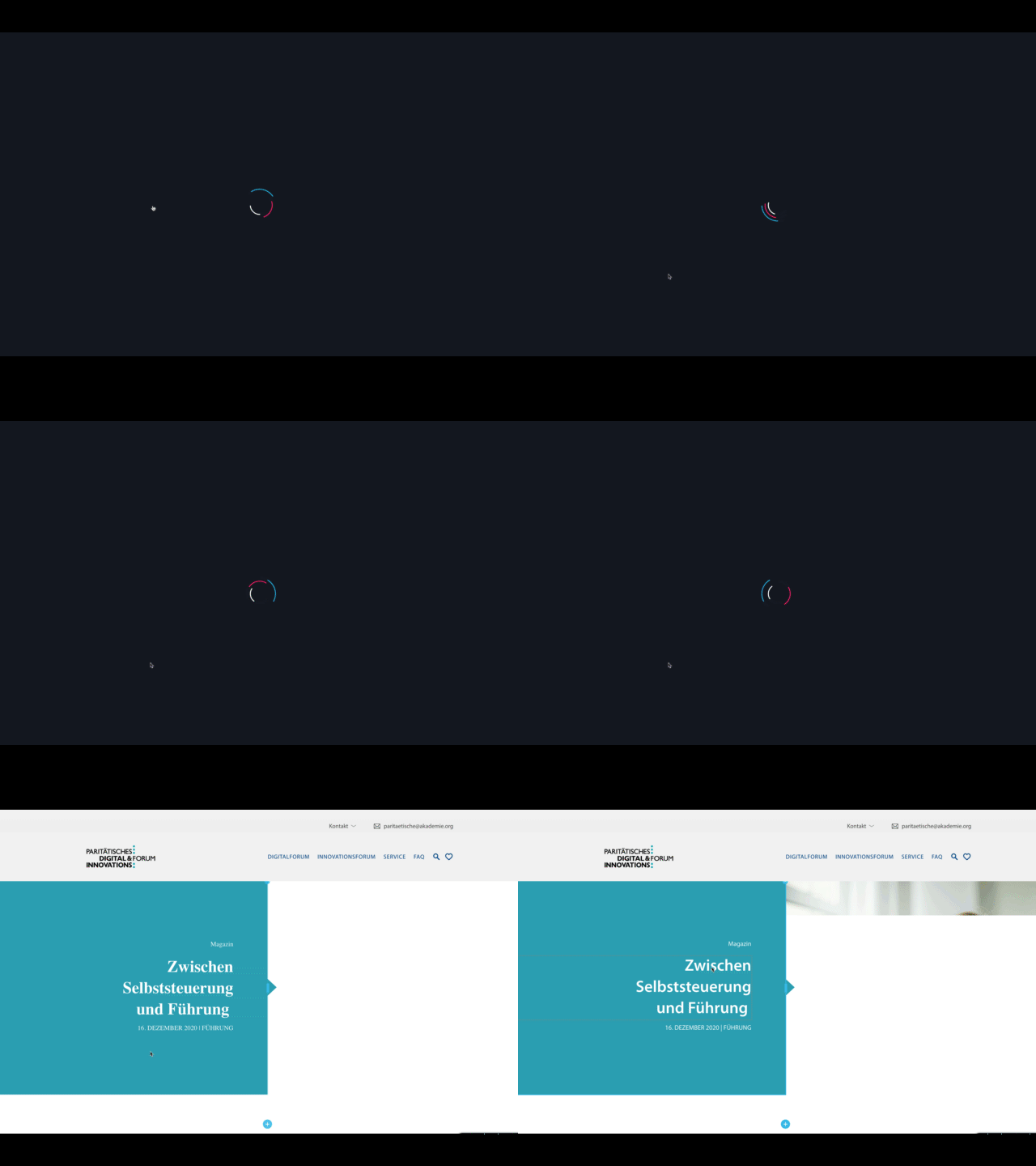 0
0 -
Hi,
Thank you for the video you send us. Beside the font is used in a site, there are some default font that will load in all conditions. In case the font you set up can't load or appear some problems, are displayed the default font which in most cases is Time New Roman that doesn't need more resources to load.
In cases that the font used by the user is a bit hard to load (the font is a big, internet connection, browser cache, etc) you can see in the first instance the default font (Time New Roman) which doesn't need more resources to load and after a fraction of a second, you can see the font was set-up by the site creator. This action and this behaviour is a global behaviour and doesn't depend only on the Brizy. It is also depended on how optimized are files you upload and the format you use for the Custom font. See here for more details about Font in HTML that are general rules.
Best regards,
Sandra0 -
Ok let me ask it differently then. How can we prevent showing a serif font and fall back to a font that is similar to Myriad?
thanks
0 -
Hi,
Did you notice that you set-up a text element with Myriad font but in the preview mode it doesn't show correctly but show the Serif font? What Serif font did you notice because are some variations of this font? Could you please send us the URL link of the page where we can check this problem?
Thanks!
Best regards,
Sandra0 -
It happens on all pages we are building with brizy.
One already puplished is akademie.org
0 -
Hi,
We checked the URL you send us but we didn't encounter some problem. The font you added is loading fine and it isn't the Serif font. See here the difference between the font from your site and the Serif one.
Also, we checked the fallback and the font that is loading on your site and the same all is working fine. See here.
Let us know if we can help you with something else.
Best regards,
Sandra0 -
The new sites we are building on the one I've sent you still shows times new roman depending on the site loading speed. What Can we change to not show times new roman at all?
0 -
Hi,
Yes, we know about this problem. We could encounter it. It is happening with some fonts for example Lato or Slabo 13px. Our developers are already working on this inconvenience and we suppose that in the next updates we will release the fix of this problem. I'm sorry for this inconvenience!
Best regards,
Sandra0 -
Hi Sandra,
thanks for the update!
on this page which we are about to release the whole site shows TNRhttp://stage.paritaetisches-personalforum.de/
 0
0 -
Hi,
Which font are you using here? Did you use one of the fonts I mentioned in my previous message?
Best regards,
Sandra0 -
Hi Sandra,
we have to use Myriad Pro as it is the CI Font of that company!
We have the same problem here
http://stage.paritaetisches-eingliederungshilfeforum.de/
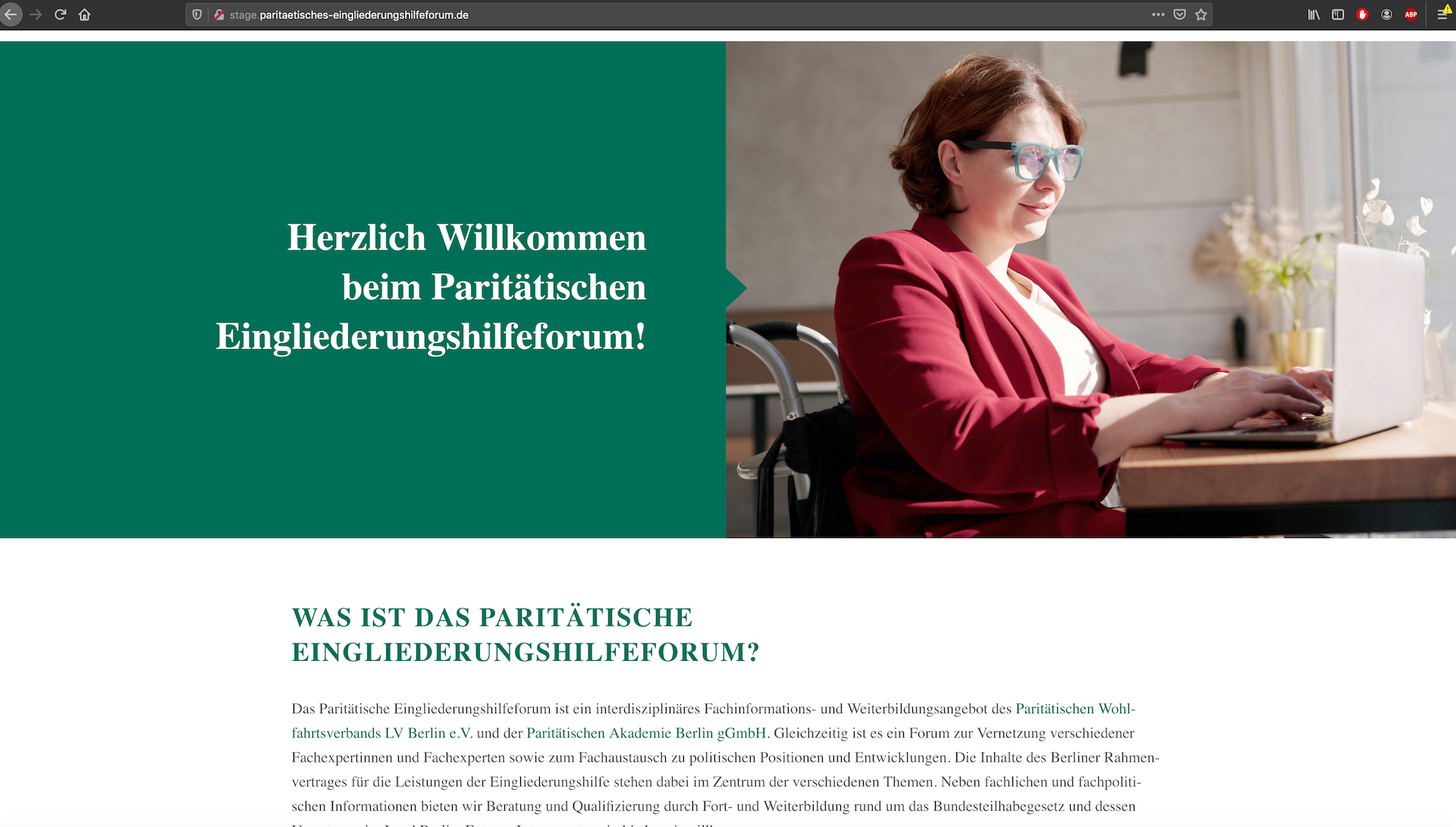 0
0 -
I need Brizy to fallback to a similar Font as it seems that some systems need time to load the font. as We experience only the Brizy Modules on our pages have that Times New Roman problem and not the Gutenberg blocks or the short codes from the database.
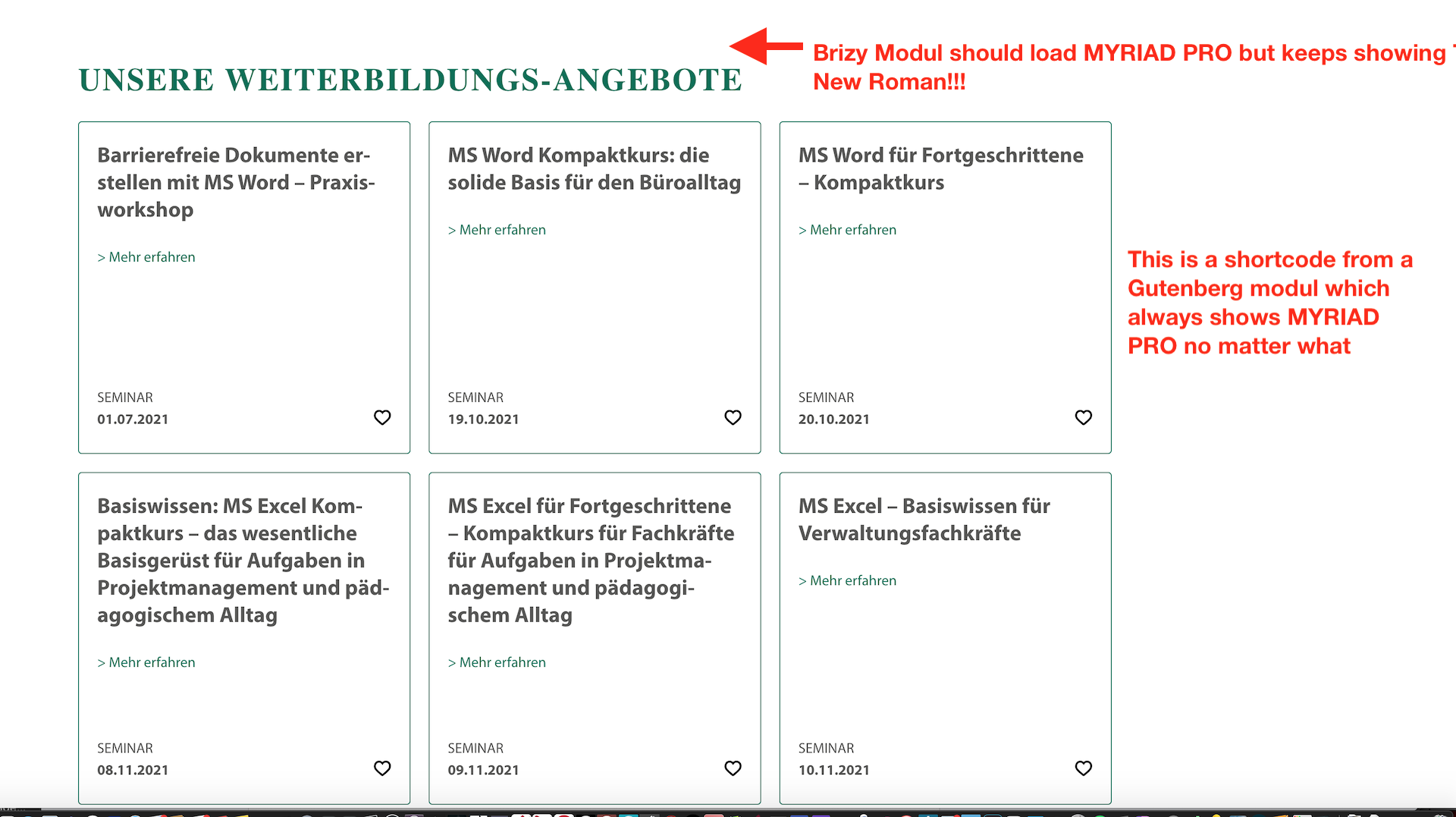 0
0 -
Hi,
I checked the site and the first time when I open your site all worked fine. See here. After some refreshes, I could see the problem you encounter and found that in the Console some problems with the font upload. See here. Could you please try to delete the font and re-add it? Do you have the SSL certificate for this site? Could you also, check if, in the Settings -> General, you have the same link for WordPress URL and Site URL? If you have the SSL, are they set with HTTPS?
Thanks!
Best regards,
Sandra0 -
Hi Sandra. the font issue still persists!
I've checked, in the Settings -> General, and we have the same link for WordPress URL and Site URL!I also consulted another developer who provides a font caching snippet for Oxygen Builder.
He told me that he solved that issue for Oxygen builds with the following:
Brizy loads the method of font display: swap which leads to FOUC – "Flash Of Unstyled Content"
I've resolved it with font display: blockMy question:
is there a way to circumvent FOUC – "Flash Of Unstyled Content"???0 -

Hi Sandra,
Usually the theme's default font is used as the fallback. At your WordPress Dashboard, under Appearance - Customize, under typography settings, if you see a default font or a font family. that could be your fall back font.
Looks like your theme Paritätische Akademie Berlin was developed by https://priorist.com/. If they still operate, please check with them about the default font in their theme and how to change it.
Looks like you are using the Default Template; the page header and footer are designed using your theme and page content is designed using Brizy. When using Brizy template, the entire page from top to bottom is designed using Brizy. I wonder if you use the Brizy Template (instead of the Default Template). this issue would still persist.
By the way, the fall back font loading first and then the actual font loading later is not a common Brizy websites phenomenon.
0
Please sign in to leave a comment.
Comments
17 comments