Search results are not displayed when adding the search page template in Brizy

Good evening
The search results are not being filtered down when a query is made in the search bar. Instead, all posts are shown regardless of what term is searched.
For example, searching "disinfectant" in the search bar does not filter out the results but rather shows all archives when done on this page https://rilleatechnologies.com/category/rillea-in-the-news/
Here are the results: https://rilleatechnologies.com/?s=disinfectant
I assume there is an adjustment needed on the archive search page template. The archive element is being used and template is set to display as the search page.
Any help is appreciated. Thanks
-
Hello - just following up. This post says that it requires approval. Can you please provide an update? Thanks
0 -

Hi,
I'm sorry for the late response. We know about the inconvenience on the Search page and our developers already work on it. In the next updates, we will release the fix and all will work as it should.
Thank you for your understanding and patience!
Best regards,
Sandra0 -

I think I am having the same problem. I do search for a tag, for example, and I get back all the posts and all the tags.
This is a pretty serious shortcoming. I was building the entire site in Brizy, pages, posts, archives, search results. I'm using a minimalist theme for speed (underscore). This may force me to start over.
How soon do you anticipate the search filter will be working?
Thanks,
Jack
0 -
Hi @Jack and @Matt,
Unfortunately, I can't say when we will release the inconvenience with the Search page but we are doing our best to release it as soon as possible.
At the moment, could I ask you how did you create the search results page? Did you create a Brizy template for this? What display conditions did you set for this template? What elements did you use? Could you please if follow these steps?
1 - Create a Brizy template in the Brizy -> Templates -> Add new;
2 - Add a suggestive name and set the following display condition:
- Template type: Archive;
- Cobdition: Include -> Search page.
See here.
3 - Edit the template with Brizy;
4 - Inside the template add the "Archive" element https://jmp.sh/t0rnbWA. Don't add the "Posts" element because when selecting this element, you will need to select the category of posts or tags that have to be displayed but the Search result page is a dynamic and archive page therefore you have to use the Archive element.Thanks!
Best regards,
Sandra0 -
Hi Sandra,
That is how I created the search template (1-3).
I have now edited it to add the archive element. Did not work right.
I edited to remove all other elements. Did not work right.
If I search for a word from the tag list I get a single tile from the archive element that looks like it's reading the home page.
If I search for a word from the categories I get multiple tiles each apparently representing one of the pages (not posts) of the site.
The images are not shown, but the pages do not have featured images. Posts are not reflected at all.
I had used the various other elements in the template, like the posts element and did not have to specify anything as you suggest.
Please try this yourself. The search function is temporarily set up on https://encore.websitesbykts.com/knowledge-base/
The only category word is "fabric".
The tags include: black, blue, silver, gold.
This is actually working even worse than before!
Thanks
Jack
0 -
Hi,
The search element is working in a different way. When you write a word in the Search box, it searches in all your site, in the content, title, links, headings and other where can be placed the word you need. If it finds the word in these references, it will be displayed and this can be a page, post, Archive page, products, custom post type or other. You can search in Google more detail about the Search function in a site and you find more details about it.
For this reason, when you type the name of the category or tags you don't receive the needed information. You have to search based on the word that can be found in the text, links, headings etc. For example, I searched the "Spun" words and there are results https://jmp.sh/MM9qYi0. Therefore, it is working fine.
Best regards,
Sandra0 -
Hi Sandra,
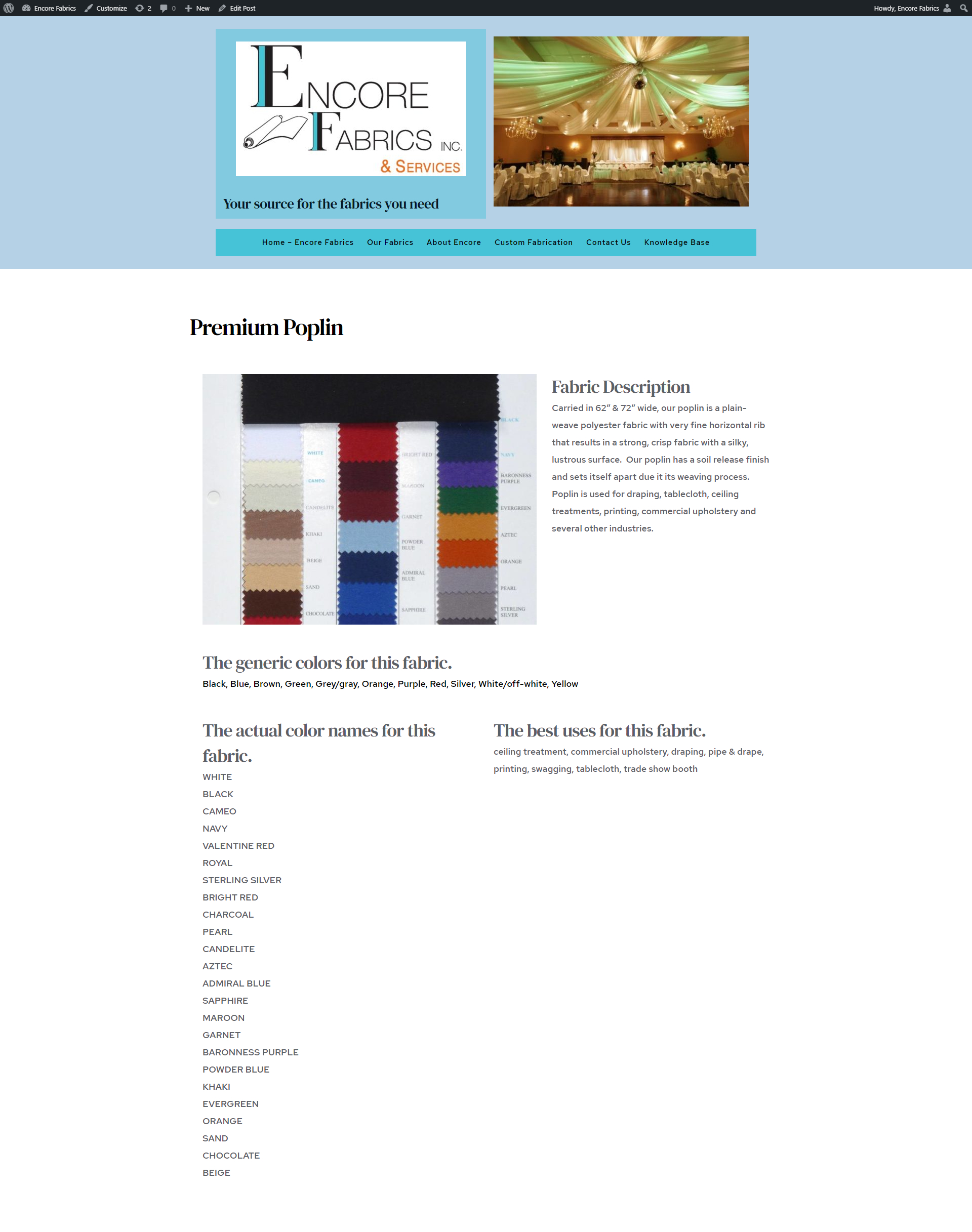
Not working for me the way you claim. I searched for "rib". It is a word on the Premium Poplin "page" (post). Here are that page and the search result. You will also note that the colors and best uses that I have used as tags are also displayed on the Single Fabric Pages, but do not get found. "Spun" did work for me as for you.

Jack
0 -
Hi Jack,
Could you please give us more details about how did you create the posts?
Do you have the latest versions for Brizy Free 2.2.10 and Brizy Pro 2.2.7? Could you please temporary deactivate all external plugins (except Brizy Free and Brizy Pro) and activate a WordPress default theme (Twenty Nineteen)? Do you have the same problem?
Thanks!
Best regards,
Sandra0 -
Hi Sandra,
I created the posts using a Brizy template and ACF for the content. It then gets filed in the ACF / Gutenberg interface.
Brizy is up to date.
I did the testing you requested. Here are my results:
Activate Twenty Nineteen: did a preview. Looks the same.
Plugins still active. Search for "rib" and "spun". Spun gives result, as before. Rib fails, as before.
Deactivate plugins except Brizy's.
Some pages are adversely affected. Have tags like:
{{brizy_dc_1066_long_description}}
{{brizy_dc_1066_color_tags}}
{{brizy_dc_1066_fabric_colors}}
{{brizy_dc_1066_best_uses}}
on the Single Fabric Page. Similar on the .../tag/… page.
Search for "spun" still works. Search for "rib", fails as before.
Search for "blue" fails with a single entry.
Re-activate ACF.
Pages now have content instead of tags above.
Searches: "spun" as before, "rib" as before (why is it returning the Our Fabrics page? – has the word "distribution" which contains "rib"), "blue" as before – returns the home page. (which has the word blue on it)
It looks like the issue is that the search is not looking in the ACF fields. I have restored all plugins and the theme I was using.
Jack
0 -
Hi,
Thank you for all these checks and details. We could reproduce and encounter the problem. We suppose that it has to be related to the ACF content. We already informed our team about this problem and they will investigate this problem more deeply. When they will send us some updates regarding this issue, we will inform you too here.
Thank you for your understanding and patience!
Best regards,
Sandra0 -
Hi,
Well it's a good thing that we are now both seeing the problem. It certainly seems to be the ACF content. Now I am not sure whether it is a Brizy problem or a more general problem. I have trouble believing it's a more general problem because that would have blown up a long time ago. It could probably be tested by generating pages and posts without using Brizy and seeing if the ACF content responds to search. Are you willing to take the time to test that?
Jack
0 -
Hi,
Thank you for the message. We already informed our team regarding this problem and we will investigate it to found the cause of the problem and to find a solution that we can apply in the Brizy code to fix this inconvenience. When we will receive some notifications and updates regarding this issue, we will inform you here too.
Thank you!
Best regards,
Sandra0
Please sign in to leave a comment.
Comments
12 comments