Brizy Design Left Aligned

Hi im using brizy wp plugin for just one page in my website and content look normal in brizy editing page but when i save and go to the page i see content moved left . Please help me
-

Hi,
Could you please send us the URL link of the page where you encounter this inconvenience? Also, could you please send us a screenshot from the editor mode of this page? How should it look in the preview mode?
Do you have the latest Brizy Free 2.2.8 and Brizy Pro 2.2.5 version? Also, could you please temporary deactivate all external plugins (except Brizy Free and Brizy Pro) and activate a WordPress default theme?
Thank you!
Best regards,
Sandra0 -
Url : https://www.boogieblanco.com/admin/hakkimizda/
Editor mode ss :
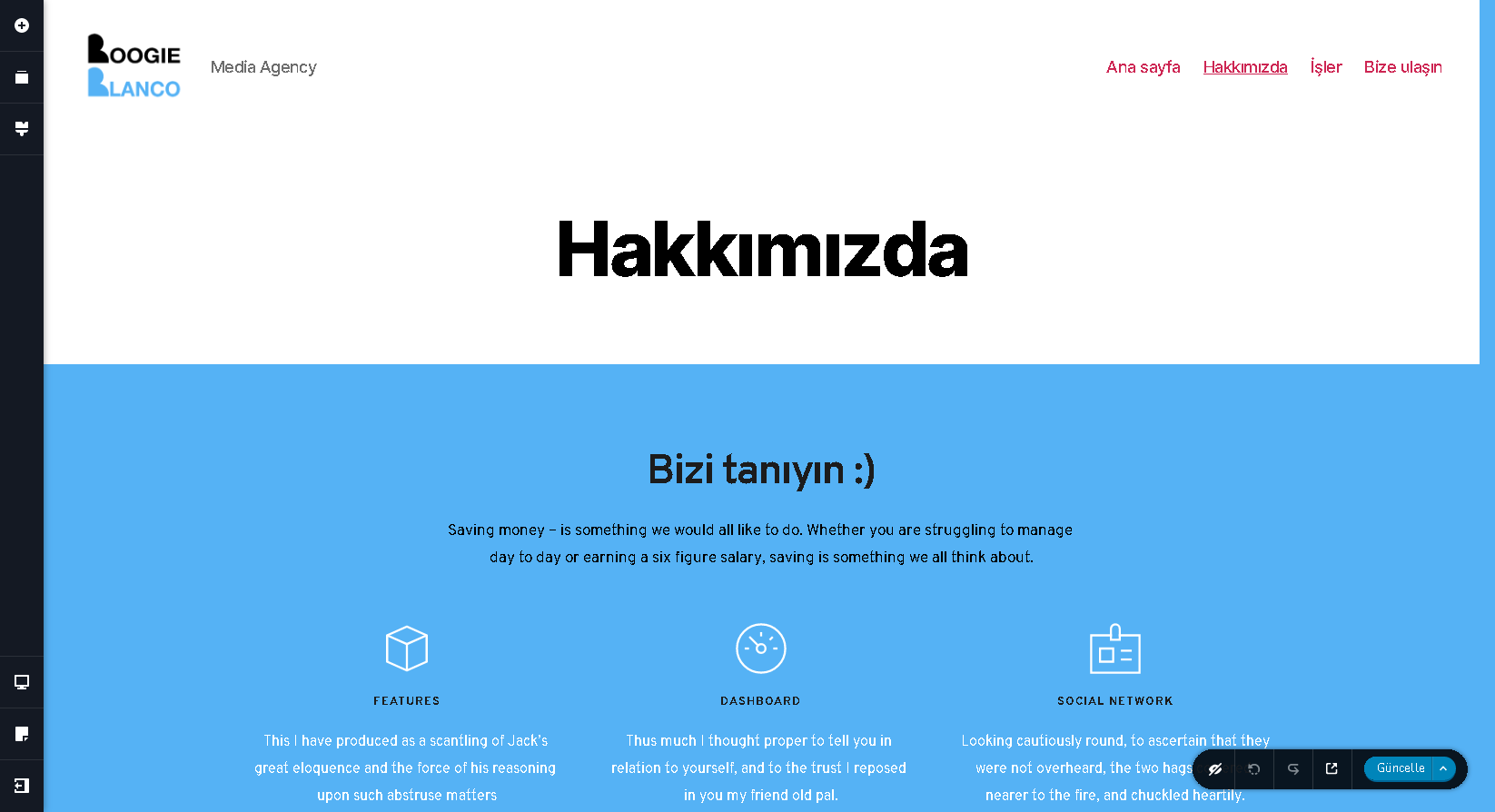
I have Brizy Free 2.2.8
by the way thanks for your return
0 -
Hi,
Thank you too for the reply. I suppose that you use the "Default" page template for this page https://jmp.sh/nkE7IdM and therefore, this inconvenience could be generated by the theme you use. As I notice from the live site, the Brizy content is centred well but the theme box container is left aligned https://jmp.sh/sSdTDfZ. Could you please activate another theme or use the "Brizy template" page template https://jmp.sh/TbyoYuX?
Best regards,
Sandra0 -
When i make default it looks like this ;
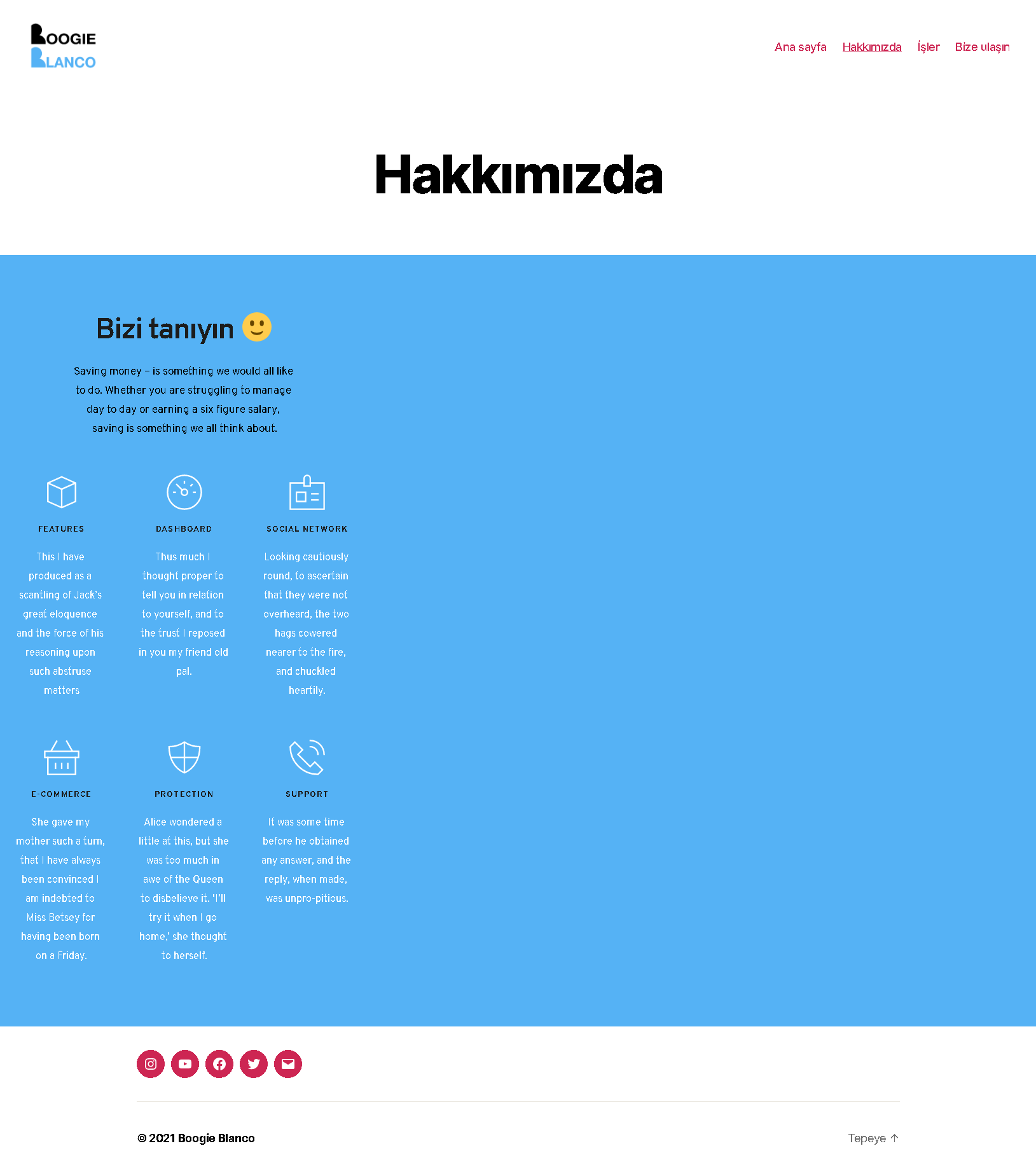
when i make brizy template, my header&footer goes.
So my question is how i put back on brizy template mode?
thanks
0 -
Hi,
If you use the Brizy template the theme header and footer doesn't display on the page. For this is needed the "Default" page. Unfortunately, but if on the Default page template the page is looking as in the screenshot, this inconvenience is related to the used theme. It creates this container, with these display settings. When is used the Default page template, the Brizy content is added to the container the theme allocated for this, therefore Brizy can't change this behaviour.
Best regards,
Sandra0
Please sign in to leave a comment.
Comments
5 comments