White spaces in posts and elements displaced in mobile versions after Brizy Pro update to 2.2.6 version

Hi Brizy,
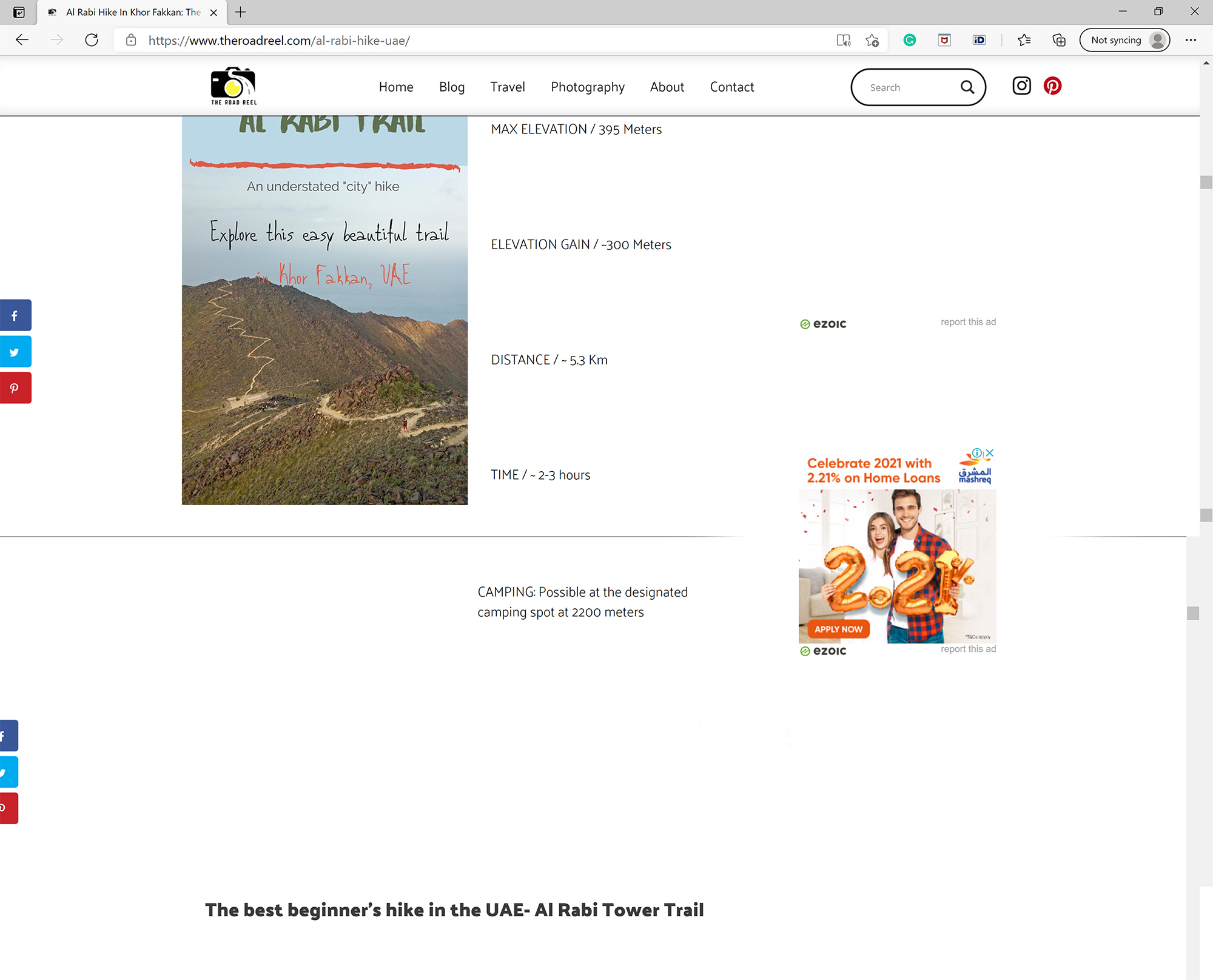
I would like to address an issue about large white spaces appearing in blog posts (both mobile, tablet, and desktop versions). That seem to appear after the latest Brizy Pro 2.2.6 update.
My blog posts are created using Brizy templates and Gutenberg editor for content. I have tried to reduce pixel height of the Space Separator in Gutenberg, but it didn't change how the text is appearing in the post. Please see screenshots attached. Also for your reference, please check this blog post both on desktop and mobile:
Al Rabi Hike In Khor Fakkan: The Best Beginners’ Trail In The UAE | The Road Reel
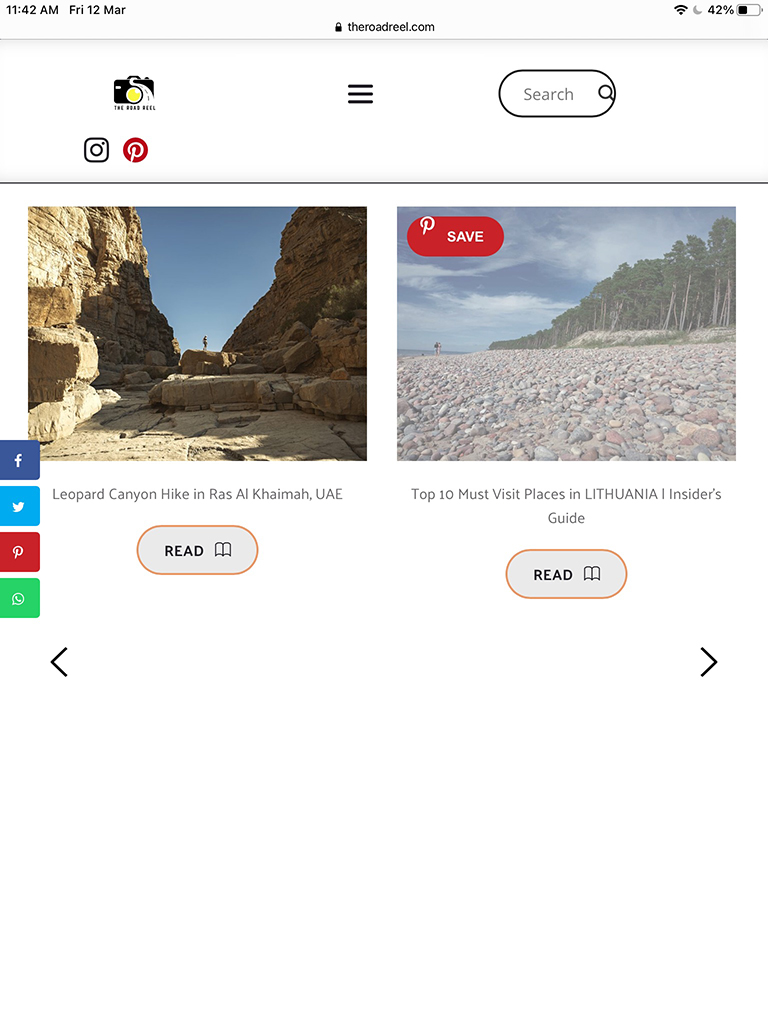
Moreover, in mobile versions, there are issues on the homepage. I checked it on 2 different devices (iPhone 12 and Huawei P20). On iPhone, the elements are completely messed up and overlapping. On Huawei, arrows are appearing on the images of the blog posts' thumbnails (although I have adjusted the thumbnail image to be smaller so the arrows show on the sides). On a Tablet version, again there is a big white space under the blog posts carousel, and arrows are placed under the image thumbnails. Please see screenshots attached. Homepage: www.theroadreel.com
Looking forward to your response on how to solve this.
Thank you,
Ausra


-

Hi,
1 - About the problem with the Post Content and hight white-spaces - yes, we know about this inconvenience. It seems to be released with the new WordPress update. We found on their forum other users (with the non-Brizy plugin) that have reported the same problem. We are investigating it and found the best solution for it. In the next updates, we will release the fix for this problem.
2 - About images from the Carousel - how did you set them smaller? Could you please send us a screenshot of how you set-up the image dimensions? did you set them in pixel (px) or percentage (%) value?
About the tablet - unfortunately, I couldn't encounter the problem. I opened the site in the iPad simulator and there I notice that all is displaying fine. See here. Could you please delete the browser cache and check it again?
Thank you!
Best regards,
Sandra0
Please sign in to leave a comment.
Comments
1 comment