Email Notification via Gmail

Hi Team,
I explicitly followed the steps that is instructed through the Help Center> Form Integration section (https://support.brizy.io/hc/en-us/articles/360044216151). However, prior to updating to Brizy Pro Version 2.2.6 and Brizy Version 2.2.9.1, I made several form submission attempts (namely, from my LeticiaMeza.com front page) and I received success prompts, "Message Sent", and updated data fields in Brizy Leads section, but no notification sent to my gmail. Whereas, after the Brizy and Brizy Pro updates I received failure prompts, "Message NOT Sent", updated data fields in Brizy Leads section, and no notification sent to my gmail. I would like a development team member to look further into troubleshooting form submission failure causes and the eccentricity of gmail notification upon form submissions, please.
Thanks guys,
-

Hi,
Thank you for all these details. Could you please send us a screenshot of how you set-up the form with Gmail?
Could you please confirm that you must have 2-step verification and a less secure app ON? Also, you must have an APP password and use this in place of your password for your GMAIL credentials on your contact form. Did you have dome this step too? Just now I checked the Gmail integration and all worked fine. I have that latest version for Brizy Free 2.2.9.1, Brizy Pro 2.2.6 and WordPress 5.7.
Thanks!
Best regards,
Sandra0 -
Hi Sandra,
Thank you for your response and assistance. Per request, I uploaded screenshots of Gmail form set-up. Through discovery, I learned that I had 2-Step Verification set to OFF but less-secure App ON. I just turned 2-step verification to ON, replaced password in GMAIL Form to App-specific generated password, and I am still receiving "Message Not Sent" prompts. If it helps, I have WordPress version 5.6.2 (which is the latest WordPress will let me update to).

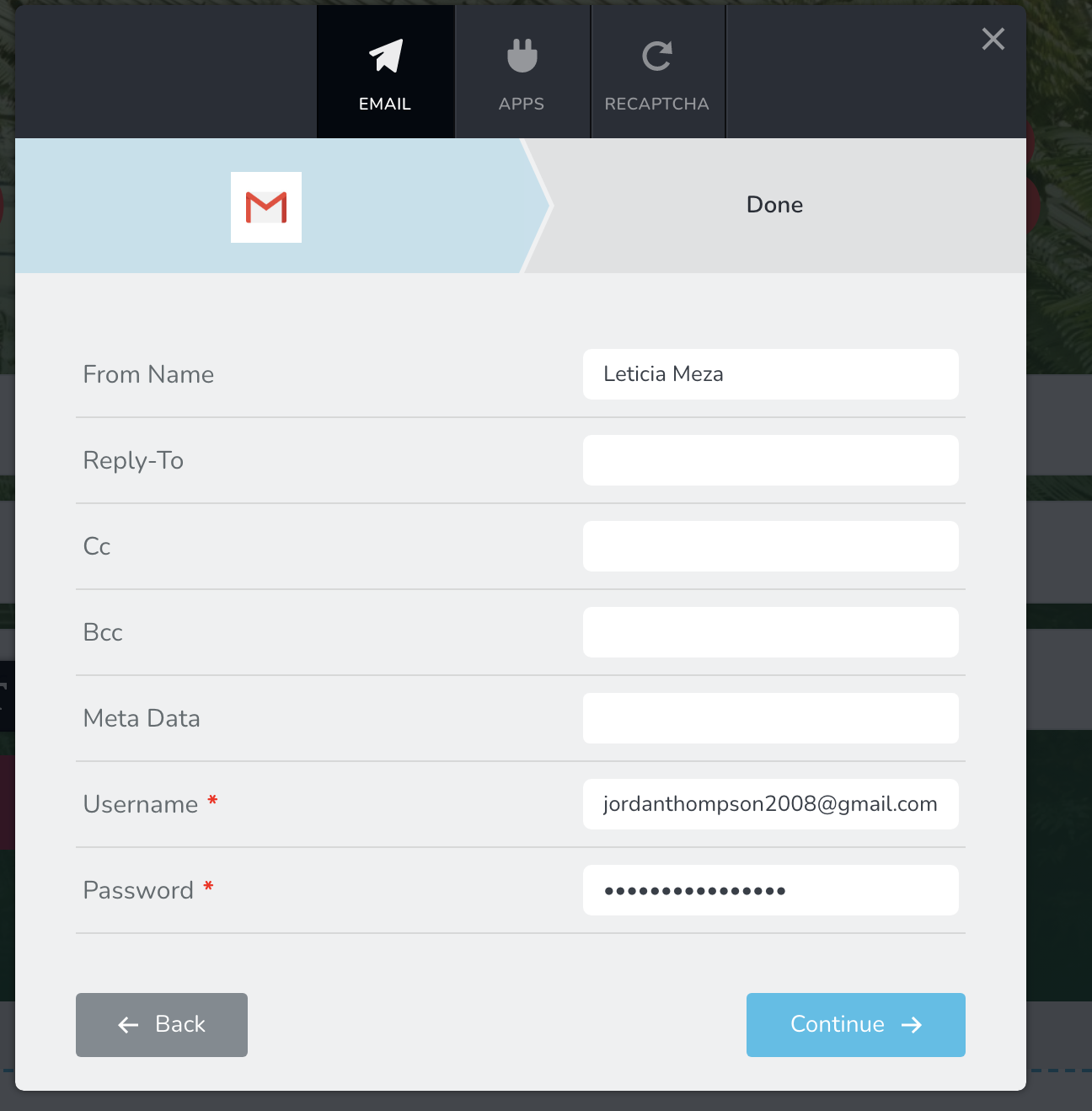 0
0 -
Hi Jordan,
Did you try to connect the form with another method and didn't finish it? Could you please duplicate the form and start again to connect the form again only with the Gmail publishing method? Also, could you please make sure you didn't deactivate the App password after copying it?
Could you please check if you have the latest Brizy Free 2.2.9.1 and Brizy Pro 2.2.6 version? Also, could you please temporary deactivate all external plugins (except Brizy Free and Brizy Pro) and activate a WordPress default theme? Do you receive the same problem?
Thanks!
Best regards,
Sandra0 -
Hi Sandra,
I have performed all of the steps or verifications aforementioned, unfortunately I am receiving the same problems.
Thanks buddy,
0 -
Hi,
Thank you for all these details! We would like to check this problem from your dashboard. Could you please provide us with the WP credentials for this site?
I have created a private ticket for this request. You had to receive a notification regarding this by email. Could you send us in that private message the WP credentials to this site?Thanks!
Best regards,
Sandra0 -
Sandra,
Sure, buddy! I will do that now.
Thanks
0 -
Hi,
Thank you! We already received your data and will start to investigate this inconvenience. When we will have some notifications, we will announce you too.
Thank you!
Best regards,
Sandra0
Please sign in to leave a comment.
Comments
7 comments