Site image broken after site restore or migration?

Hey!
If I restore or migrate my brizy sites, then image are broken and when trying to add new image, then that one also not showing and links are like broken?
What I missing here? Im usenig WPVivid Pro full backup.
All Best,
Priit
-

Hi,
We suppose that in the migration process, some Brizy folders and files or WordPress files weren't migrated fine. In the Brizy, is created a special image folder where are stored all Brizy images.
Could you please try to migrate the site using the WP All in One Migration plugin? Mostly Brizy users use this plugin and in most cases, all is working fine.
Also, could you please go to the WP Media Library and check if there are stored images used in Brizy pages? Could you please open one of them and try to modify it (e.g. crop or rotate it)? Do you receive some problems?
Thanks!
Best regards,
Sandra0 -
Hey!
Where and what is the custom brizy folder name where those images are? I can include and exclude folders with WPVivid Pro.
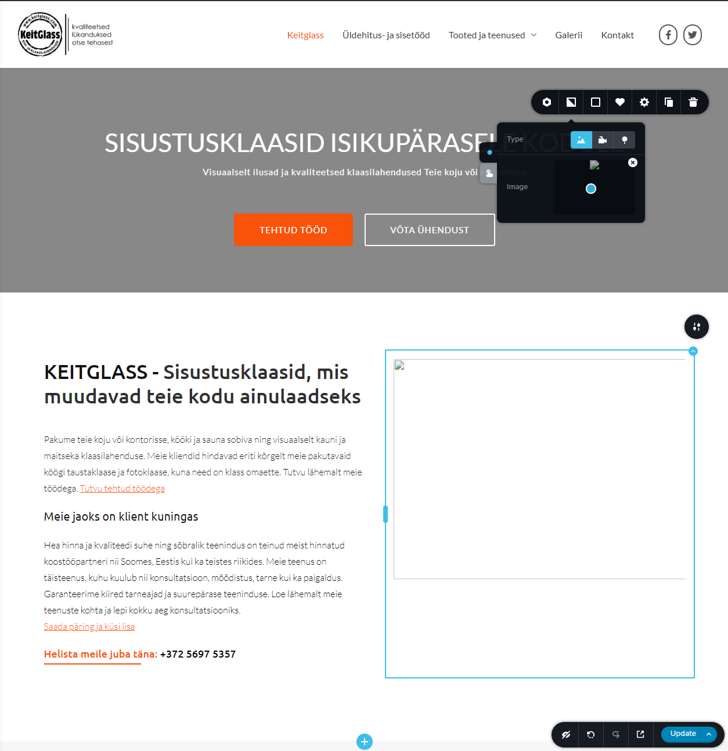
In Media Library everything is working fine and all images is there. But when trying to add new image inside brizy, then only got broken image icon for results.
But the result is right now in test site(https://keitglass.veebiteenus.eu/) as follow:
All Best,
Priit0 -
Hi,
For the migration process, we are recommending migrate all folders and files to avoid some further problems and inconveniences.
The Brizy images are stored in folders from the wp-content/uploads/brizy.
Best regards,
Sandra0
Please sign in to leave a comment.
Comments
3 comments