Email notifications problems

Just noticed two problems
1st) 3 of the websites lost info entered. When you setup email notifications you have to enter email, from name and subject - 3 of my sites just randomly lost that data?! So customers stopped to get emails.
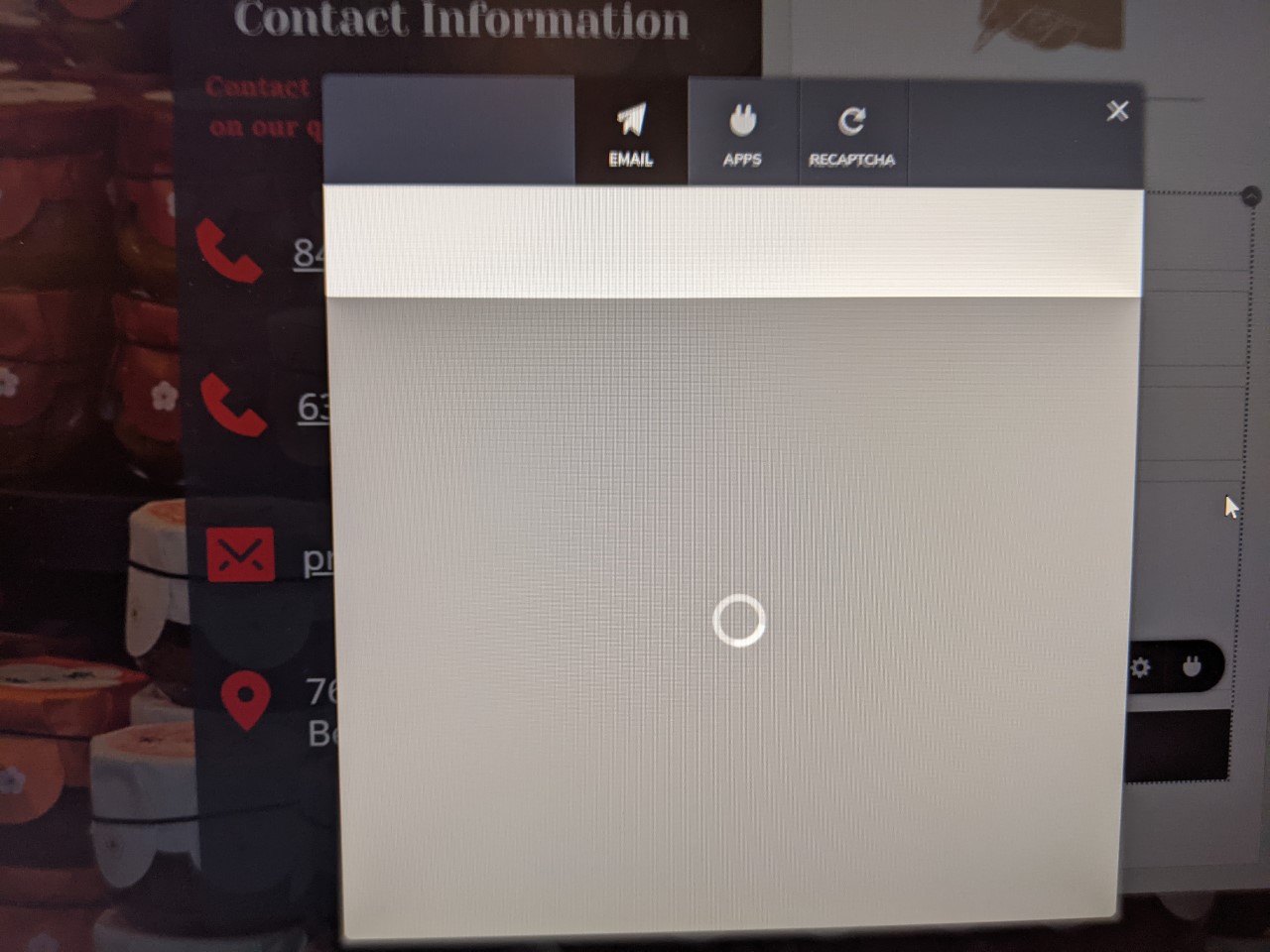
2) after finding problem #1 decided to go thru all the sites and check if all forms are still "holding" correct data. Most of them are fine, but found problem #2 , some of the forms when you click on button and then integrations to see email notifications, etc. open popup window with icons on top, but bottom part of the popup just keeps loading and loading
-

Hi,
Thank you to getting in touch with us.
1 - When the block where is added the form is duplicated or added from a Saved block, all the set-up isn't saved. For this reason, you have to set-up it again. This is normal behaviour and this was created for cases when users want to reset the form but maintain the initial structure.
2 - Do you have this problem in Brizy Cloud? On this issue, we suggest cleaning the browser cache. If this will not help you and you will not be able to access the form settings, please let us know the URL link of this site https://jmp.sh/NDj8G3w and the page where we can found it.
Thanks!
Best regards,
Sandra0 -
1) " When the block where is added the form is duplicated or added from a Saved block, all the set-up isn't saved." - yes , i know about that. I'm talking about 3 websites that used to have notifications working and at some point entered data (email, subject, from name) just disappeared (had to add it again) ex. of this would be :
https://www.mmgjunkremoval.com/
2) tried 3 browsers, cleared cache - same problem. As i said before this problem is only with some of the websites. All other when i go to form and try to access integrations works without any problems.
Example: https://www.guttersspecialist.com/
go to contact us page
0 -
Hi,
Both sites you shared, are created in Brizy Cloud?
Thanks!
Best regards,
Sandra0 -
Yes
0 -
Hi,
Thank you for all these details. We could check both sites you share with us and found that on the https://www.mmgjunkremoval.com/ site all is working fine and the form settings are saved and displayed well. See here.
For the https://www.guttersspecialist.com/ site, we could find the problem you reported and already send it to the developers to check it and help us with the solution. When we will receive a notification from them, we will inform you too. I'm sorry for this inconvenience.
Thank you in advance for your patience and understanding!
Best regards,
Sandra0 -
1) MMG Junk site is working because i reentered the email, subject and from info. The problem i'm trying to report is that this information disappeared for some of the sites without user interaction
2) Happy to hear someone is looking at this. 2 more sites with this problem (just go to contact us page or section to duplicate):
0 -
Hi,
1 - Could you please share with us all the sites you receive this inconvenience and give us more details about it? You set-up the form, the settings are saved, then you exit from the dashboard, enter again, check the form and find that it isn't set-up? After this, you re-add them, make the same actions and the settings are saved?
Could you please check if you in the first time, save the form settings and update the page?2 - We already solved the problem you reported for the https://www.guttersspecialist.com/ site. Now all have to be fine. We informed the team about the other 2 sites you encounter the same problem. When we will receive a response from them, we will inform you too.
Thanks!
Best regards,
Sandra0 -
Hi,
I want to inform you that our team fixed the problem you encounter with the Contact form for the
https://www.cleaningservicechicago.us/
Could you please check if all is working fine now?
Thanks!
Best regards,
Sandra0 -
#2 - everything works now
#1 did not make a note and to be honest not sure what 2 other sites had this problem - i just fixed them when noticed the problem. Maybe the one i gave you Junk Removal & Hauling Services - MMG (mmgjunkremoval.com) will help.
"give us more details about it"
We finished the site, tested everything with customer (contact forms work at this point). Just to make it clear we have a checklist that we go thru, so 100% forms worked. No one touches the project /forms for months. Few days ago customer call that he is not getting any leads lately via email , just phone calls. Asked him to check spam folder etc. nothing there. After i logged to brizy - see that there are leads there around 50 (now deleted by me) anyway, when i edit project and check contact form on front page i see there is email notification icon , but when clicked no values are set (email, subject from). I checked other pages in this project - same thing. Fixed all forms and everything is back to normal.
After that checked all the project and found 2 more with the same problem. As i said before, when projects are finished we check and mark as checked things like contact forms - so it is not me just thinking that it was working. BTW 95% sure the other project with this problem was Sophie Bachula - Real Estate Broker
Hope this helps
0 -
Hi,
As I already noticed for the https://www.mmgjunkremoval.com/ site as well as for the https://www.sophiebachula.com/ site, the forms are already configured and we couldn't encounter some inconveniences or errors. See here. We checked also from the back-end part of these sites and we didn't encounter some errors or aspects that could ask us questions.
Moreover, we checked the form and found the lead was saved in the Leads section. See here.
For the moment, we can ask you to monitor these forms and if you will encounter the same inconvenience, please let us know and we will immediately check it.
Thanks!
Best regards,
Sandra0 -
#2 problem is back (there is photo in original post)
"when you click on button and then integrations to see email notifications, etc. open popup window with icons on top, but bottom part of the popup just keeps loading and loading"
But this time i know when this happens , so maybe this will help you fix this problem. When i moved working project from "in development" acc./ folder to other and edited it there - the form would NOT load anymore. Moved it back to original folder - works fine, moved it again to new folder same problem "loading icon" no way to see data, moved it back works :)
Do not test on my live sites :) but think this can help you fix this bug
0 -
Hi,
Thank you for all these details. Could you please describe how did you "move the working project from "in development" acc./ folder to other"?
Thank you!
Best regards,
Sandra0 -
Is there more than one way to do it???
Click on project (top right corner there is "..." icon) > select move> and after that selected folder/account where to move it.
Hope this helps. BTW, found another bug - new version of brizy cloud (did not notice if before/in older projects) - where do i submit bugs? is this a good place? There is problem with font changing to diffrent font in editor, when you change font size in mobile or tablet mode.
0 -
Hi,
Thank you for all these details. We discussed with our team and we can confirm that we have a problem with the "Move" option. We already investigate this problem to find the solution for it.
Regarding the second bug you found - yes, you can here give us more details about the problem you encounter and we will strive to help you with it. Regarding the font for the text element. I'm sorry for this issue. We know about this problem. It is related to the typography type that doesn't change on the tablet and mobile mode. Our team already fixed this inconvenience and in the next updates, we will release the fix.
Thank you!
Best regards,
Sandra0 -
"We discussed with our team and we can confirm that we have a problem with the "Move" option. "
When can we expect fix for this? As of today moving project still breaks contact forms
0 -
Hi Tom,
At the moment, we don't have a general fix for this problem. Our team are still investigating and working on this problem. If you want, we can check this problem on your account and try to find a local solution for this.
In this case, we will need the email of the Brizy account, the URL of the project and the name of the folder (subaccount) where you need to move the project.
Thanks!
Best regards,
Sandra0
Please sign in to leave a comment.
Comments
16 comments