Text box not appearing for hiightlighted text, so I was unable to make a link

Hello. I asked for help with this when it was an issue before, and you just write to highlight the text and the text box appears. That was a problem again today where no matter what I did it was not appearing. I made a Loom video showing you that, and then eventually it did appear.
https://www.loom.com/share/76caf585ce174abca2de1a827933b7fe
I have seen no pattern of what triggers this from disappearing. Or maybe there is. In this case it disappeared after I widened the whole text area, the column in which it did not appear. It did appear in the left column. Not in the right.
I hope you can correct this, as it has impeded my work.
Also, a more serious issue that I wonder whether you can help remedy is that when I activate Brizy Pro, it causes a critical error and takes my blog offline. At least it doesn't happen immediately, and for example a few days ago I added Facebook comments to a page from Pro and then could use that in the free version. Then when I open the page after saving it, I get the critical error and the blog is inaccessible. Until I deactivate the Pro plugin, and then it comes back.
I tested this with just six other plugins activated, and it still happened. I think it's a bug in the program, not a conflict. Although I don't know. I think that bug only began when I updated to the latest version, and before it worked fine to leave Pro active.
Thanks,
Dan
-

Hi,
Thank you for your message and all the provided details.
Text element - yes, at the moment, the text element options and settings are displaying at the bottom of the text element. It can't display the above text element. I also noticed from your video that you added the entire text with all headings and paragraph inside a single Text element and this I suppose makes you some difficulties in managing the text. For this reason, I recommend using more text elements and add the headings in a separate text element. For example, you can add 4 text element, in the first you can add the heading, in the second - the paragraph, in the third - the next heading and in the fourth - another paragraph. In such a way you will manage the text options and settings easier and the work will be more clear.
Blog page - how did you create the Blog page? Could you please check if you create a Brizy template for the Blog page? If you don't want to use the Brizy template for the Blog page, I can suggest deleting this template to delete the display condition that links to the Blog page.
Best regards,
Sandra0 -
Hi Sandra,
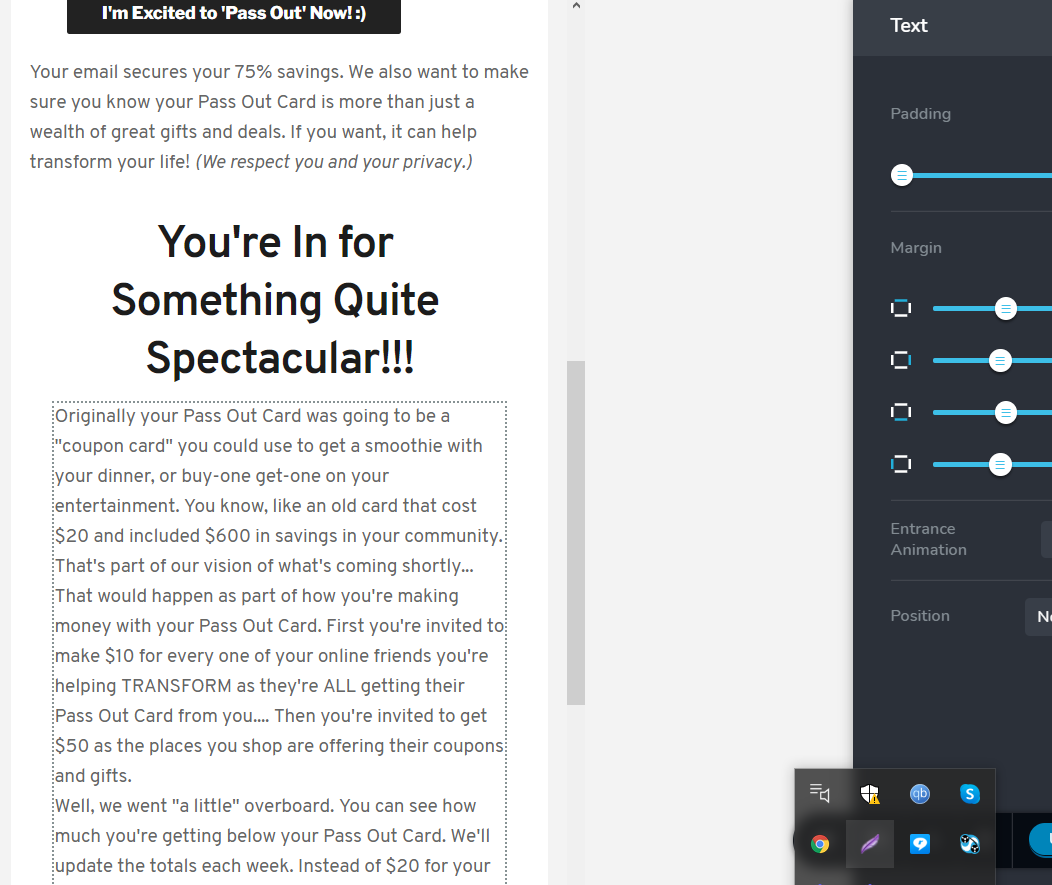
Thank you for your feedback about creating each paragraph in its own text element. That might also help with the mobile display, which used to show text the same, beautifully styled, as the desktop. And now displays in one hard to read paragraph, and I'm not sure what changed there. Can you help with that? Below I attached two images, the first showing the text formatting and how it displays on the desktop. The second shows how it becomes one long paragraph, without breaks, on a mobile.
Also, I'm not sure what you're referencing about "Blog page". I asked you about Brizy Pro causing the site to crash each time I activate it.
Thanks,
Dan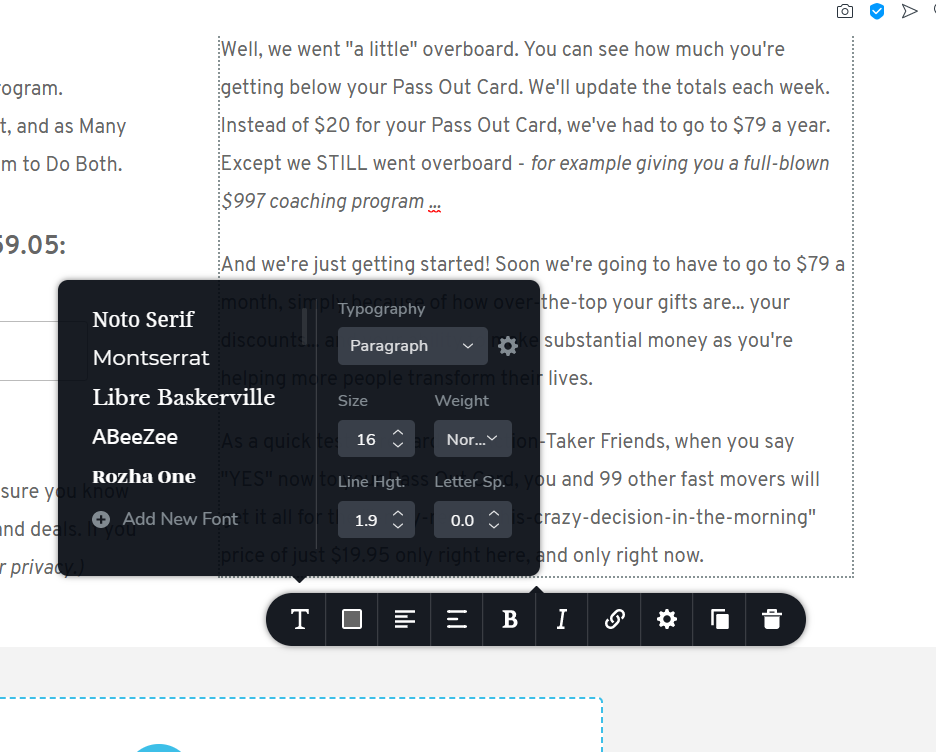
 0
0 -
Hi,
I'm sorry but I couldn't reproduce this situation on my test site. If the text element has some breaks in the desktop mode, it should have to display them on the mobile mode too. See here how it is working on my page. How did you add the breaks to this text element? Do you have the latest versions for Brizy Free 2.2.8 and Brizy Pro 2.2.5? At the moment, I can suggest to go to the mobile mode and add there the breaks in the place you need.
Regarding the "Blog page" - in your message, you said that you have a problem and" it causes a critical error and takes my blog offline". Therefore, I wanted to find more details about this problem to encounter the cause and offer a solution.
Thank you!
Best regards,
Sandra0
Please sign in to leave a comment.
Comments
3 comments