Website is not updating

Hi,
I keep having this error appear every time I try to make changes. This page needs a refresh. You’ve probably updated this page (or another page) in a different tab or browser.
I saw someone else have these issues and tried to resolve it myself, but I don't have the Word Fence, and in godaddy cpanel i do not have the option to deactivate ModSecurity.
-

Hi Mynor,
Thank you for reaching out, and I'm sorry to hear you're experiencing this issue.
The "This page needs a refresh" error is often related to server-side restrictions or security settings that can interfere with Brizy. In many cases, resolving it requires adjustments on the hosting server, which is why the hosting provider may need to be involved.
To help investigate further, could you please provide temporary WordPress Admin access so we can inspect the site and provide recommendations on what needs to be adjusted to resolve the issue?
Kindly send the following details to communitysupport@brizy.io:
- Community post link: https://support.brizy.io/hc/en-us/community/posts/35952486720274
- WordPress Admin URL:
- Username:
- Password:
We'll be glad to assist as soon as we have access.
Best regards,
Ariel H.0 -
Hi Ariel,
Yes, I can do that, thank you for looking into it.
0 -
Hi Mynor,
Thank you for the additional information.
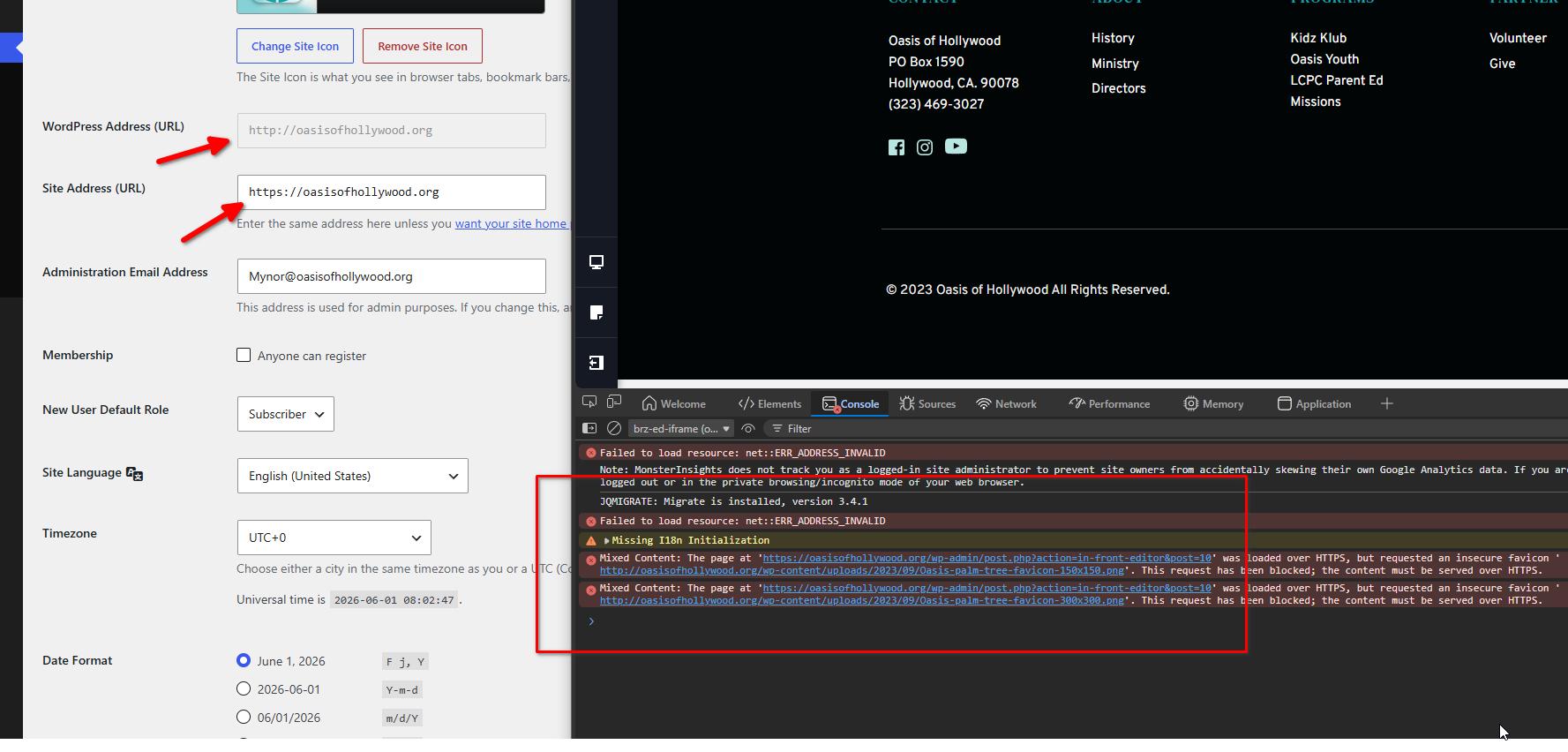
Upon checking the screenshot, the browser's developer console is showing "mixed content errors".
We also noticed that the WordPress Address (URL) is currently set to "http://oasisofhollywood.org" while the Site Address (URL) is set to "https://oasisofhollywood.org". Since the WordPress Address field is grayed out, it is likely being defined directly in your "wp-config.php" file.
Could you please check your "wp-config.php" file and update both the Home URL and Site URL so they use the same protocol? As a test, please set both URLs to:
For more details, please refer to this link: https://www.godaddy.com/en-ph/help/change-the-url-of-my-wordpress-site-in-the-wp-configphp-file-41839
If the problem persists after updating the URLs, please let us know and we'll continue investigating.
Best regards,
Ariel H.0 -
Hi Ariel,
We did the changes as instructed, and we are still facing the same issue.
0 -
Hi Mynor,
Thank you for the update.
We can see that the editor is returning a 404 error when attempting to save changes.
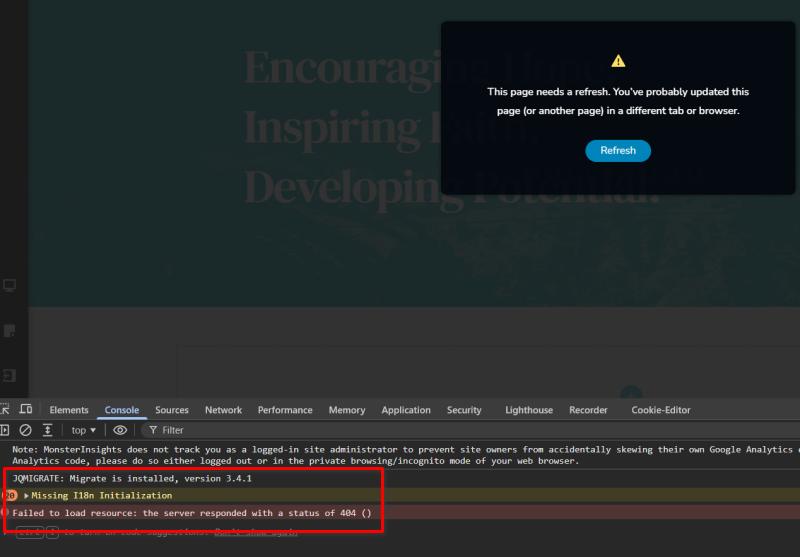
We also noticed that this only occurs on larger pages and not on smaller ones.
Could you please contact your hosting provider and ask them to review the server configuration using the following guide?
https://support.brizy.io/hc/en-us/articles/22590197512210
If the issue continues, please ask them to check the server error logs while reproducing the problem. The logs can help identify the exact reason the save request is being blocked or rejected.
Kind regards,
Ariel H.0
Please sign in to leave a comment.
Comments
5 comments