"phantom" menu at the top of my home page

Just noticed that a menu is appearing at the top of my home page, anove the header. No idea where it's coming from. It wasn't there before and doesn't appear there when I edit that page in Brizy. Any thoughts?
Thanks!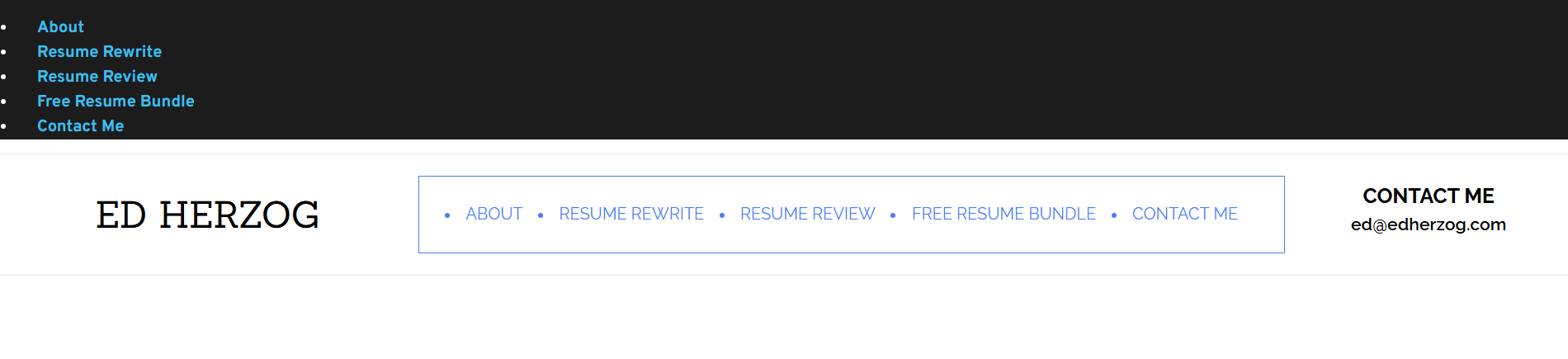
-

Hi Ed,
Thank you for reaching out.
To help isolate the issue, could you please temporarily disable all third-party plugins except Brizy and Brizy Pro, then check if the extra menu still appears on the front end?
Additionally, please try editing the Global Header and temporarily adding a small amount of padding to the header section, then hit Update. After that, check the front end again and see if the menu issue is resolved.
Since the issue does not appear inside the Brizy editor, this may be related to cached compiled files or a conflict with another plugin.
Kind regards,
Ariel H.0 -
My apologies. I changed a setting on a plugin and that's what caused the issue. Thanks as always for the help!
0
Please sign in to leave a comment.
Comments
2 comments