How to create and custom tabbed section

Hello Brizy Support,
I’m trying to create a tabbed section similar to a top menu where each button opens different content below.
What I need is:
-
A top row of buttons/tabs, such as:
YouTubers, Podcasters, Livestreamers, E-commerce, Educators, Media & Agencies. -
When the user clicks one button, the content below changes.
-
I also need to customize the active button background, border, and text color independently from the bottom content section background.

For example:
-
The active tab button may have a white background, colored border, and pink text.
-
The bottom content area may have a separate background color or gradient.
I would like to know the best way to build this inside Brizy.
Can this be done using the native Tabs element, or does it require custom HTML/CSS/JavaScript?
Also, if custom code is required, where is the best place to add the JavaScript so it works properly inside Brizy without conflict?
Thank you.
-

Hello Mahfoudh,
You can create a design like the one at https://restaurant-1.brizy.site/tab-element using the Brizy Tab element.
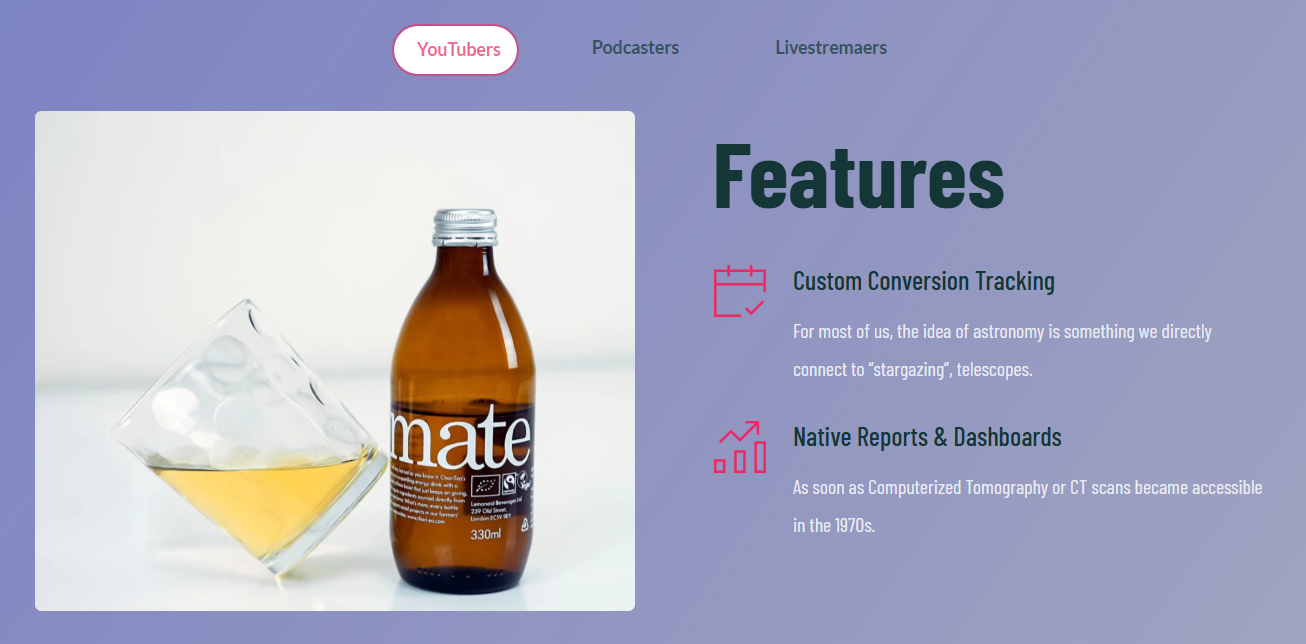
You could download the above design at https://jmp.sh/7cswhpmp and import it as a block to your project and look at its implementation.
0
Please sign in to leave a comment.
Comments
1 comment