External link on button not working?

On this page https://dentistofwilliamsburg.com/patient-forms/ I created a large red button. I then linked that red button (and the image next to it) both to this external link https://patientportal-mw.carestack.com/?dn=dentistofwilliamsburg#/patient-connect
It doesn't work. It saves correctly on the backend but doesn't reflect on the frontend. I have scoured your support forums. I have resynced, recreated and revalidated various license keys. I have updated both brizy regular and pro plugins. I have cleared caches. And I have definitely cussed at it (a lot).
Can you please tell me how to fix this??
Thanks in advance.
-

Hello Anthony,
A container around the image and the large red button (a Row or a Column element) has a hyperlink to the page, https://dentistofwilliamsburg.com/dental-hygiene/. Kindly remove this hyperlink, by clicking on the corner of the container, selecting the "link" icon and under the "Page" tab, setting "Type" to "None".
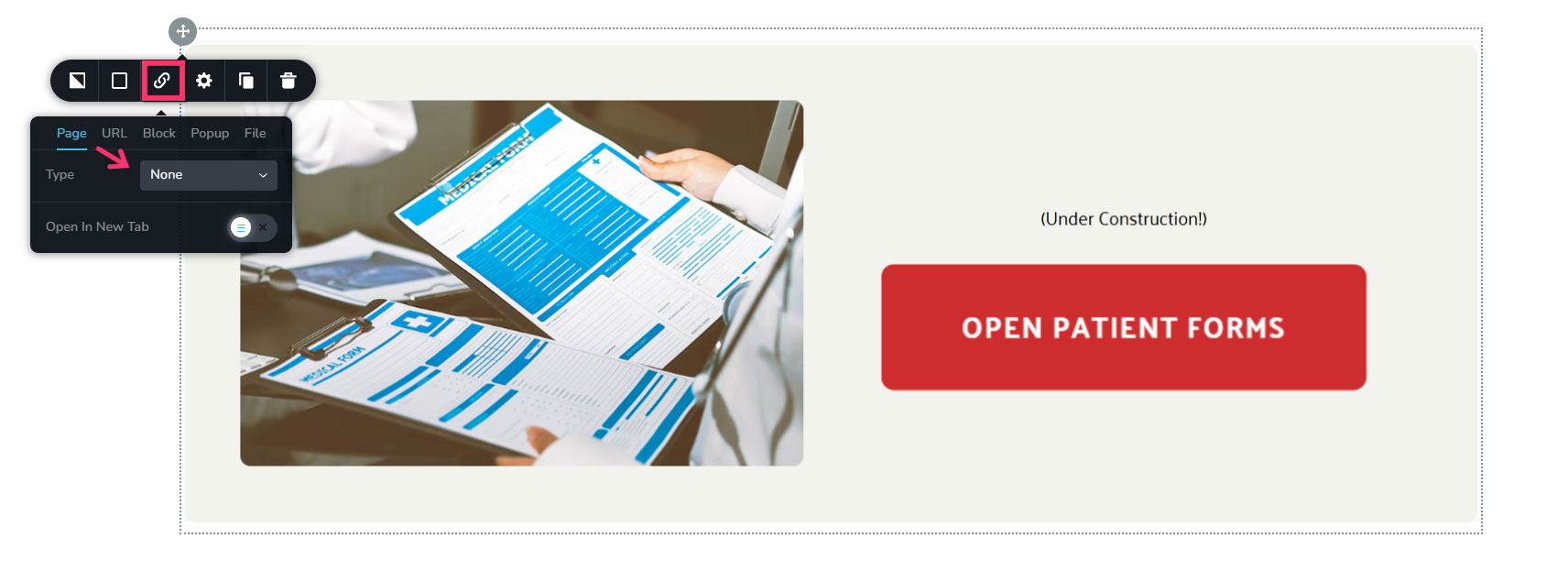
Then the external hyperlink added to the button and the image will be accessible to users.
0 -
You were right. My frustration was self-induced this time. Thank you so much as I really appreciate it!
0
Please sign in to leave a comment.
Comments
2 comments