Unable to Publish or Save Page in Brizy Editor

After updating to most recent verision of plugin I can not save/publish.
Running PHP 7.4
https://wordpress-320986-5922692.cloudwaysapps.com/
I have added communitysupport@brizy.io (as a user)
-

Hi Will,
Thank you for contacting us.
Upon checking, the 413 error in the console suggests that the AJAX request from the Brizy frontend editor is exceeding the server’s allowed data limits. This usually happens when saving a large page with numerous blocks or custom elements.
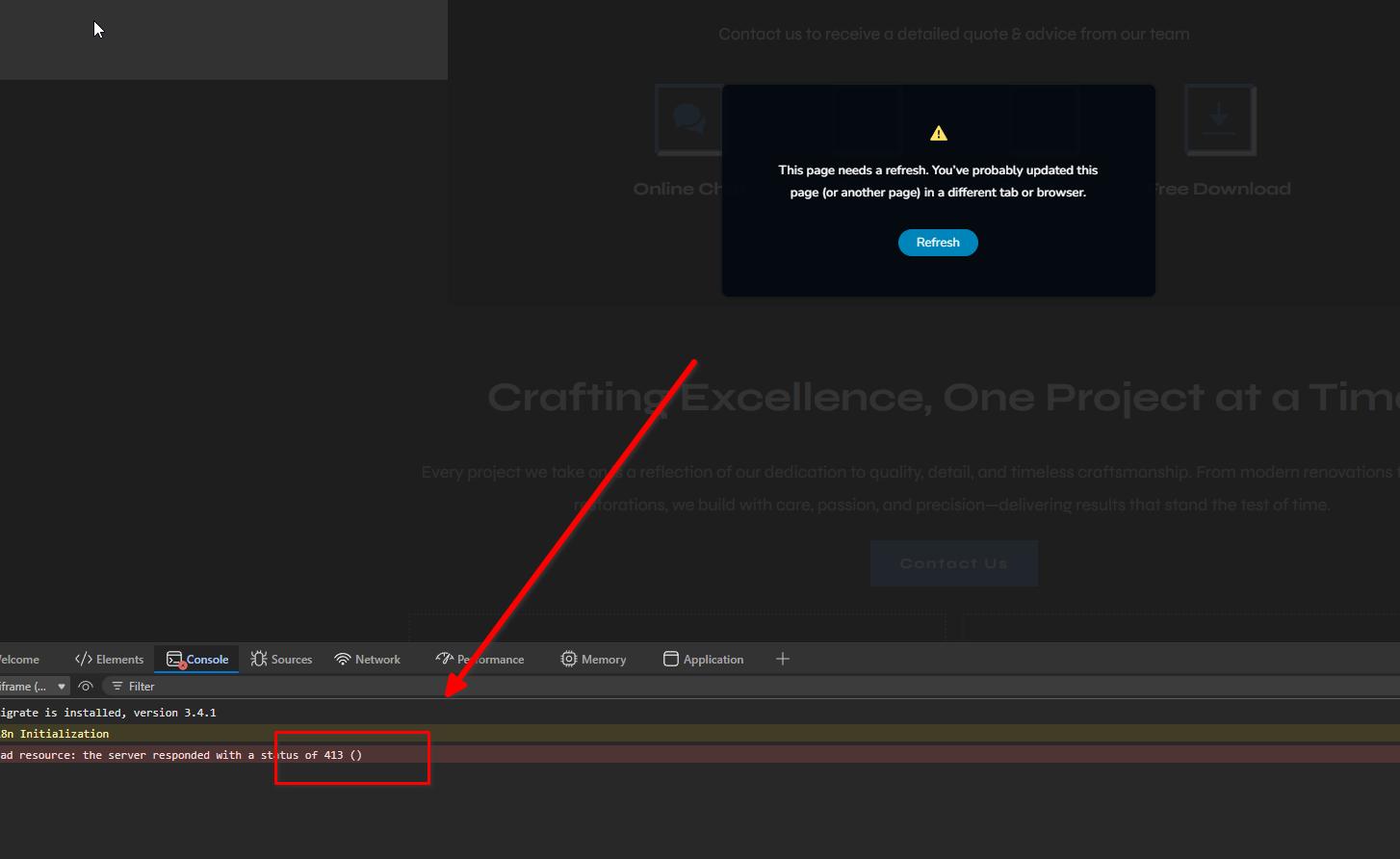
We’ve seen a similar case before where another user was able to resolve the issue by updating their server settings, specifically, increasing the body size limits in their ModSecurity configuration, which was blocking larger save requests. This may be something you could check with your hosting provider. For more details, please refer to this support thread: https://support.brizy.io/hc/en-us/community/posts/27240442687378
Please try this and let me know how it goes.
Best regards,
Ariel H.0 -
I checked with the host and its been fixed. Thank you.
0 -
However the Brizy UI is now missing. If you log in you can see that the panel is missing the icons
0 -
Hi Will,
It appears the issue is coming from custom CSS applied to the icon elements (as shown in the screenshot). When all the CSS in each of the icon elements are removed, the Brizy UI icons display correctly again.
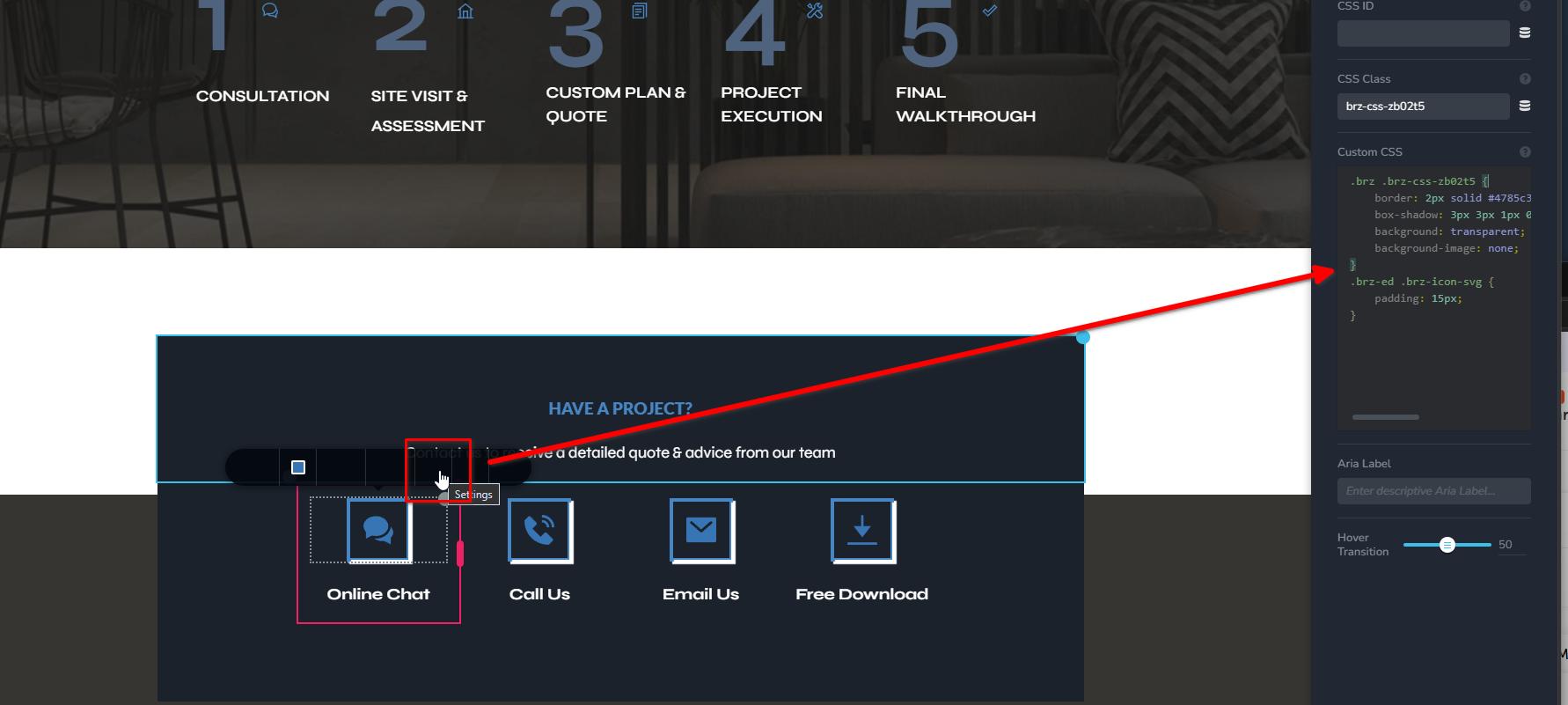
This suggests there’s a CSS conflict affecting the editor interface. You may need to review or adjust that CSS. If you can share what the CSS was intended to achieve, I’d be happy to recreate it in a way that won’t interfere with the UI.
Looking forward to your reply.
0
Please sign in to leave a comment.
Comments
4 comments