Polylang menu/header

Hello,
I have menu created for each language (esp/eng) and marked the polybox checkboxes but menu on my global header doesn't change.
Do i have to make global headers for each language and select in which pages it display? Can't be easier? So i dont have to be checking all pages for each language.
Thanks.
-

Hello,
Thank you for reaching out.
With Polylang, you’ll need to create separate menus for each language (EN and ESP), then assign the appropriate menu to each translated page, as shown in the example:
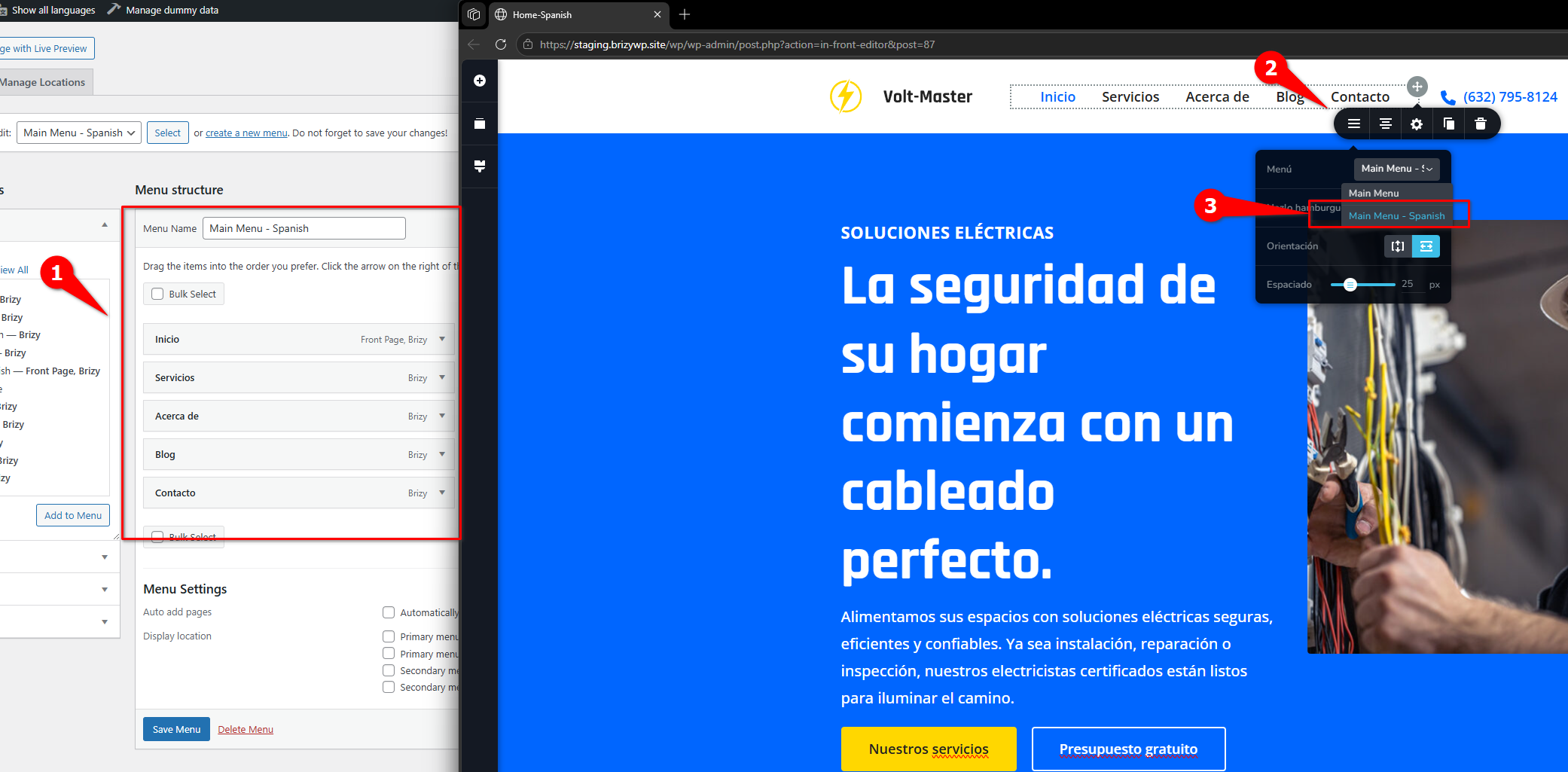
There’s no need to create separate global headers. Once the page is translated, edit that page and select the corresponding menu in the menu element.
Please give this a try and let me know how it goes.
Kind regards,
Ariel H.0 -
I had already tried that, but as soon as I switch to the English version and select the English menu, the entire website switches to English and won't let me switch back to Spanish; the same menu always appears.
The website is set up in the /nueva/ directory, and the English version would be /nueva/en/home/. So, when I switch the menu to English, it loads /nueva/en/home/. If I try to force it to Spanish by going to /nueva/, it redirects me back to /nueva/en/home/ again.
It’s a new, clean installation; I don’t understand what’s happening. I’ll set up admin access for you at communitysupport@brizy.io
0 -
Hi David,
Thank you for the update.The issue was likely caused by the global menu created in Brizy, which was tied to a single language. Because of that, switching to the English menu forced the site into /en/ and kept redirecting there.
I also found that the language switcher was missing in the EN menu, which is why you couldn’t switch back. In Polylang, the switcher must be added to each menu, and in your case, it wasn’t visible because it wasn’t enabled in Screen Options.
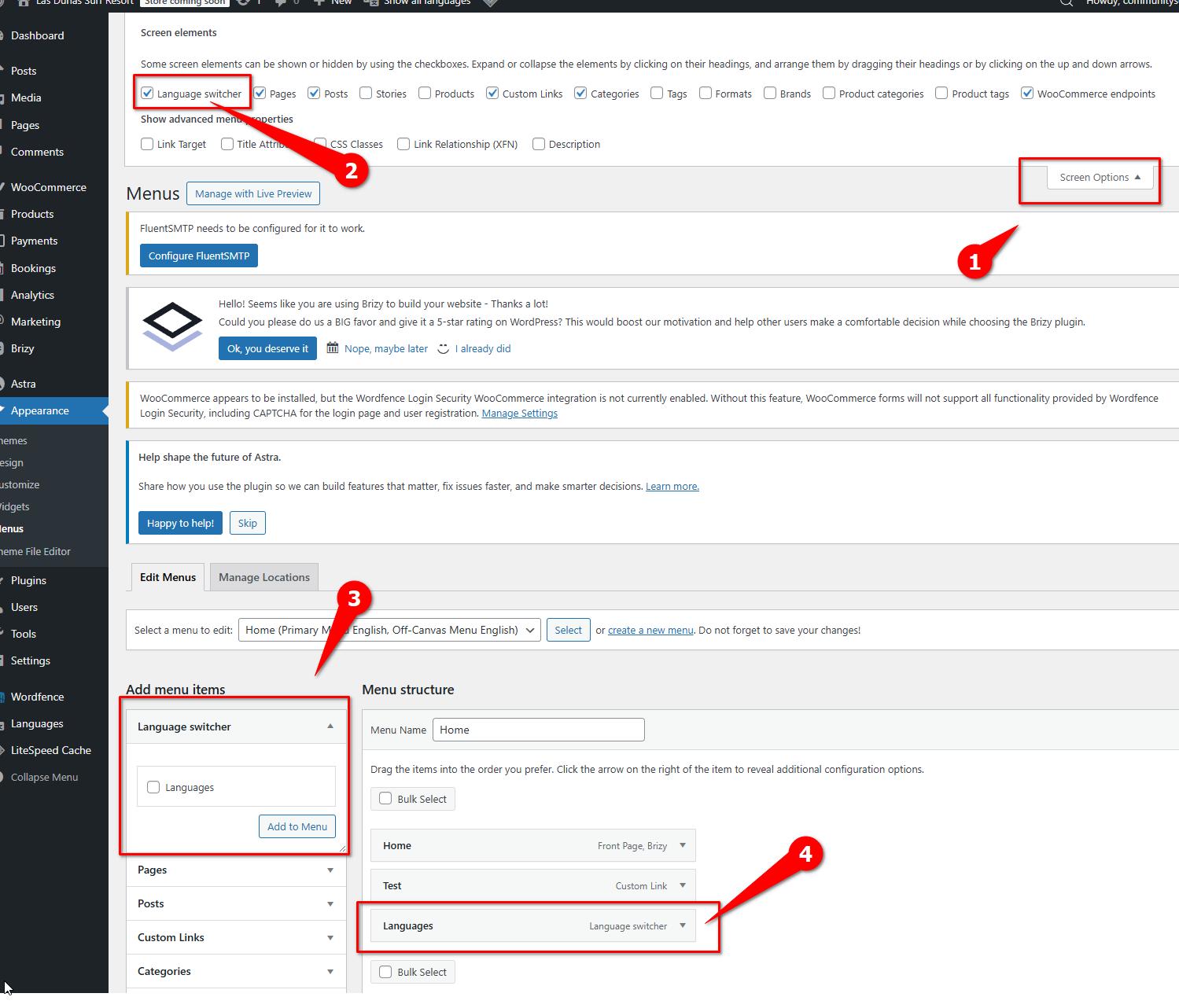
What was done:
1. Created _test_ES, assigned the ES menu, and saved it as global
2. Translated it to _test_EN
3. Copied the EN content and assigned the EN menuTo do this the right way, create all Spanish pages first and assign the Spanish menu to the global header. Then translate all pages, and afterward, update each one by assigning the corresponding language menu in the menu element.
After this, switching languages works correctly without redirects. This is demonstrated in this screencast:
https://youtu.be/Mb6UX3DkL3EPlease try this and let me know how it goes.
Best regards,
Ariel H.0 -
Cant see the video, issue happen here: https://lasdunassurfresort.com/
I have two menu, with check for each language:
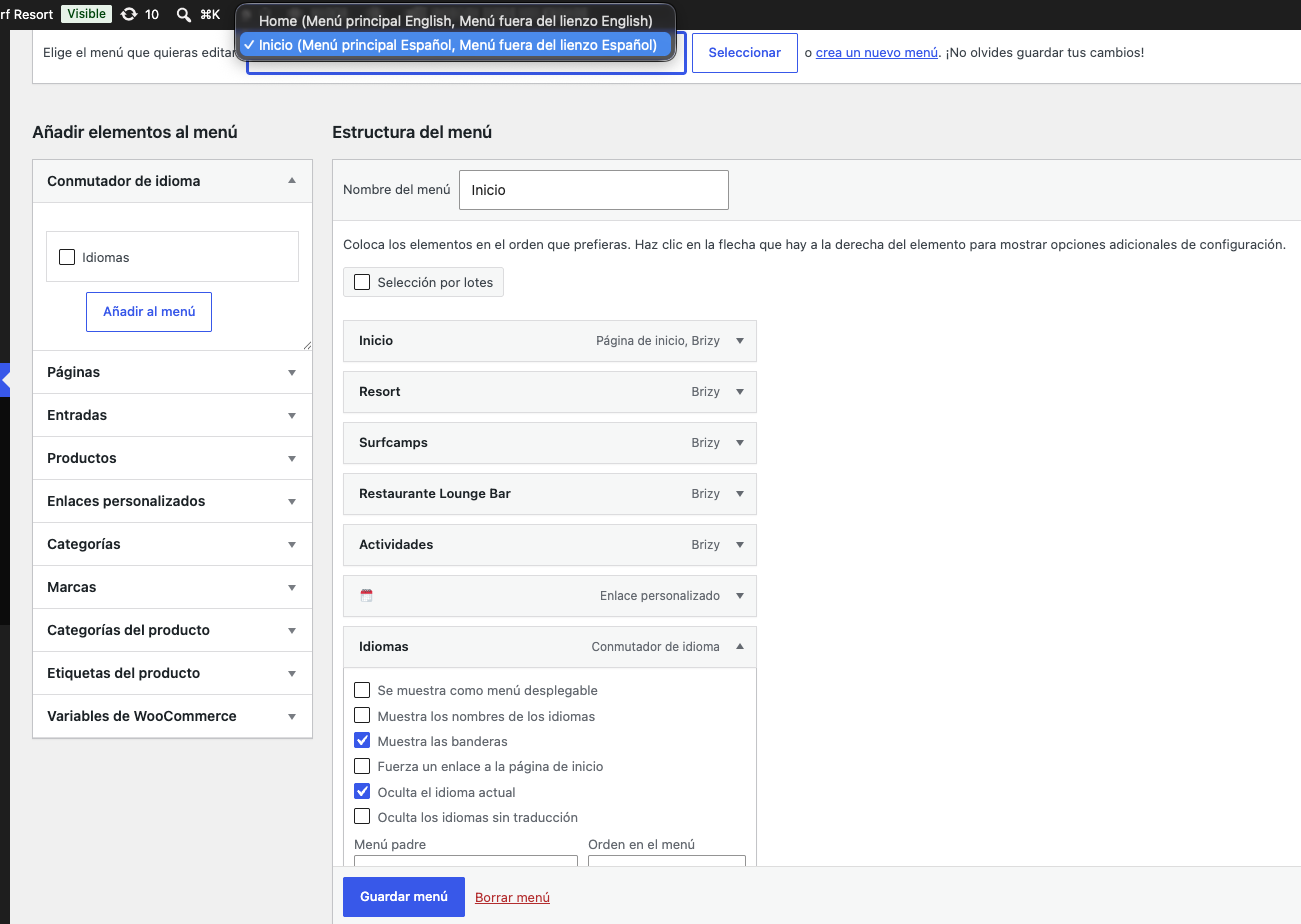
When doing this: "Then translate all pages, and afterward, update each one by assigning the corresponding language menu in the menu element."
I edit home or contact pages (the two translated by now), i change menu selection to "home" (english one), and it change for all pages, english and spanish ones.
0 -
Hi David,
Thank you for the update.
The issue occurs because the pages are using the same Brizy global header. When you select a different menu within that header, the change is applied to every page where the global header is displayed.
Since you have already created a global header for each language, please set each header’s display conditions so that it appears only for the corresponding Polylang language.
This will allow Brizy to display the correct header and menu automatically based on the page’s language.
Please try this setup and let me know how it goes.
Best regards,
Ariel H.0 -
I only have one global header/footer, i will do a new ones then, thanks.
0
Please sign in to leave a comment.
Comments
6 comments