Brevo API Key

Hello, I am unable to add brevo api key to brizy cloud forms on my website, it keeps loading.
-

Hello Nicholas,
Before you can add contacts to your Brevo list, you must ensure that you have atleast one "Folder" and one "List" under the folder. To check if you have added a "Folder" and a "List" kindly sign into your Brevo account and under CRM > Lists, check the number of Folders and Lists (where I have highlighted using an arrow in the screenshot)
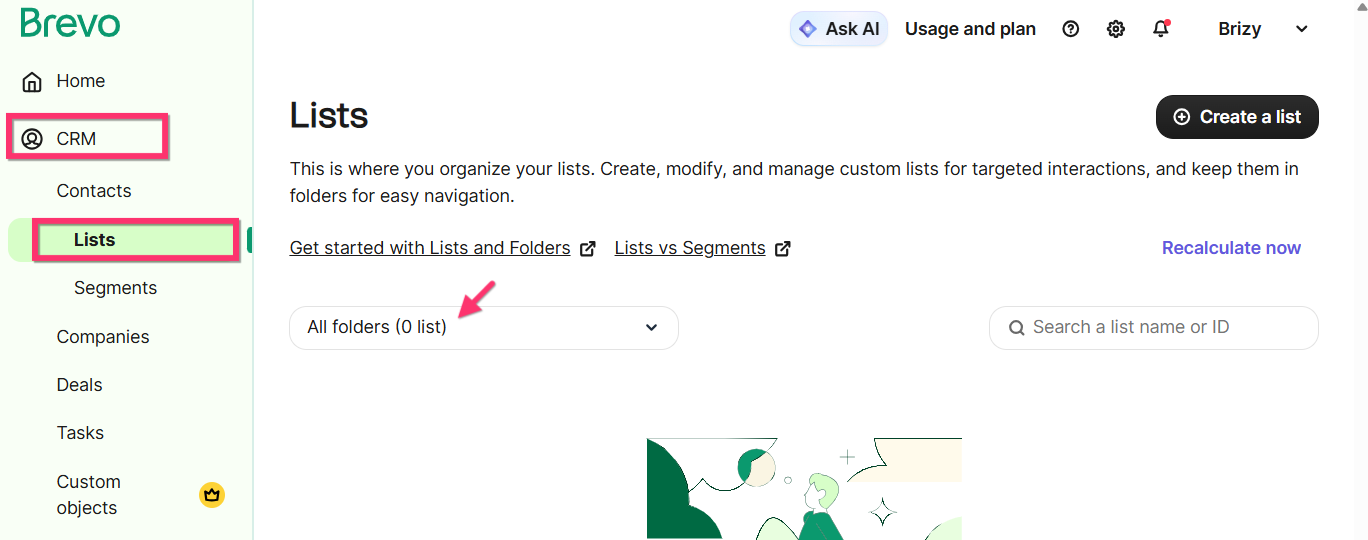
If you have Zero folders and lists, kindly add a "Folder" by selecting the "create a new folder" option.
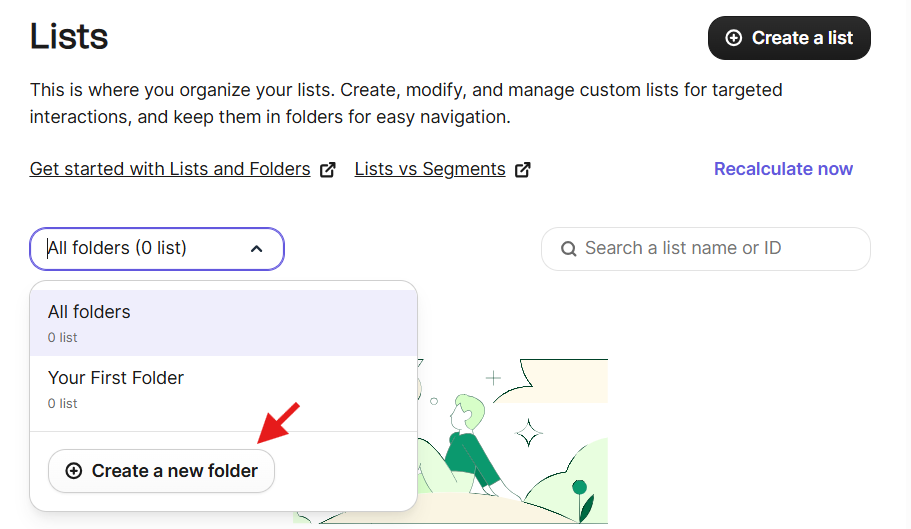
Select the Folder you have just created and then create a new list by selecting the "Create a list" button.
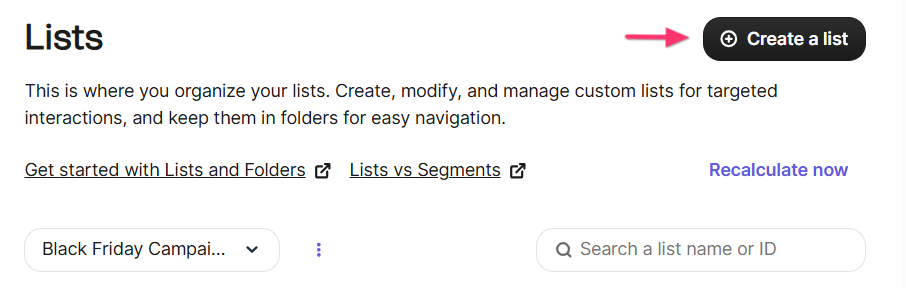
After adding a folder and a list under the folder, please attempt the API integraion with Brevo again.
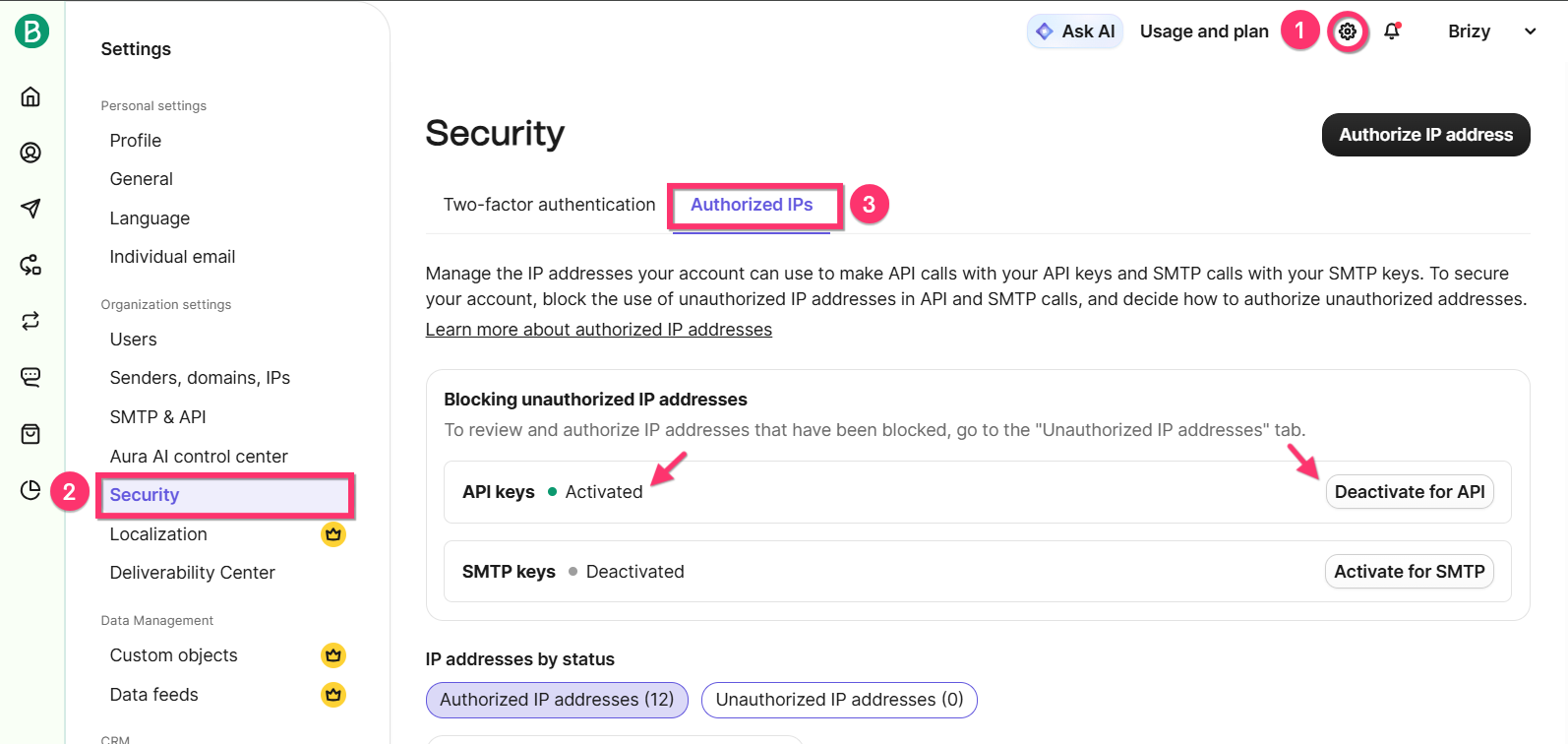
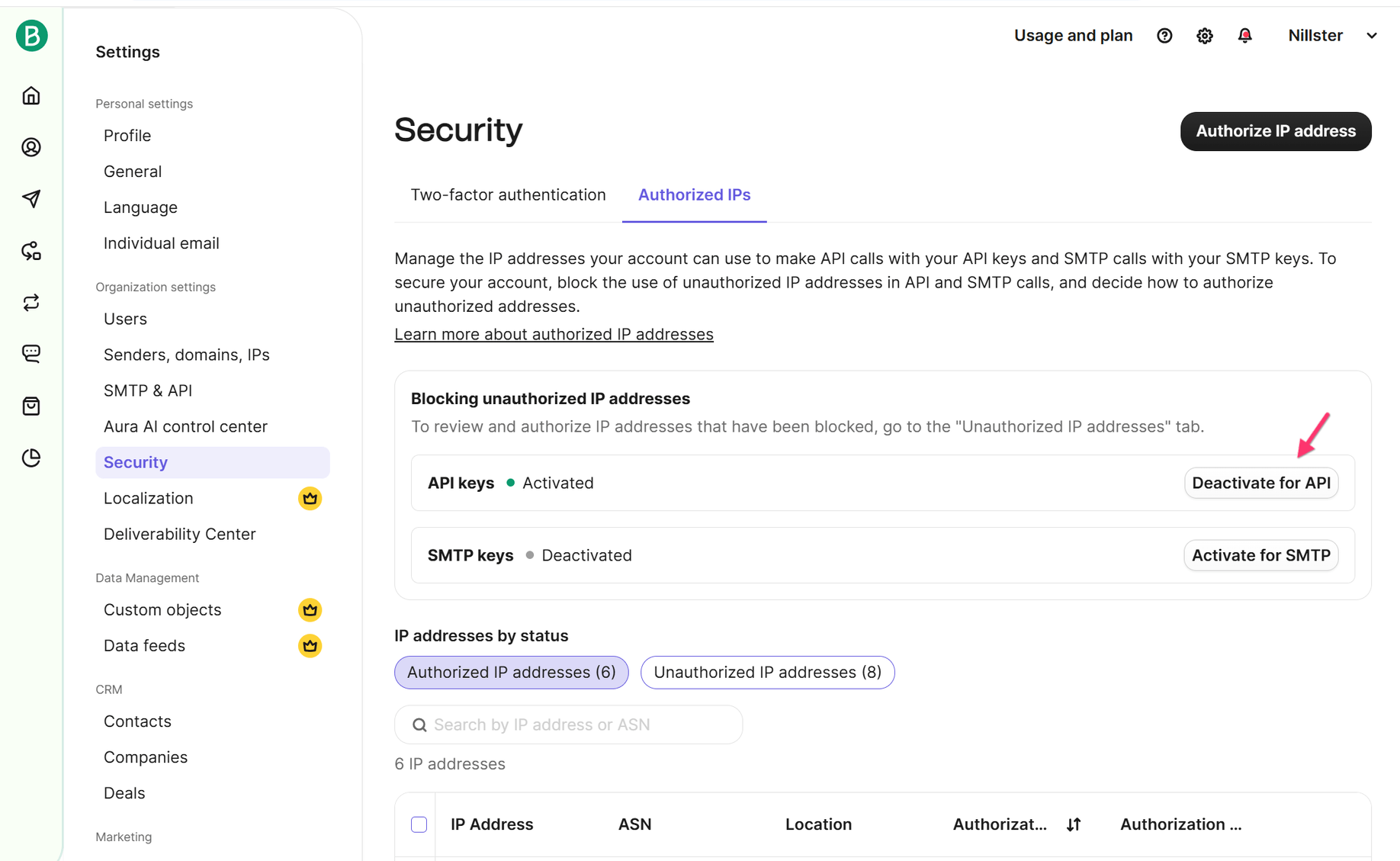
Please keep in mind that "Blocking unauthorized IP addresses" feature of Brevo does not work well with Brizy Cloud. Kindly deactivate this feature for API keys under Settings > Security > Authorized IPs, before reconnecting the API key.
 0
0 -
Dear KC George and Denis,
Thank you both for your responses.
@KC George – I’ve checked the list and folder inside Brevo as you suggested, and everything seems to be fine on my end.
Please see screenshots for your reference. https://jumpshare.com/folder/2Pm3m2Xh4c0FyjSNnFwY
@Denis – I checked the popup and updated it as you recommended.
Unfortunately, I couldn’t update the conditions – the page keeps loading indefinitely and never completes the update.
Despite trying both of your suggestions, the problem remains.
The Connect button still gets stuck loading, and the 405 Method Not Allowed error persists on the header signup button and footer newsletter form.
Please let me know what other steps we can take to resolve this. I’m happy to provide additional access or run any specific tests you suggest.
Thank you again for your help.
Best regards,
Nicholas.
0 -
Hello Nicholas,
Let's discuss the Brevo issue here and Denis will help you with the "405 Method Not Allowed error" through the ticket.
As per the screenshot you have attached, "Blocking unauthorized IP addresses" is activated for API keys. Please click on the "Deactivate for API" button to deactivate it.
I see that your sign up form at the footer of https://www.nillster.com is currently linked to a webhook. After disabling the above option, kindly setup the Brevo intergration again and let us know if the issue persists. If you continue to experience an error, kindly retain the Brevo integration on any of your pages so that we can troubleshoot it (and do not change it to webhook or another app)
0 -
Dear KC George,
Thank you for your continued assistance.
As you requested, I have:
-
Deactivated the existing API
-
Created a new folder inside the Brevo Contact list
-
Removed the Webhook
Unfortunately, after carrying out all these steps, the problem still remains. The Connect button continues to load indefinitely, and I’m still getting the 405 Method Not Allowed error on the header signup button and footer newsletter form.
Please see the attached screenshot for a better view of the current situation.
Let me know what else we can try – I’m happy to test further or provide any additional access you may need.
Best regards,
0 -
-
Hello Nicholas,
I am also seeting the "405 Method Not Allowed" error when submitting the form. To investigate this further, we need your help. Can you please generate a new API key in your Brevo account under "Settings" (gear icon) > "SMTP & API" > "API Keys and MCP" by clicking on the "Generate a new API key" button and send it to us here?
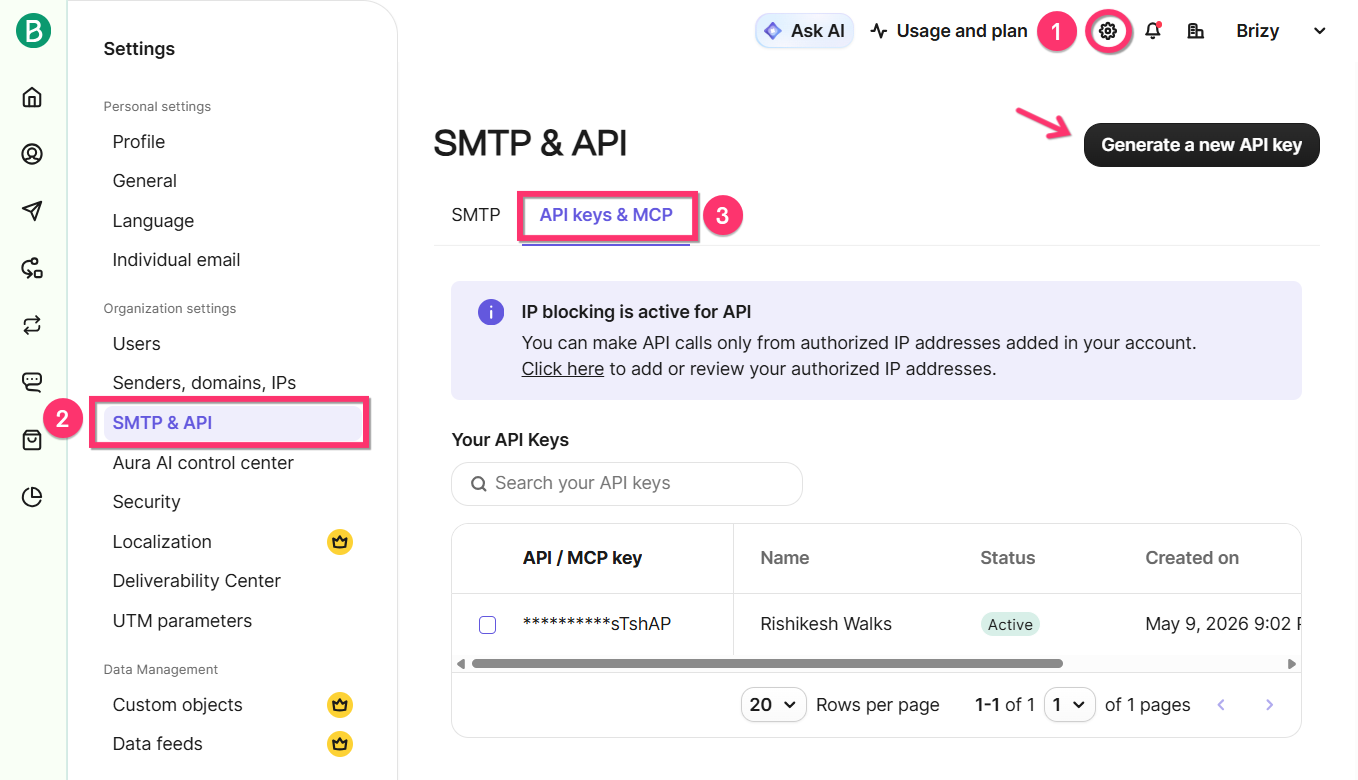
We will use your API key to carry out further tests. You can later delete the API key, after we have completed our tests. We will remove the API key from your comment before publishing it here, so that it is not publicly visible.
0 -
Hello Nicholas,
There are two pieces of code you have embedded from "Partnero" in the header section of your project. The second embed code appears to coflict with Brizy code and cause the "405 Method Not Allowed" error. When removing this code, the error disappears.
<script>
po('integration', 'universal', null);
</script>

<!-- End Partnero Universal -->
I have carried out a few more tests today using the API key you have provided after removing the above code. Please check if 3-4 test contacts were added in Brevo under the "Nillster WB Free Users" List. If a few contacts were added, probalby you need to reconsider using the embed code from "Partnero"
0
Please sign in to leave a comment.
Comments
6 comments