I deleted an entire website section on tablet view

I deleted an entire website section on tablet view and I don't know how to retrieve it.
Here's a screenshot of the section from the desktop view. It's above "start the be you challenge" on the homepage.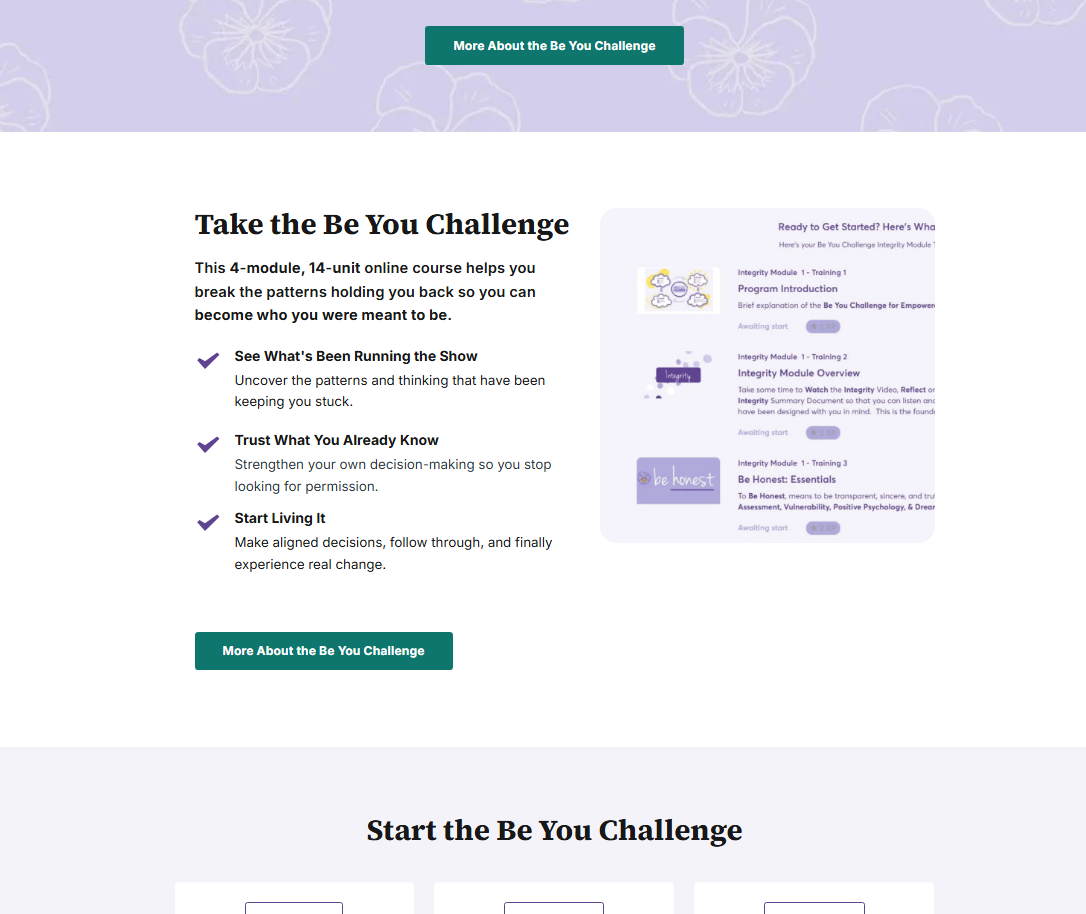
0
-

Hello Michelle,
You have not deleted the "Take the Be You Challenge" section, but rather hidden it in the Tablet design. To make the section visible in the tablet design, kindly follow these steps.
- Switch to the "Tablet" design view in the Brizy Cloud editor
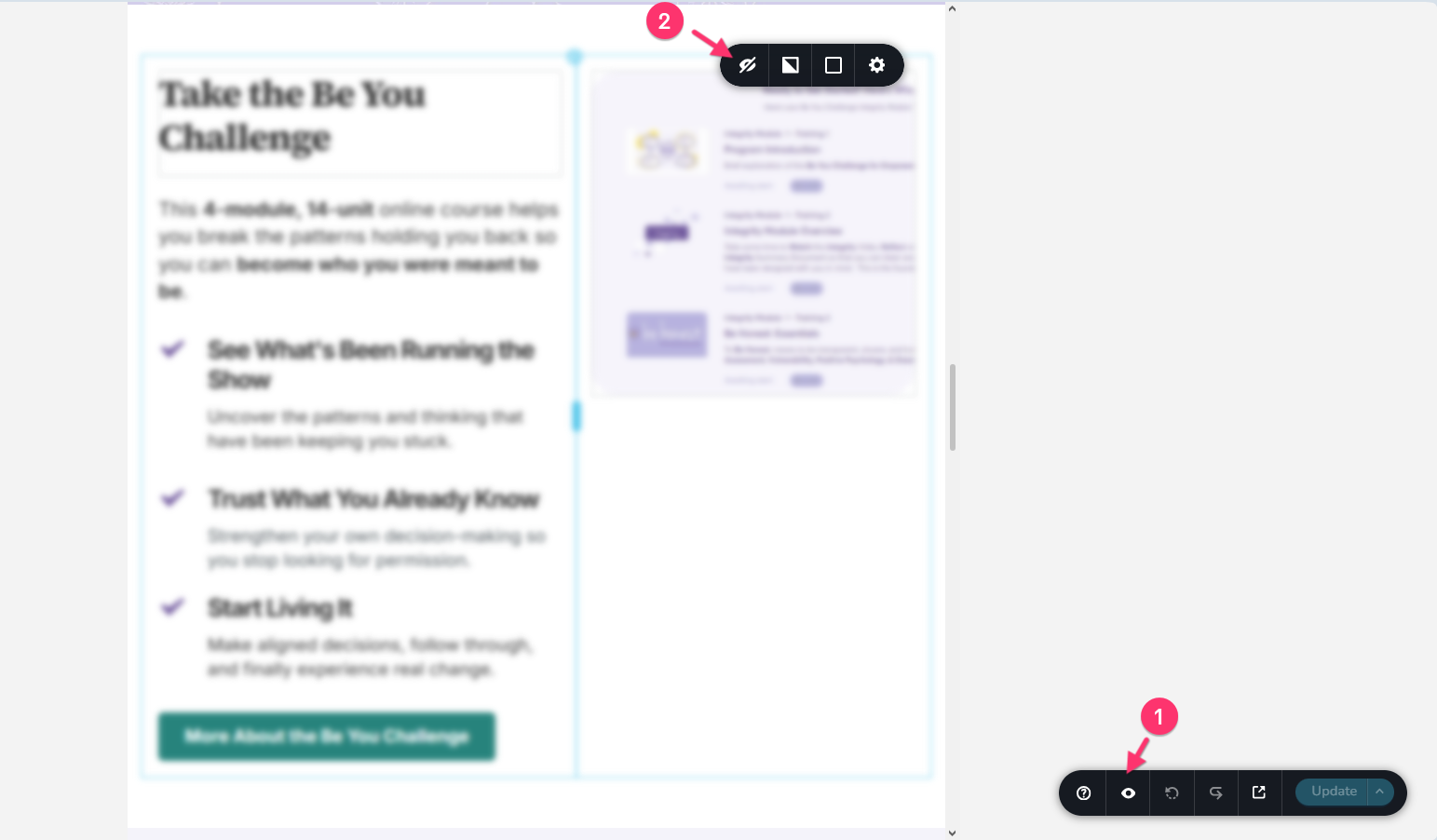
- Click on the "eye" icon at the bottom right corner to reveal the hidden elements. The "Take the Be Your Challenge" section will be seen in blur.
- Click on the the settings icon of the "Take the Be Your Challenge" section and then on the "eye" icon to make the block visible.
 0
0 -
THANK YOU! I wasn't doing step #1, unhiding and showing hidden sections! THERE IT IS, appreciate you!
0
Please sign in to leave a comment.
Comments
2 comments