This page needs a refresh: Wordfence deactivated - Hosted on Cloudways


We're unable to save a page without getting this error. We've read several posts on this forum and have tried turning off Wordfence and are hosted on Cloudways with no ModSecurity settings. Do you have any other ideas? We're open to giving you access to our WordPress.
0
-

Hello John,
Kindly sign into your Cloudways account and under "My Applications" > Select the relevant website > Application Settings > PHP FPM tab,
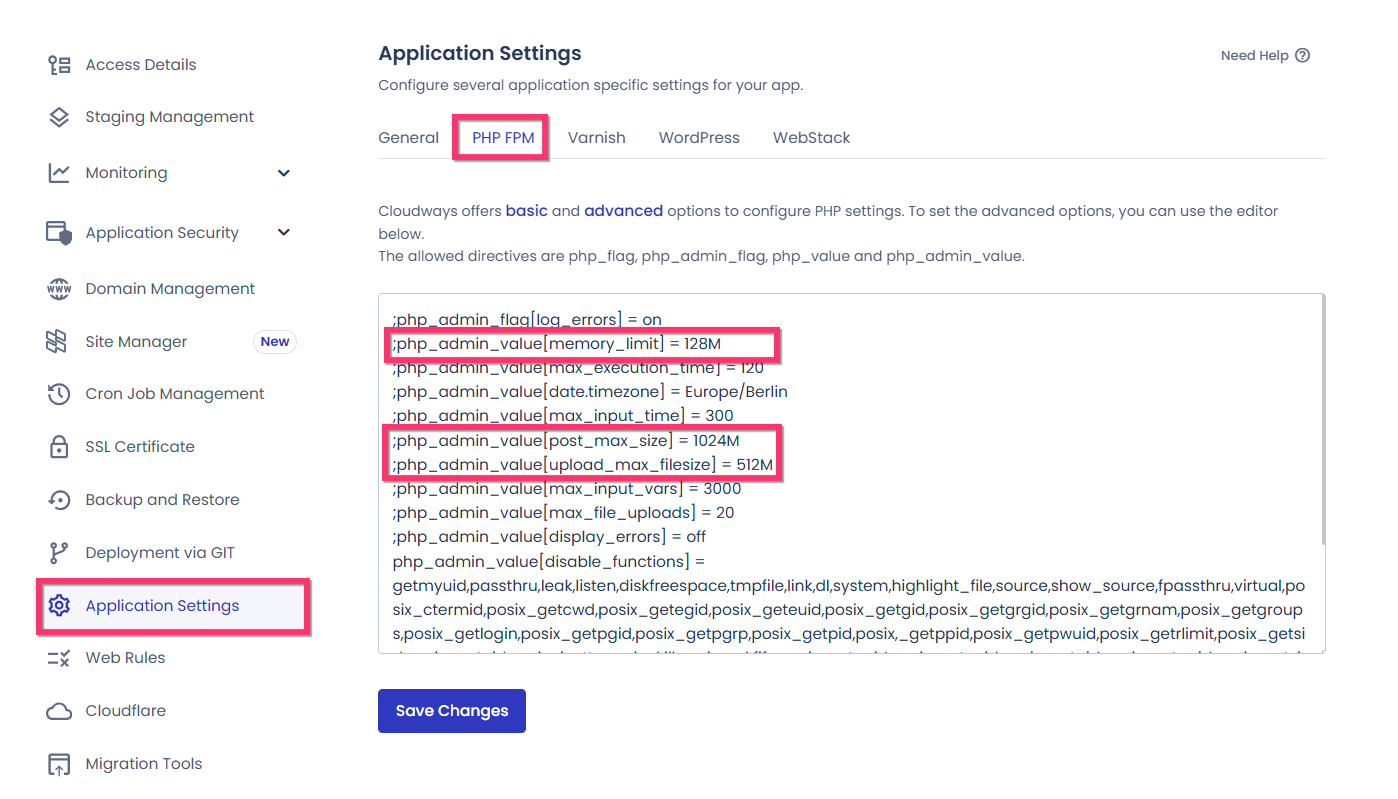
set these PHP directives and check if the issue resolves.
;php_admin_value[memory_limit] = 512M
;php_admin_value[post_max_size] = 1024M
;php_admin_value[upload_max_filesize] = 512M
0
Please sign in to leave a comment.
Comments
1 comment