Export brizy page

Good morning,
It's possible to export pages created with Brizy Builder from a website and import them to another site, obviously with Brizy Pro.
Not in the cloud.
Thanks
-

Hello Walter,
Yes; it is possible to export a Brizy page from one website to another. Kindly follow these steps
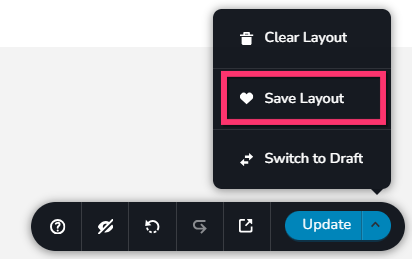
- Open the page in the source project in the Brizy editor and select the "Save Layout" option towards the bottom right corner. This will save the page as a design layout in the "Saved Blocks and Layouts" library.
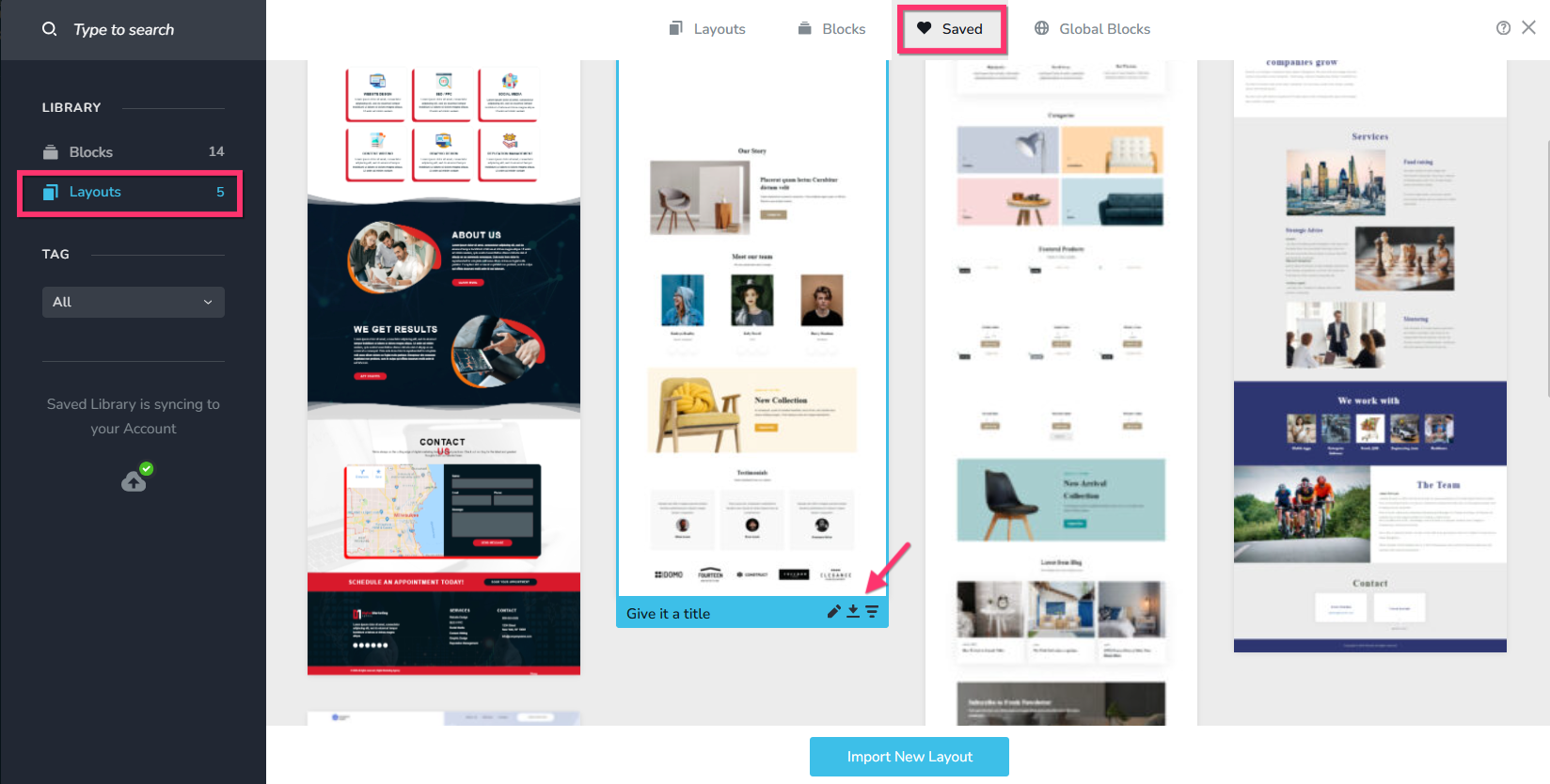
- Visit the "Saved Blocks and Layouts" library and select the "Layouts" option on the left sidebar and hover over the desgin you saved in Step 1 and select the "Download" icon (down arrow) to download the design as a ZIP file.
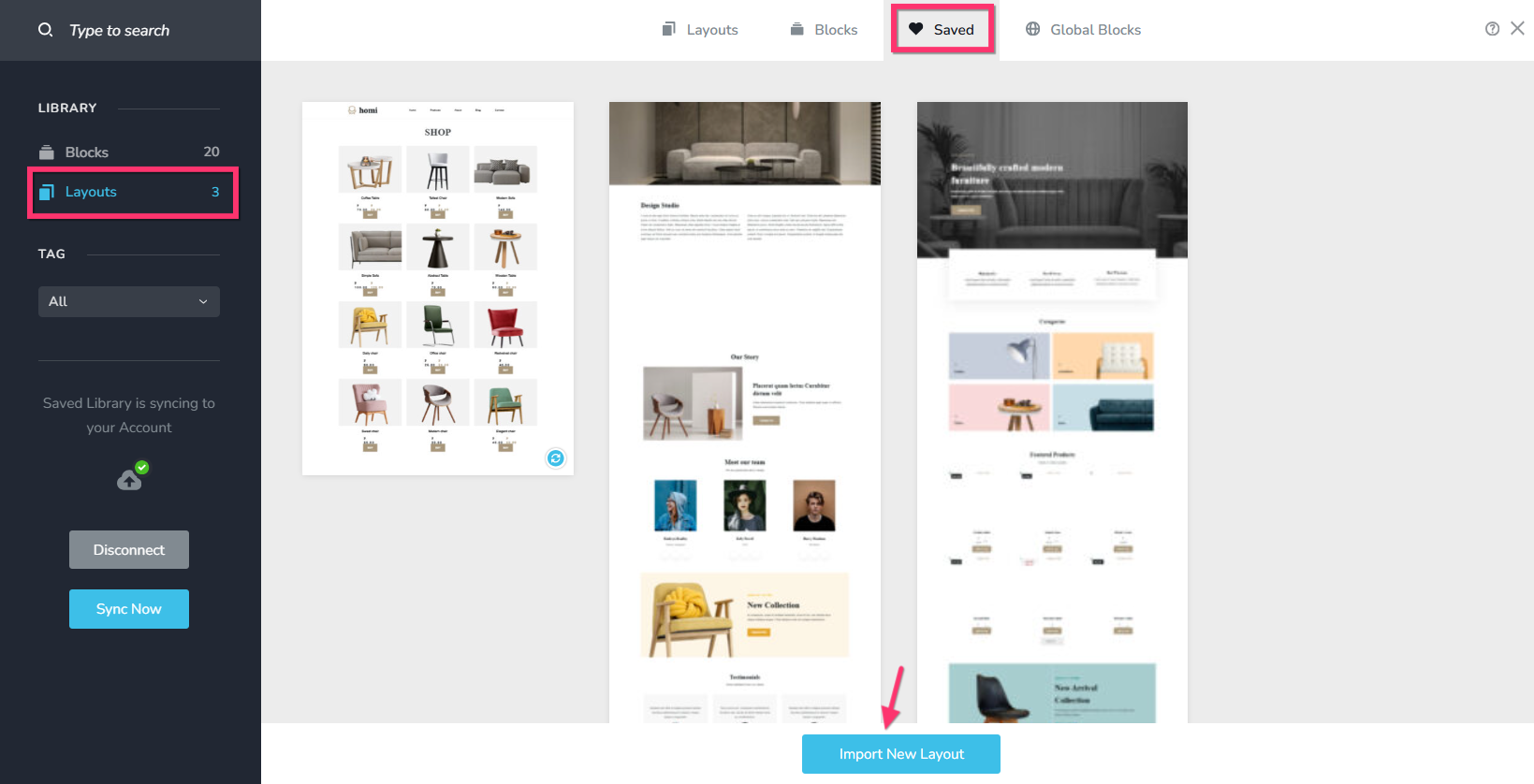
- In the destination project, visit the "Saved Blocks and Layouts" library and select the "Layouts" option on the left sidebar and click on the "Import New Layout" button at the bottom and select the ZIP file you downloaded in Step 2. This will import the desgin layout to the "Blocks and Layouts" library of the destination project.
- Import the design from the "Blocks and Layouts Library" to a Brizy page by selecting the specific layout.
0 - Open the page in the source project in the Brizy editor and select the "Save Layout" option towards the bottom right corner. This will save the page as a design layout in the "Saved Blocks and Layouts" library.
-
Hi George
Thanks for the reply, but after saving the layout as indicated, it doesn't appear in the Layout/Saved tab.
What am I doing wrong?
Thanks0 -

Hi Walter,
Thank you for the update
To help us investigate this further, could you please provide temporary access to your WordPress admin dashboard? This will allow us to take a closer look at your setup and identify the cause of the issue.
Kindly send the following details to communitysupport@brizy.io:
Community Post: https://support.brizy.io/hc/en-us/community/posts/35184325247890
WordPress Admin URL:
Username:
Password:We’ll review it as soon as we receive the access.
Best regards,
Ariel H.0 -
Hi Walter,
Thank you for your message.
We’ve checked this on our end, and it appears to be working correctly. I’ve also recorded a short screencast showing that we were able to save the layout and import it into another website.
This is demonstrated on this screencast - https://youtu.be/1nihVCrC_OkThis is the URL of the page where we imported the layout - https://staging.brizywp.site/wp/_test3/
If it’s still not showing on your side, could you please try using a different browser or an incognito/private window? This can help rule out any browser-related issues, such as cache or extensions that might be interfering.
Please let me know how it goes, and I’ll be happy to assist further if needed.
Kind regards,
Ariel H.0 -
Thanks Ariel
0
Please sign in to leave a comment.
Comments
5 comments