My Experience with Brizy still didn't improve.

Hello Team Brizy,
I don’t think I want to move on with your service anymore. The concerns I raised about not being able to save my designs still holds.
I even thought it was a bug and left it for a while but there’s no difference.
I’ve changed templates, uninstalled WordPress and I still can’t design anything, not even ChatGPT or Claude could help me out.
Please I want a refund of my money as it’s not fair since Q1 I couldn’t build a 4-5 page website.
It’s either someone from your team schedule a live call with me to go through this together or you do a refund.
Thank you.
-

Hi Lawal,
Thank you for reaching out and I apologize about your experience using Brizy.
We’d like to take another look at your website and help resolve the issue before proceeding further. However, the credentials you previously shared no longer work. Could you please resend your site credentials so we can inspect it?
We’d also be glad to arrange a Zoom call to go through this with you step by step. This will allow us to better understand what’s happening and ensure we’re prepared on our side.
Please let us know your most convenient time for the call. Our working hours are 9:00 AM – 5:00 PM (UTC+2), but we’ll do our best to accommodate your schedule.
Looking forward to your update.
Kind regards,
Ariel H.0 -
Here are the credentials:
WordPress Admin URL: https://qfactortechnology.com/wp/wp-login.php
Username: *****
Password: ******
Yes, I'm available for a call and I'd appreciate that. Kindly schedule a time within your working hours and I'd align with it.
Thank you.0 -
Hi Lawal,
We tried logging in using the URL you provided, but it redirected us to a different page.
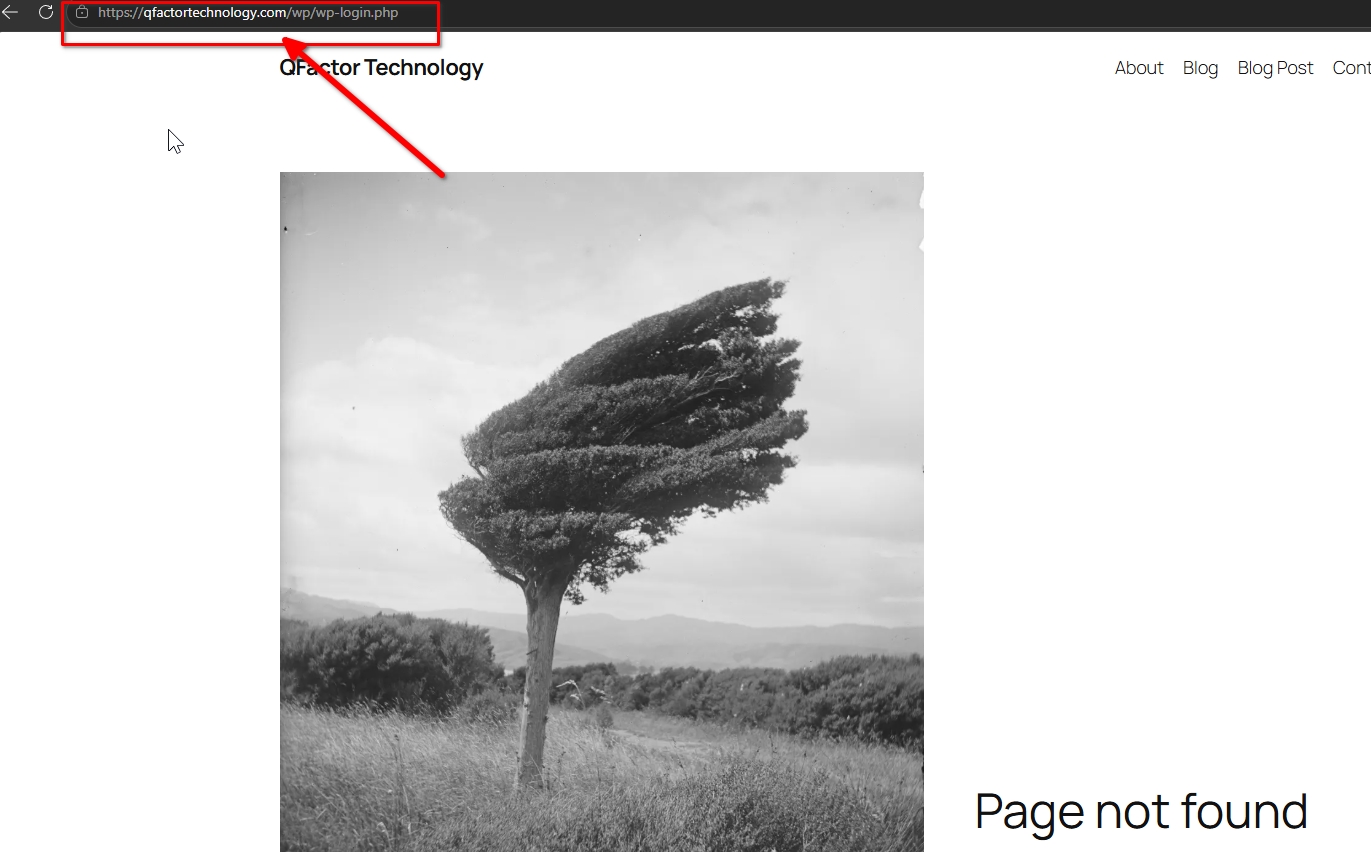
We also attempted to access your site via the standard WordPress login page, however, the credentials did not work.
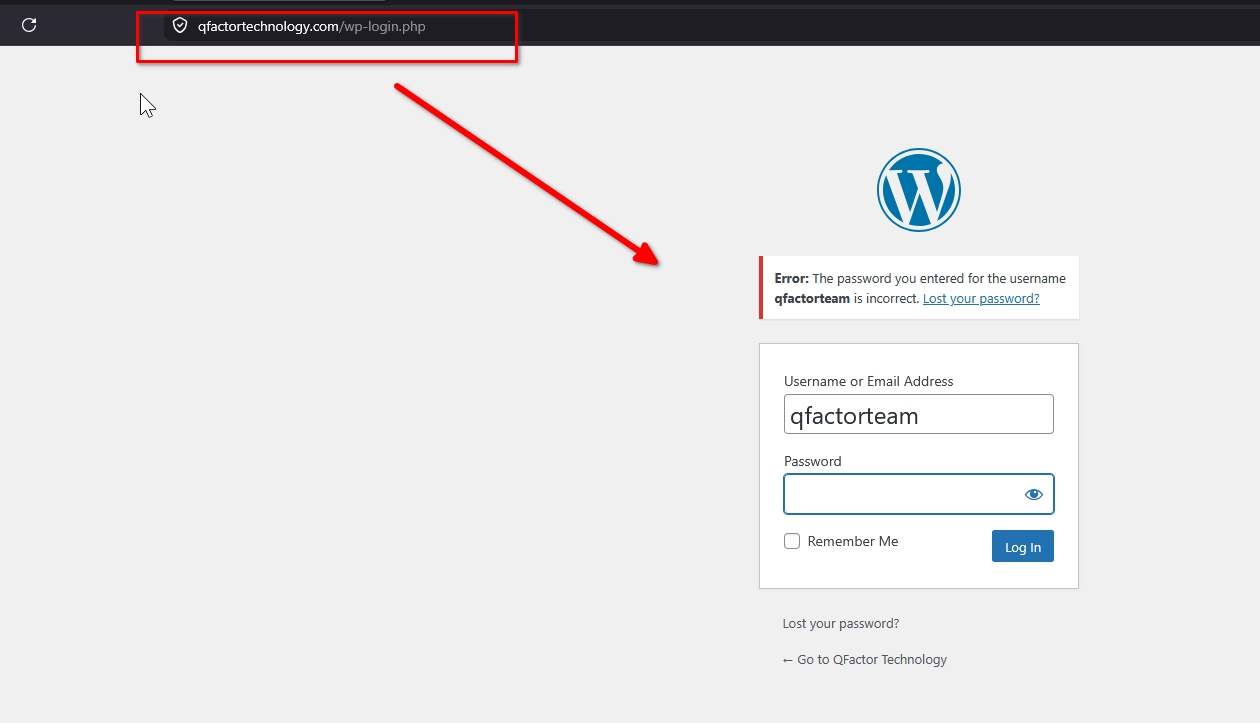
To help us proceed, could you please install the plugin “Temporary Login Without Password” instead? You can follow this tutorial for the installation steps:
https://youtu.be/QtFhdKBzfHkOnce installed, kindly generate a temporary access link for us and set the expiration time to at least 48 hours so we have enough time to properly check your website.
Looking forward to your update.
0 -
Hi Ariel,
I've been able to sort that out.
Here's the updated credentials:WordPress Admin URL
Username:
Password:
Thank you.
0 -
Hi Lawal,
Thank you for your cooperation.
The issue appears to be caused by a missing server extension called extension-gd. This is required by Brizy to properly render the block thumbnails in the Reorder Blocks panel on the left sidebar.
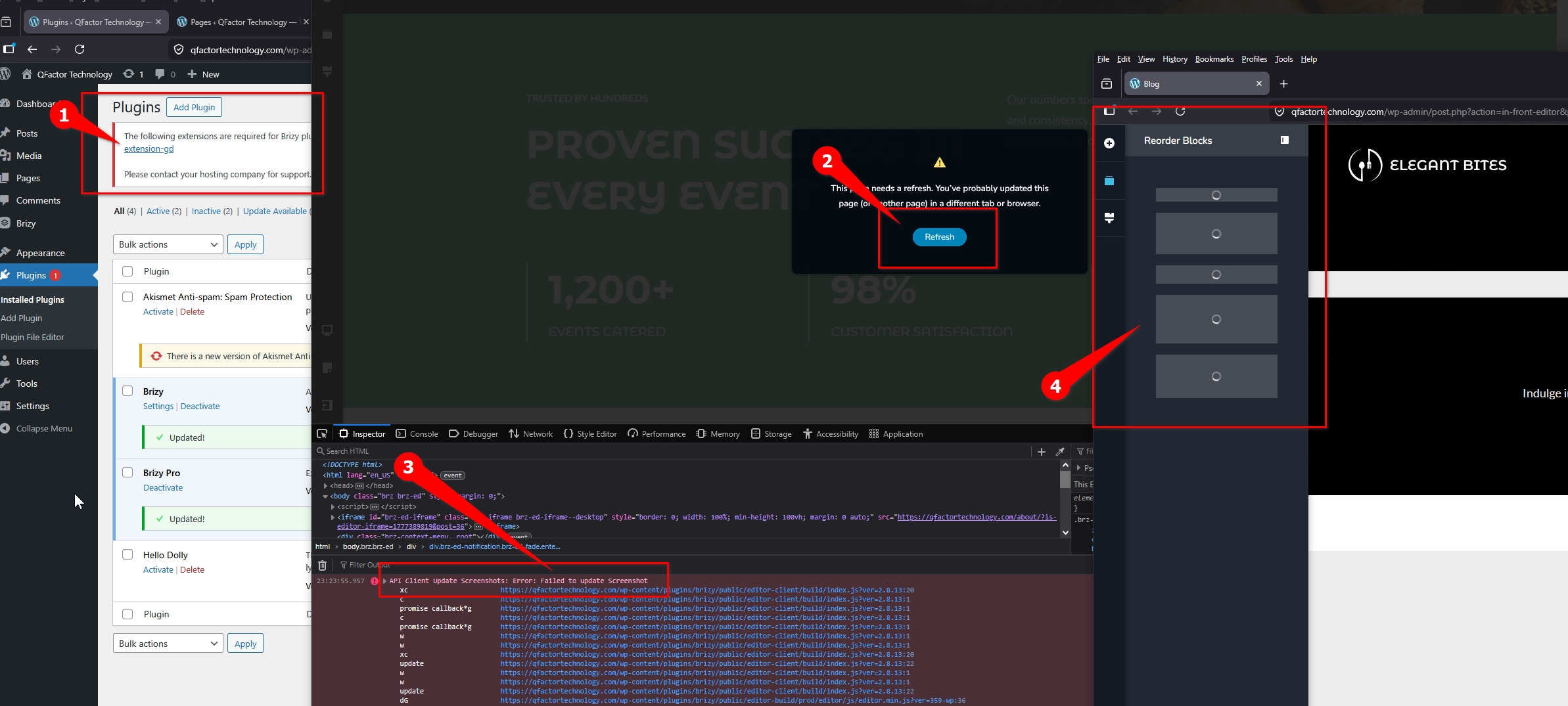
You can enable it from your cPanel by following this guide:
https://www.hostduplex.com/kb/how-to-enable-the-gd-extension-of-php-using-cloudlinux-selector-in-cpanel/If you find it difficult to enable, you may also share your cPanel access with us (https://qfactortechnology.com:2083/), and we’ll be glad to enable it and run further checks to confirm everything is working correctly.
Looking forward to your update.
0 -
Alright Ariel,
I don't think I have the technical know-how to get that solved, so here's the access to the cPanel:- cPanel URL *************
- Username: *************
- Password: ******
Thank you
0 -
Hi Lawal,
We’ve enabled the "extension-gd" in cPanel, but your WordPress dashboard still shows it as disabled.
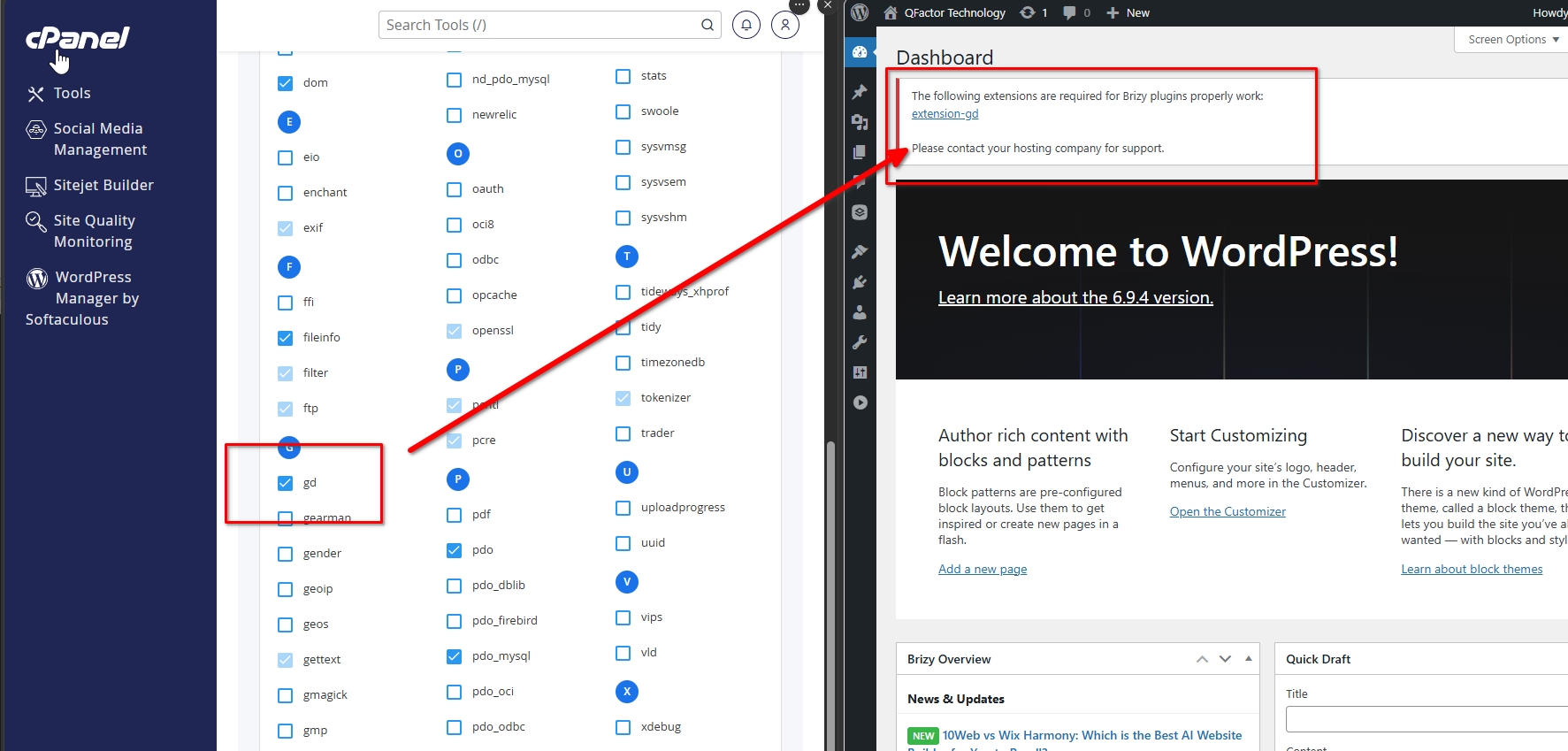
This is usually due to a PHP version mismatch or the server not properly applying the change. While it appears enabled in cPanel, it may not actually be loaded at the server level.
We recommend reaching out to them and asking them to verify that the GD extension is correctly installed and active for the PHP version your site is using.
Let us know once it’s fixed so we can check again.
Kind regards,
Ariel H.0 -
Hello Ariel,
I appreciate the support so far however my hosting provider sent me a screenshot that the extension is enabled.
See the screenshot attached
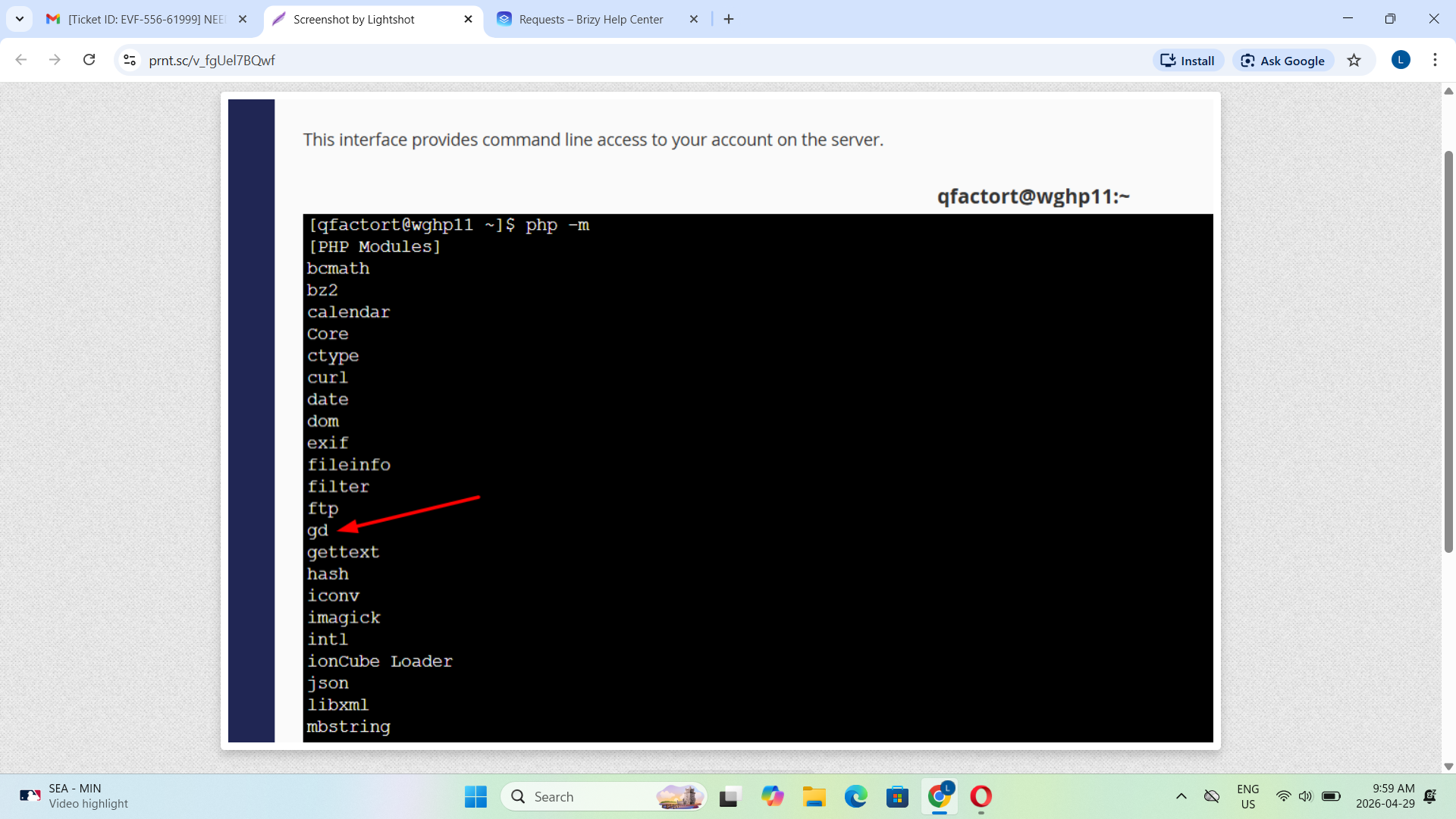 0
0 -
Hi Lawal,
It looks like the original issue has been resolved.
However, I’m now encountering another problem when editing pages. Smaller pages (3–4 blocks) save without issue, but larger ones like the homepage show a similar error and won’t save. This typically points to server limits affecting bigger pages.
For comparison, I’ve duplicated your site on my staging server where everything works properly, even with larger pages: https://staging.brizywp.site/qfactortechnology/wp-admin
You can log in using the same credentials. You may also share this with your hosting provider so they can compare server configurations.
Since this appears to be server-related, I recommend reaching out to your hosting provider. You can also refer them to the following guide and ask them to update the SecRequestBodyLimit and SecRequestBodyNoFilesLimit values, as this usually resolves this type of issue:
https://support.brizy.io/hc/en-us/articles/22590197512210Kind regards,
Ariel H.0 -
Hello Ariel,
I just got a response from the Hosting Service provider that the limit has been increased.
Please help confirm the page editing.Thank you.
0 -
Hi Lawal,
It appears the limit is still in place. Upon checking, the homepage can only be saved with up to around 5 blocks, beyond that, it no longer saves.
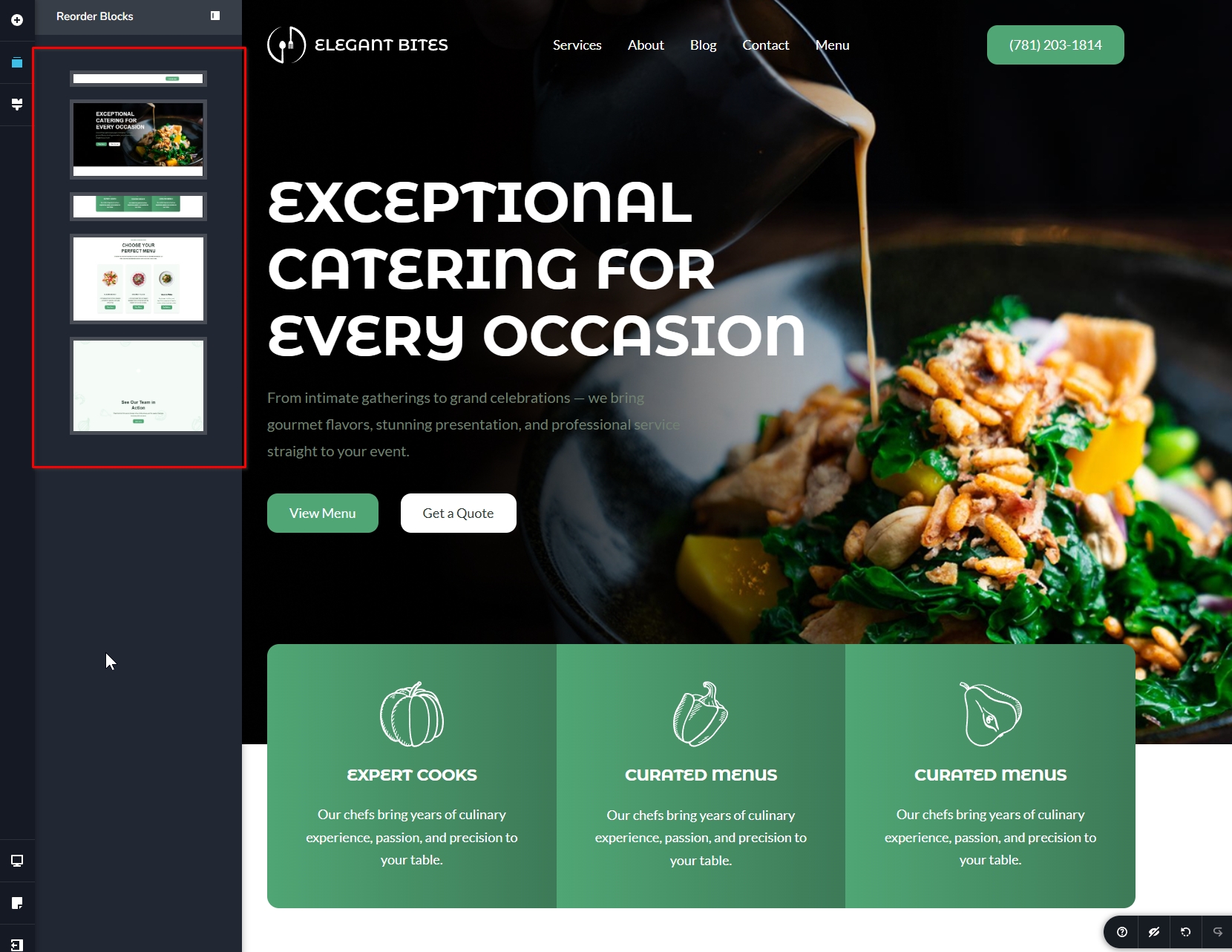
This indicates the server limits are still restricting larger requests. Please ask your hosting provider to increase the following values and see if that resolves the issue:
SecRequestBodyLimit 134217728
SecRequestBodyNoFilesLimit 134217728
In the meantime, you can continue working on your pages, but you’ll need to limit the number of blocks per page. You may consider splitting larger content across multiple pages to avoid hitting this limit.
Let me know how it goes.
Kind regards,
Ariel H.0
Please sign in to leave a comment.
Comments
11 comments