Strange edit screen in Brizy

Hi Ariel,
When editing this site https://www.fonfestival.org/ in Brizy we see a really strange edit screen, whereby the edit panels are missing. I can replicate the issue across multiple pages on the site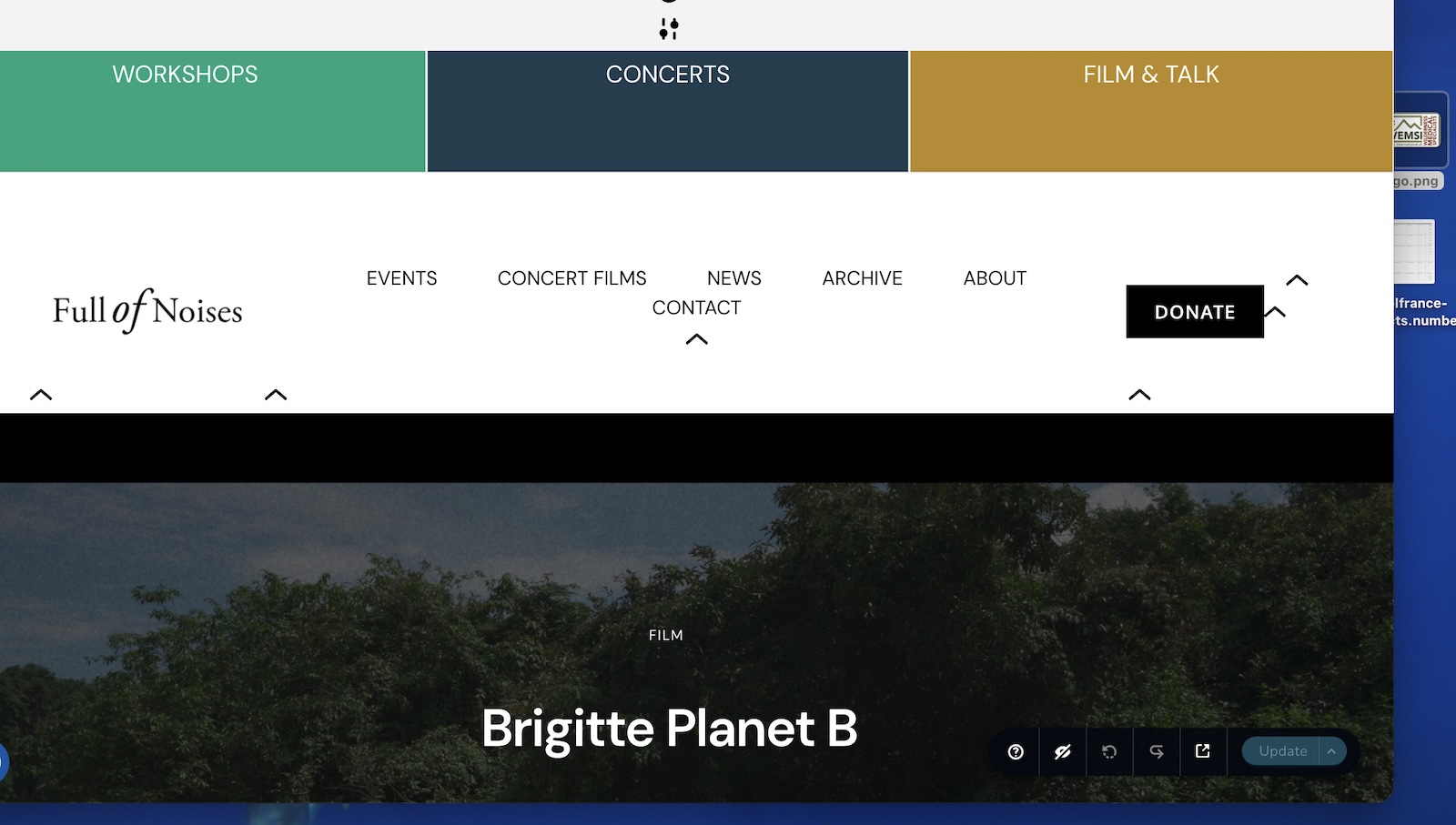
in error log I can see this but the events cal pro isn't on all pages.
[27-Apr-2026 10:28:36 UTC] tribe_extension_event_slider
-

Hi Darren,
Thanks for reaching out.
It’s possible that the issue is coming from the Slider Addons for The Events Calendar plugin. Could you please try temporarily disabling it and check if the issue still occurs? This will help confirm whether it’s the source of the problem.
Please try this and let me know how it goes.
Best regards,
Ariel H.0 -
Hi Ariel,
I've disabled that slider addon but still having the same issue.
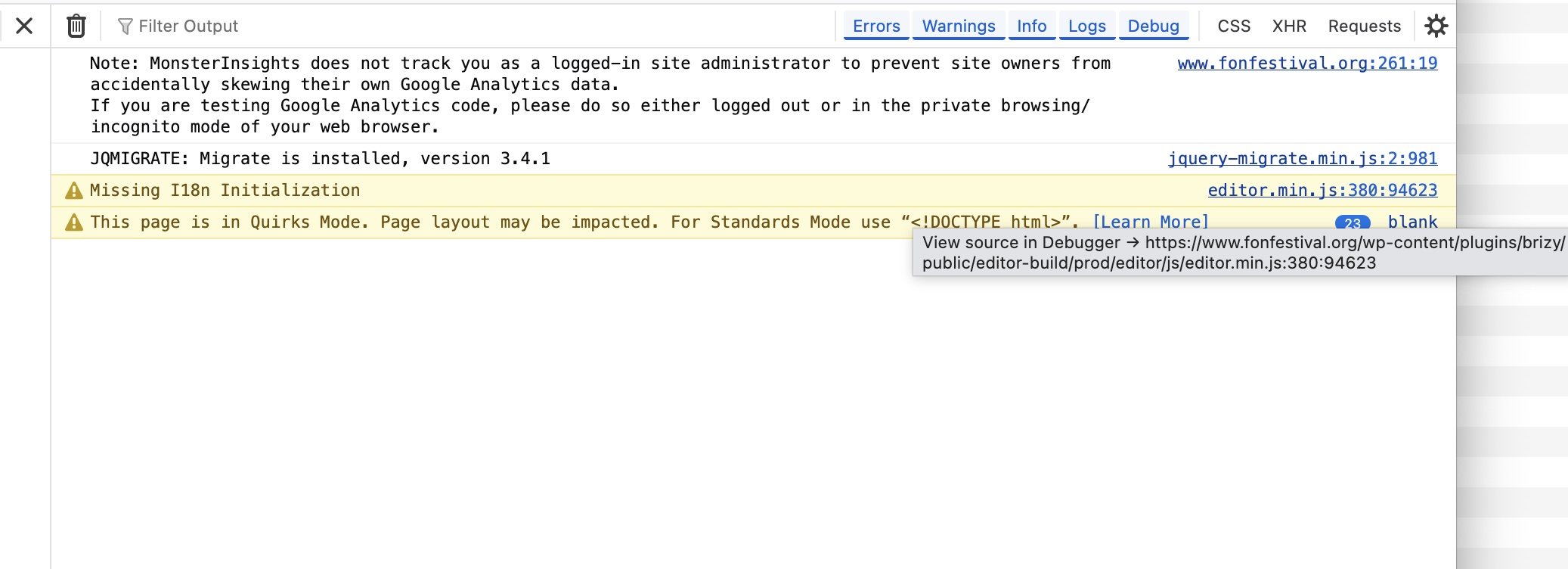
When editing in brizy I managed to inspect the page and saw this in console. SOmething about missing editor.min.js
And also this message:
Layout was forced before the page was fully loaded. If stylesheets are not yet loaded this may cause a flash of unstyled content.
 0
0 -
Hi Darren,
Just to make sure we’re on the same page, are you referring to the short flash in the menu when the site is loading?
If so, this is something we’re already aware of. Our developers are currently working on a fix. At the moment, we don’t have an estimated timeline for when it will be released, but please know it’s actively being addressed.
Thank you for your patience, and feel free to confirm if this is the issue you’re experiencing.
Best regards,
Ariel H.0 -
Hi Ariel,
No we're not.. Basically the Brizy editor is broken when we try and edit pages on that site.
If you look at the first screenshot i sent that what the site looks like when we're editing in Brizy.
Thanks,
Darren0 -
Hi Darren,
Could you please send your site credentials to communitysupport@brizy.io so we can take a closer look? Please include the ticket reference 35127107878674 in the subject line to help us track your request.
Best regards,
Ariel H.0 -
Hi Darren,
Thanks for your message.
I’ve checked on my end and I’m not seeing any issues when editing the pages.

Could you please share the exact steps you’re taking to replicate the problem?
In the meantime, could you also try using a different browser and see if the issue persists there?
Looking forward to your update.
0 -
Hi Ariel,
I've tried editing in Firefox in a Private window and also in Safari (never used in it before, so no caching).
I'm not sure about the client, i terms of the device they are using.
I tried turning off LiteSpeed cache and other plugins but still having the same issue.
Thanks,
Darren0 -
Hi Darren,
Could you please record a short video using Loom (https://www.loom.com/) showing the issue?
This will allow us to see exactly what you’re experiencing.
Looking forward to your update.
0 -
Hi Ariel,
Here's a video of me trying to edit the page: https://youtu.be/0vVLOuBZ_bw
Thanks,
Darren0 -
Hi Darren,
Thanks for sharing the screencast. I’ve recorded one on my end as well to show how the editor is loading and working correctly here - https://youtu.be/O1w1GAQlK4E
The issue appears to be environment-specific. It’s most likely related to browser cache, extensions, or a local conflict.
Could you please try opening the editor in an incognito window or a different browser and see if the issue persists?
Let me know how it goes, and we’ll continue from there.
Best regards,
Ariel H.0 -
Hi Ariel,
I've tried in different browsers, and incognito windows.
As I mentioned our client is seeing the same issue so not sure what the issues could be?
Thanks,
Darren0 -
Hi again,
I have updated to latest versions of Brizy (version 2.8.13 and Version 2.8.7).
And can now edit the site as expected. Assuming there was an issue that has now been fixed?
Thanks,
Darren0 -
Hi Darren,
I wasn’t expecting that, as the changelog for the latest update didn’t mention a fix for a similar issue. I was actually about to ask which OS and browser you were using so we could try to replicate it on our end, but I’m glad to hear the new update resolved it.
Please feel free to reach out if anything else comes up.
0
Please sign in to leave a comment.
Comments
13 comments