Add CSS, header, and footer to the category.

-

Hi Vantrinh,
Thank you for reaching out.
You can configure SEO for a category by going to Posts → Categories, then selecting your category (for example, “Catering Tips”). Once you click on it, you’ll be taken to the category settings where you can open the SEO tab. From there, you can define the SEO title, description, and other related settings for that category.
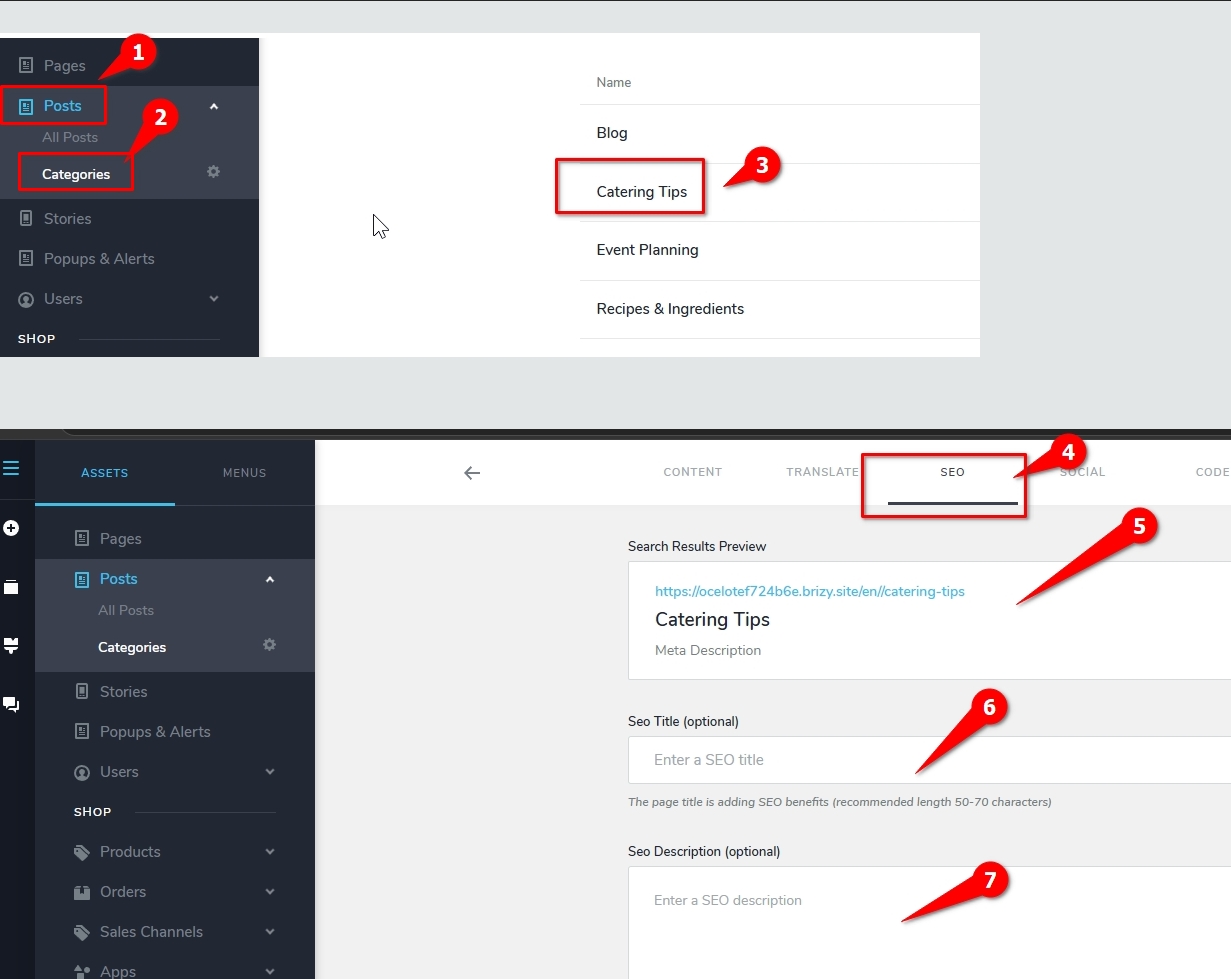
If you’d like to apply custom styling, you can also use the Code tab (next to the SEO tab) to add CSS that will affect all posts within that category.For headers and Footers, you can create custom designs and assign them using display conditions. You can set the condition to target the specific category where you want the header or footer to appear as shown on this example:
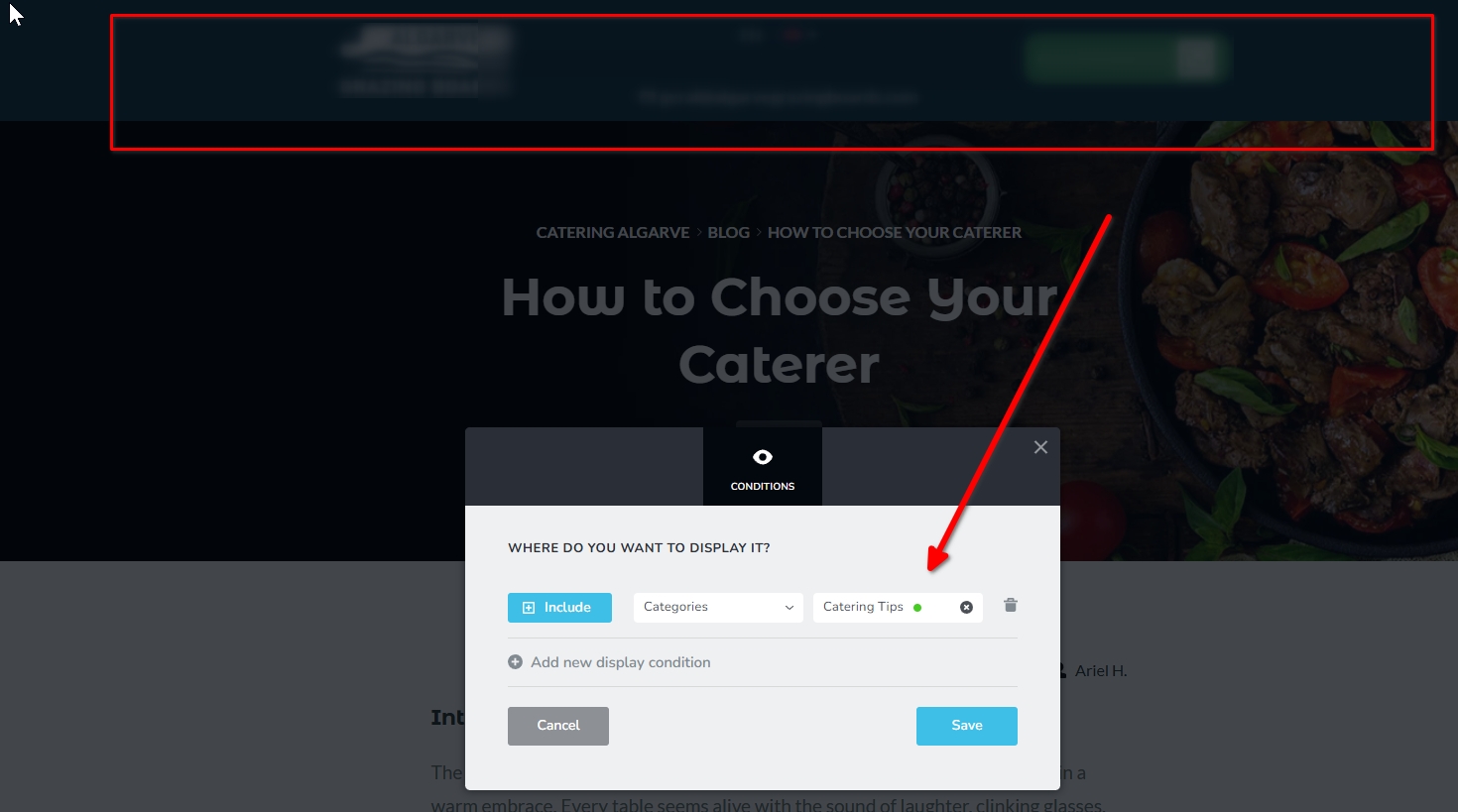
If you have any questions, please let us know.
Best regards,
Ariel H.0 -
You misunderstood my question.
If I want to block google bot index all posts in a category, I have to open each post individually to disable the index.
It's time-consuming and sometimes prone to miss.0 -

Hello Vantrinh,
There is no option to disable search engine indexing for all blog posts within a category. You will have to disable it post by post.
0
Please sign in to leave a comment.
Comments
3 comments