Vertically Align Icon Box Content

Hello,
I have been using Icon Boxes for a long time and to my knowledge there is still no way to vertically align the content in the case that the icon is bigger than the content beside it. For example, if I had a large icon and a single line of smaller text next to it, the text will automatically be top aligned. I'd like for there to be an ability to center align it vertically, instead of just adding "gap above" until it looks centered since that method doesn't work in cases where the text may wrap. Thanks!
-

Hi Richard,
Thank you for reaching out.
You can fix this with the following CSS:
.brz-text-btn {
  display: flex;
  align-items: center;
}
This uses flexbox to vertically center the icon and text.
Add it in WP Admin Dashboard → Appearance → Customize → Additional CSS
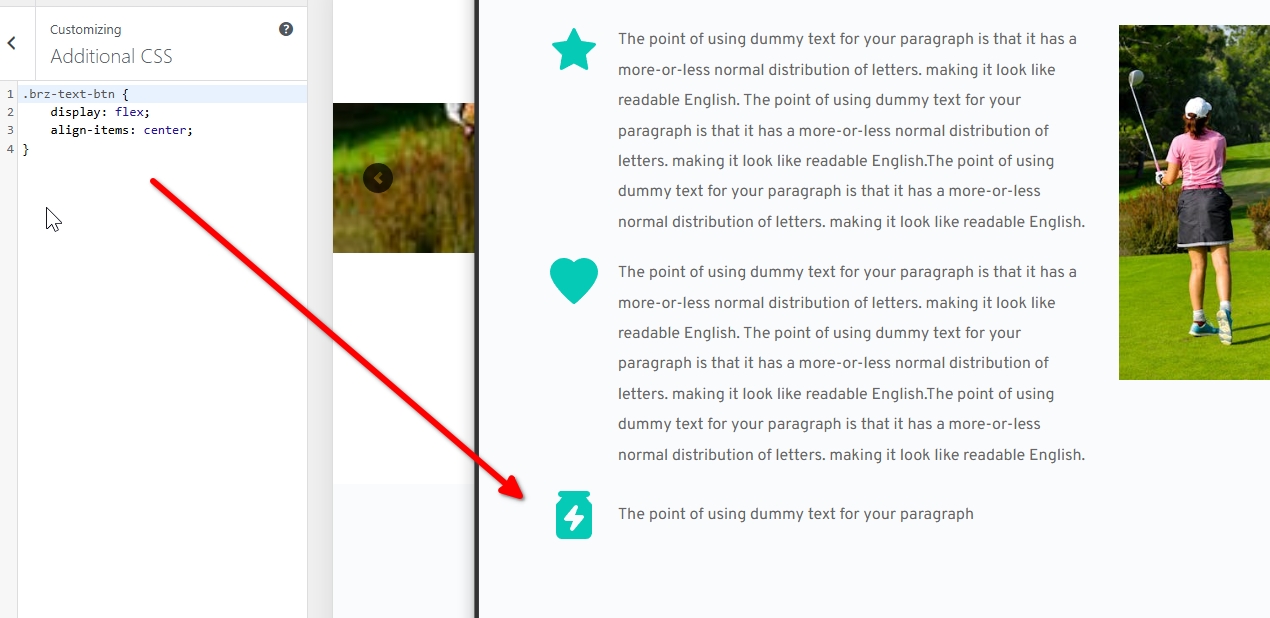
Please try this and let us know if you have any further questions.
Best regards,
Ariel H.0
Please sign in to leave a comment.
Comments
1 comment