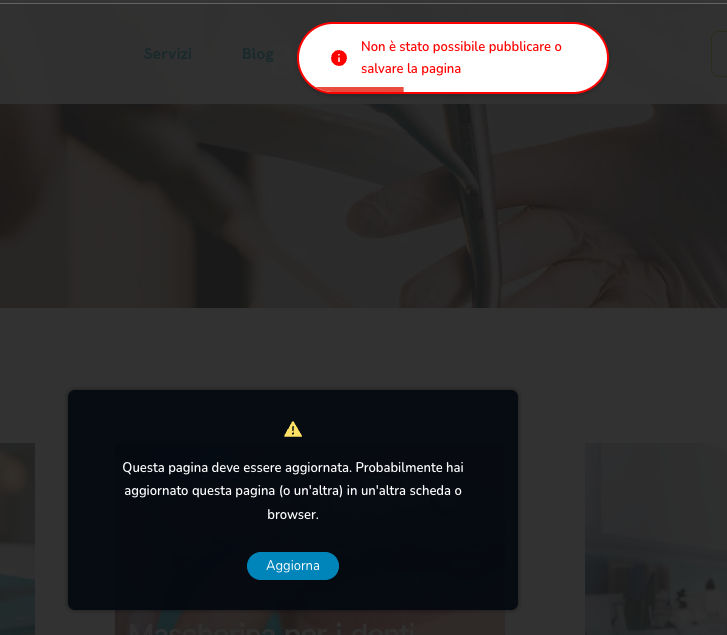
errore: Questa pagina deve essere aggiornata. Probabilmente hai aggiornato questa pagina (o un'altra) in un'altra scheda o browser.

-

Hi Luciano,
Thank you for reaching out.
Could you please temporarily disable all plugins except Brizy and Brizy Pro, then check if the issue still occurs?
If the issue no longer appears, it’s likely caused by a conflict with a third-party plugin. You can find the conflicting plugin by re-enabling them one by one while testing the editor, until the issue occurs again.
If the issue continues even with only Brizy and Brizy Pro active, please send us your site’s credentials so we can take a closer look. Kindly add us as an Admin user to your WordPress Dashboard and send the following details to communitysupport@brizy.io.
- Community Post link: https://support.brizy.io/hc/en-us/community/posts/35006177987474
- WordPress Admin URL:
- Username:
- Password:
Looking forward to your update.
Best regards,
Ariel H.0 -
ho trovato il problema è Wordfence Security. Come posso risolvere?
0 -

Hello Luciano,
When a plugin exhibits a behavior that resembles known attack patterns, Wordfence Firewall may block it mistaking it as malicious. Wordfence is known to mistake Brizy editing as malicious and this results in the error "This page needs a refresh. You've probably updated the page in a different tab or browser".
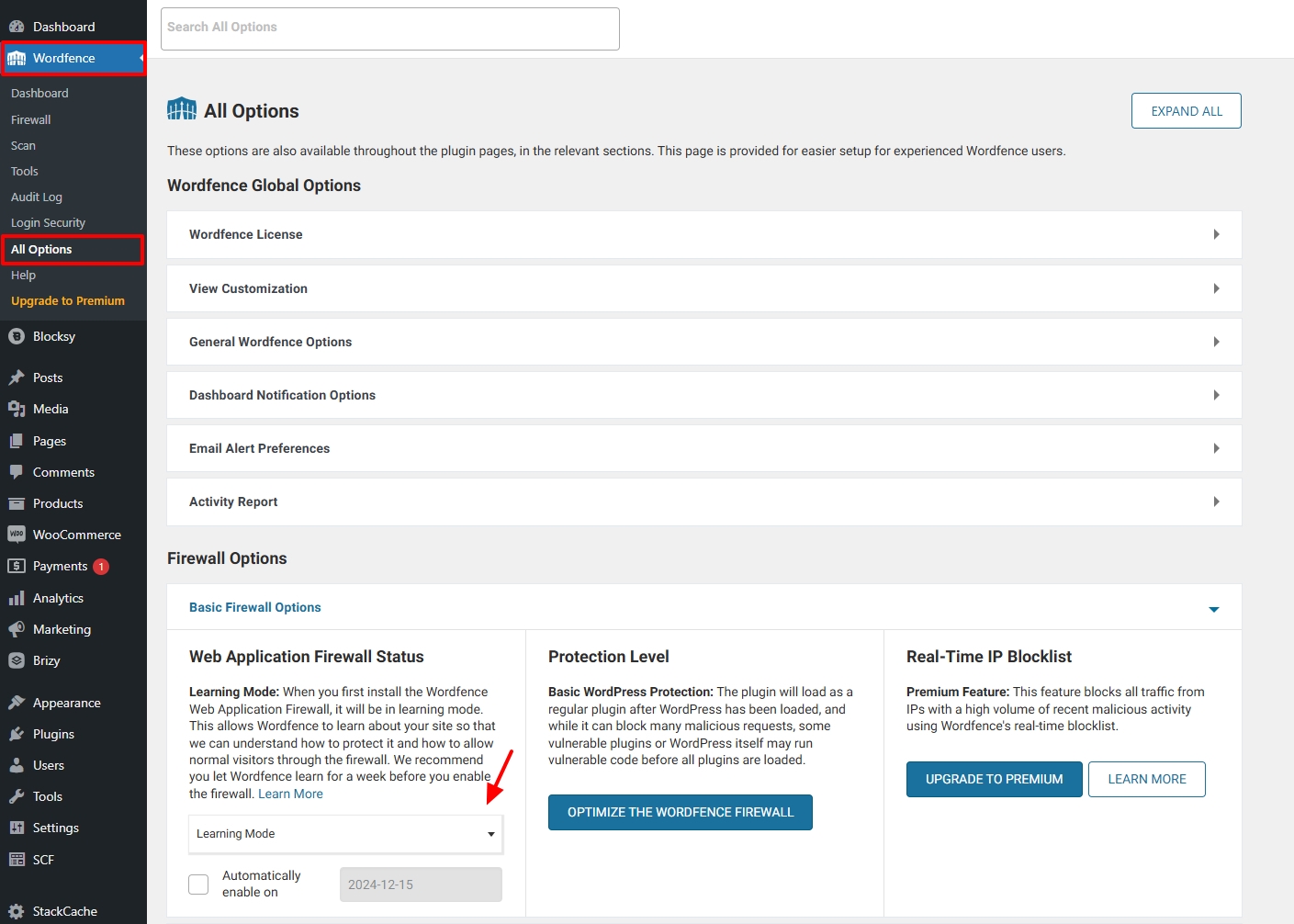
Please activate the Wordfence Firewall's "Learning Mode" to fix this false positive. Wordfence will add any requests that resemble attack patterns to the allow-list when the "Learning Mode" is enabled. Make some changes to a Brizy page and save it after turning this mode on for a few hours. In your WordPress Dashboard under Wordfence - All Options, scroll down to the heading "Firewall Options" and select the "Learning Mode" option and click on 'Save Changes' button at the top right corner.
 0
0
Please sign in to leave a comment.
Comments
3 comments