Site mistake view page

Good morning,
I have this website built with Brizy, updated to the latest version:
If I go to the home page, everything looks fine. If I go to the page https://esthelogue.com/lumi/ (for example, and generally on all pages with treatments, it looks wrong).
I currently have the latest version of PHP. If I switch to version 7.4, the treatments page displays correctly but the homepage looks wrong.
If I log into the backend and go to the treatments page, I see the page correctly.
If I access the same page on the frontend but in a different language (e.g. EN), it displays correctly.
This is very urgent: can you help me?
-

Hi,
Thank you for reaching out.
To help us investigate this further, could you please provide temporary access to your WordPress admin dashboard? This will allow us to take a closer look at your setup and identify the cause of the issue.
You can send the details securely using the format below:
Community Post: https://support.brizy.io/hc/en-us/community/posts/34977620473234
WordPress Admin URL:
Username:
Password:We’ll review it as soon as we receive the access.
Best regards,
Ariel H.0 -
i have just create the user.
0 -
Hi,
Thank you for your cooperation, we've now fixed the issue.
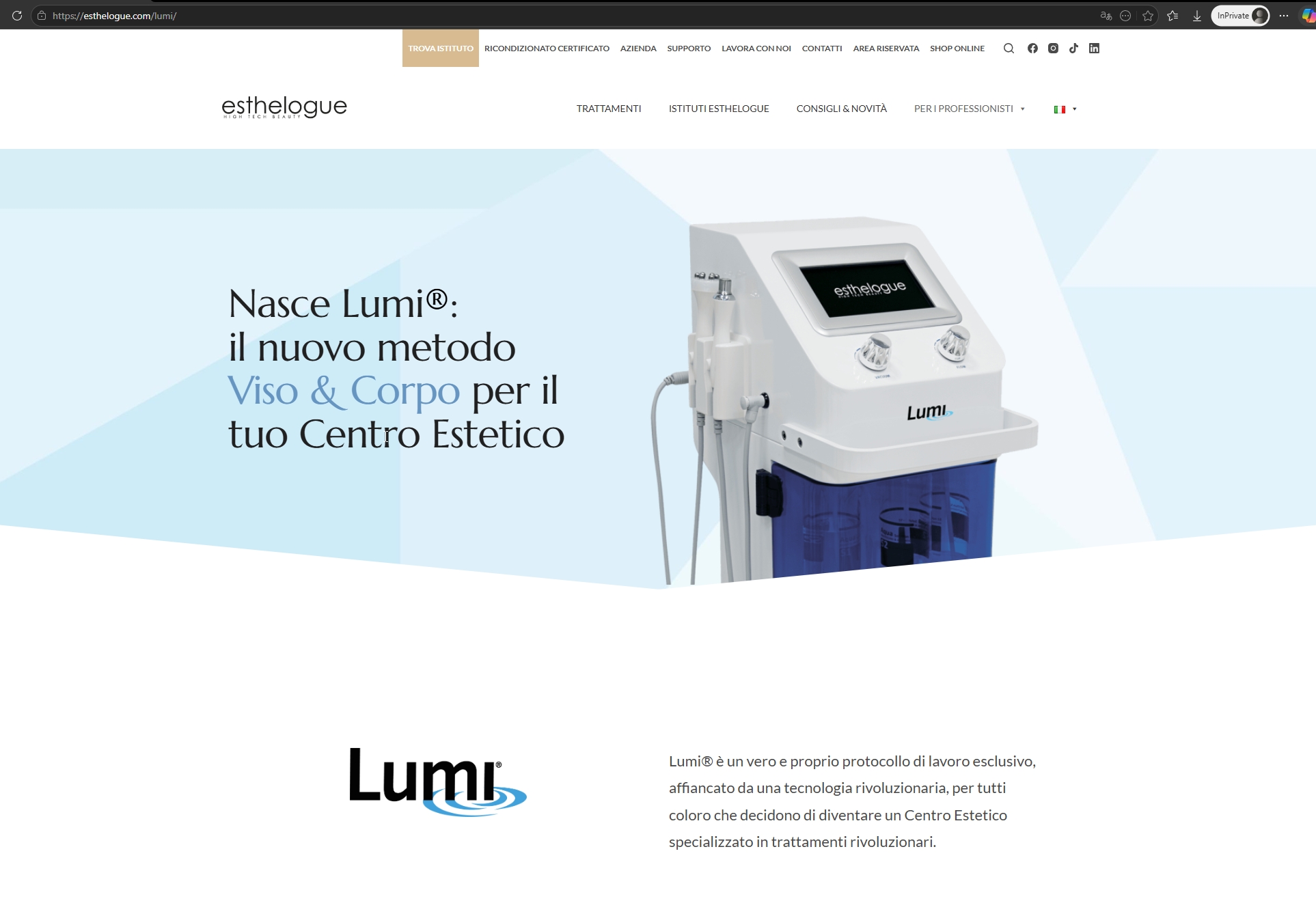
Could you please test it on your end and let us know if everything is working as expected? If you need any further assistance or have any questions, feel free to reach out.
Best regards,
Ariel H.0 -
Good afternoon, thank you for your reply.
We’ll run all the tests now.
May we ask how you resolved the issue? We have several sites using Brizy and we encounter this problem from time to time.
Thank you
0 -
Hi,
There are some missing CSS files in the recent update, and this is currently being fixed. My apologies for the inconvenience.
You can manually upload the missing CSS on your site by following the steps in this screencast: https://youtu.be/UwV1MmpcssU
I’ve attached the missing CSS files here. Please extract the zip file and upload the CSS to the following directory as shown in the video:
/wp-content/plugins/brizy/public/editor-build/prod/editor/css/If you run into any issues while following the steps, feel free to reach out and I’ll be glad to help.
Best regards,
Ariel H.0
Please sign in to leave a comment.
Comments
5 comments