Problems with editor after migration

Hi,
After a manual migration from one server to another I have encoutered the following problems:
1. Brizy can't find my pages when setting page links on my buttons
2. Full width and full height block options no longer available.
3. Brizy menu shows different menu at 991px. 990px and below shows mobile menu and 992 above shows desktop menu. Not sure what is going on at 991px!
Looking for a simple fix on this. Reluctant to update plugins as it was stable before I moved it to production server. I have a brizy pro license.
Site address is https://bimboshair.com/
Thanks
-

Hi Adam,
Thanks for contacting us.
Since the site was moved to a new server, could you please try the following steps and let us know if they help?
First, refresh the permalinks:
Go to your WordPress dashboard → Settings → Permalinks, and simply click Save Changes without modifying anything.If refreshing the permalinks doesn’t help, please use Brizy’s Replace URL tool: Navigate to Brizy → Tools → Replace URL, then enter your old domain and your new domain, and run the replacement.
Please try this and let me know how it goes.
Best regards,
Ariel H.0 -
Hi Ariel,
I actually already refreshed permalinks and did it again for good measure but no luck.
Using the brizy replace tool, is this the same as going in to php myadmin and changing the site url and site address? I'm using the better search and replace plugin and have already replaced URLs from my staging site to production. Just tested again to be sure and no old links were found using the bs&r plugin.
Thanks
0 -
Hi Adam,
Could you please share temporary WP Admin access so we can take a closer look at the issue? You can add us as an Admin user in your WordPress dashboard and send the details to communitysupport@brizy.io:
Community post link: https://support.brizy.io/hc/en-us/community/posts/34946181906450
WordPress Admin URL:
Username:
Password:Best regards,
Ariel H.0 -
Thanks! Just sent
0 -
Hi Adam,
It looks like we’ve lost access to your website.
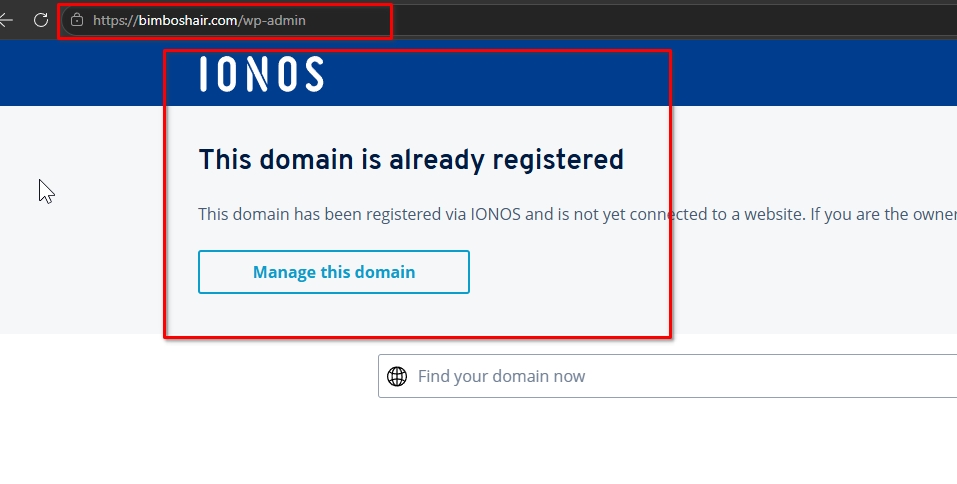
It appears that the issue is likely due to a faulty migration. We recommend migrating the site again, and after that, using Brizy’s Replace URL tool and resetting the permalinks to ensure everything is properly updated.Following an automated process is recommended for error proof migration. Kindly consider using Migrate Guru plugin for the migration.
Regarding the menu issue on tablet view, please make sure the menu style matches the desktop menu style first before switching it to a hamburger menu. This is demonstrated on this screencast - https://youtu.be/bxMEQ42kkGA
If you have any further questions, please let us know.
Kind regards,
Ariel H.0 -
Hi Ariel,
My website was working before what has happened to it?
0 -
Hi Adam,
We were able to open and inspect the home page, but shortly after that we lost access. When we tried refreshing the page, it redirected to the IONOS landing page.
Due to a recent update to your domain, the link between your domain and your website appears lost.
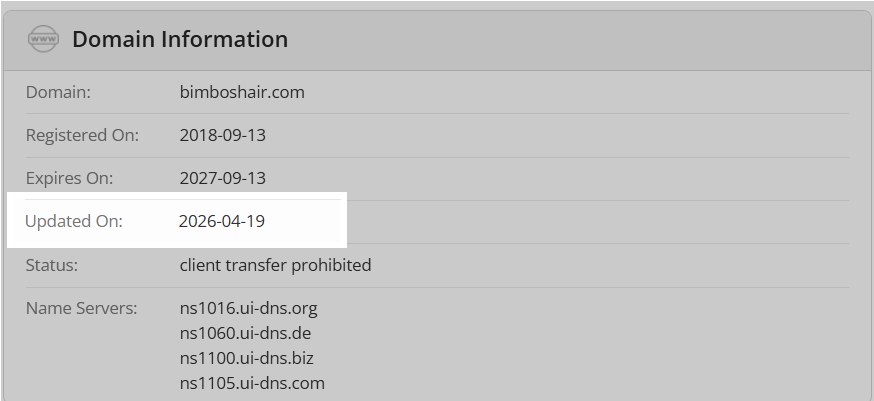
To point your domain name back to your website, kindly try these steps
- Log In: Login to your IONOS account.
- Access Domains: Navigate to the Domains & SSL section.
- Configure Destination: Select your domain and choose Connect Domain to link it to your website.
You may want to check this with your hosting provider, as it could be related to the hosting or domain configuration.
Please let us know once it’s resolved or if you need any assistance from our side.
0 -
Hi Ariel,
Contacted IONOS (have been on the phone with them for over an hour now) and have manged to get the site back up and running. They copied all website files into a new folder in root and updated the destination.
When I logged in to WordPress, I noticed that my 'redirection' and 'better search and replace' plugin had been deactivated. Is this something that was done your end when you was testing? Please be honest as I'm worried the site will just break again.
0 -
I've also noticed that brizy and brizy pro has been updated! So you guys must have done something your end which broke the site?
0 -
Still can't add new blocks with full width or full height options either...
0 -
Hi, Just checked my staging site and the full width and fully height options aren't available there either. I then updated both brizy and brizy pro and the full width and full height options still don't appear! Button page links still can't find my pages when linking one page to another as well.
No idea what's happened here but would like a solution to this. It makes me feel a little uneasy using this for my client's website and doing future updates. Please can you investigate this further as I have migrated other brizy wordpress websites and this hasn't been a problem.
0 -
Hi Adam,
Thanks for checking and sharing those details.
Just to clarify, websites don’t typically break from a plugin update alone. When something like this happens, it usually points to an underlying issue on the server or within the site setup that needs attention.
If you’re able to provide server access along with the original site, we’d be happy to take a closer look and assist with a proper migration as a one-time courtesy. This would allow us to ensure everything is transferred cleanly and functioning as expected.
Looking forward to your update.
Best regards,
Ariel H.0 -
Ok thanks you. How would you like me to share server access? Do you need a back up of the staging site? I've made changes on the live site since with redirections, content on pages and tweaks to the design.
How much downtime will there be on my clients website?
Thanks
0 -
Hi Adam,
Thank you for the update.
We recommend creating a full backup of your site first. Since you already have the All-in-One WP Migration plugin installed on your live site, you can use it to generate the backup. Please ensure the backup is taken from your staging site (not the live site), then upload it to Google Drive and share the download link with us. This will allow us to safely replicate the issue on our local test server without affecting your live environment.
Once that’s done, you may also check with your hosting provider on the best way to securely share temporary access credentials with a developer, if needed.
Regarding downtime, this will depend on the level of access provided by your hosting. If we have full access, any downtime should be minimal, During that time, the site will be placed in maintenance mode, which will be visible on the front end.
Best regards,
Ariel H.0 -
Hi Ariel,
All in one migration doesn't work on IONOS servers which is why I did a full manual migration. You'll have the same problem too.
Haven't tried the migrate guru plugin you suggested earlier and doing a quick google search, it sounds like it works with IONOS but can't confirm.
I already have a backup of the staging site including database.
Regarding access, I would just share my clients login credentials.If that sounds ok, let me know the email you want me to send the google drive link to.
Thanks
0 -
Hi Adam,
Could you please send the Google Drive backup link to communitysupport@brizy.io once it’s ready? This will allow us to download it and proceed with testing on our end.
Thank you, and we’ll keep an eye out for your email.
Best regards,
Ariel H.0 -
Just sent!
Thanks again
0 -
Hi Adam,
Thank you for your cooperation.
We created a local copy of your site using the backup you sent and were able to replicate the issue. It appears the global header was causing the problem, once removed, the full width and full height options became available in the other blocks.
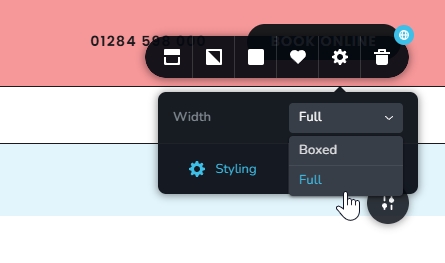
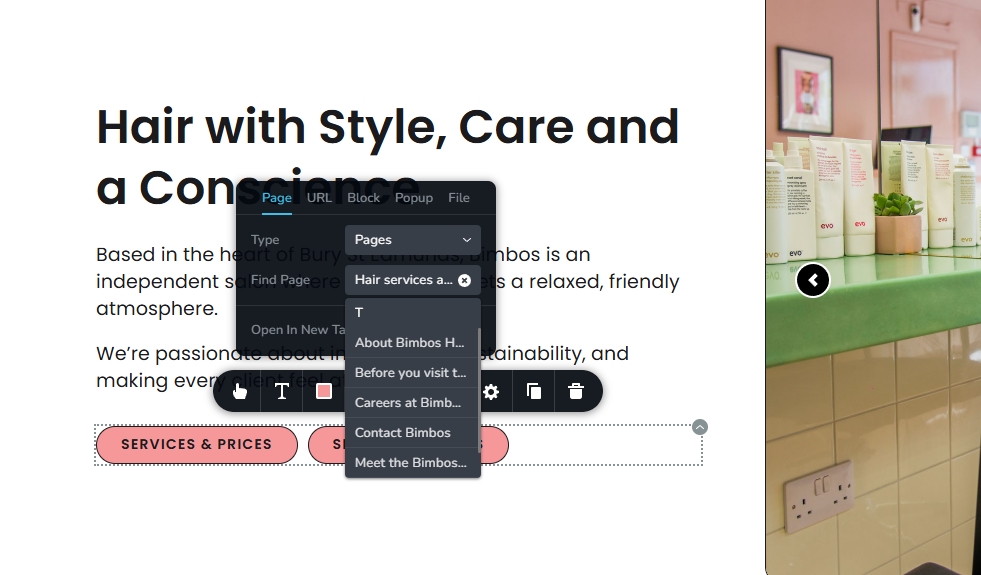
We confirmed the same on your live site and rebuilt the header to fix it. You may notice slight design differences, but you can adjust them as needed.We’ve also added a preload for key CSS files in the header using WPCode to prevent the menu from flashing during page load. This is a known issue with the menu element and is currently being worked on.
We’ve covered this previously, but just to include it here about the menu showing differently at 991px—please ensure the menu style matches the desktop version before switching to the hamburger layout. Here’s a quick demo: https://youtu.be/bxMEQ42kkGA
Could you please try editing your pages again and confirm if everything is working properly now?
Best regards,
Ariel H.0 -
Thank you Ariel!
All seems to be working. I'm curious to know how this happened in the first place as I have some other migrations coming up.
Thanks
0 -
Hi Adam,
Thank you for the update.
Could you please confirm if you're experiencing the same behavior on your staging site? Since we were able to replicate the issue from your original backup, it’s likely that the issue exists there as well.
If you do see the same issue on staging, kindly try removing or rebuilding the header to see if that fixes it.
Best regards,
Ariel H.0 -
Hi Ariel,
I can confirm I am seeing the same problem on staging too. The files I also sent you were a backup from staging too.
What is the preload for key css files too? If I update brizy, will these be overwritten?
Thanks
0 -
Hi Adam,
Thank you for the update.
The header issue appears to be related to a compilation problem, which means the header may need to be rebuilt.
The preloaded key CSS addresses a separate issue, it helps the menu load more smoothly, reducing the visible flashing during page load.
These issues are currently being worked on, and we apologize for the inconvenience.
If you have any further questions, please let us know.
Best regards,
Ariel H.0
Please sign in to leave a comment.
Comments
22 comments