brizy menu is broke after update to newest version of pro

https://thebespokemarkets.com/
the drop down menu is always displaying when not hovered over.
-

Hi Cari,
Thank you for reaching out.
This is a known issue on our end, and it has already been escalated to our developers so they can address it as soon as possible.
In the meantime, we do have a temporary fix available; however, please note that it may not apply to all websites. Another option would be to revert to a previous version of Brizy and Brizy Pro where the issue does not occur.
Could you please share your site credentials with us? This will allow us to check if the temporary fix works on your website. If not, we can proceed with reverting Brizy and Brizy Pro to a stable version where the menu issue does not appear.
You can add us as an Admin user in your WordPress dashboard and send the details to communitysupport@brizy.io:
Community post link: https://support.brizy.io/hc/en-us/community/posts/34888637735570
WordPress Admin URL:
Username:
Password:Best regards,
Ariel H.0 -
credentials sent
0 -
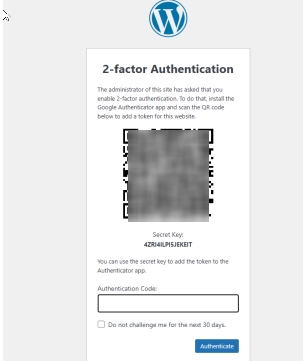
Hi Cari, Could you also please temporarily disable the two-factor authenticator as well? This will help us proceed with the troubleshooting on our end.
 0
0 -
I disabled the 2 factor
0 -
Hi Cari,
Thank you for your patience.
About the menu glitch, this is currently part of an ongoing discussion between our team and the developers. We’re hoping a fix will be released soon. We’ve rolled back Brizy and Brizy Pro to a version where the issue does not occur, please keep these versions for now.
We apologize for the inconvenience, and we appreciate your understanding.
Best regards,
Ariel H.0
Please sign in to leave a comment.
Comments
5 comments