Slider Arrows

Hi,
We have another issue where the backend is showing differently to the live site. As you can see there is a horrible black box behind the arrows on the homepage slider - https://www.the-lakelands.com/.
In the backend it looks as it should. See screenshot.
How do I fix this?
Also can you please confirm for us whether new Brizy updates are being fully and appropriately tested prior to release?
Thanks,
Eilidh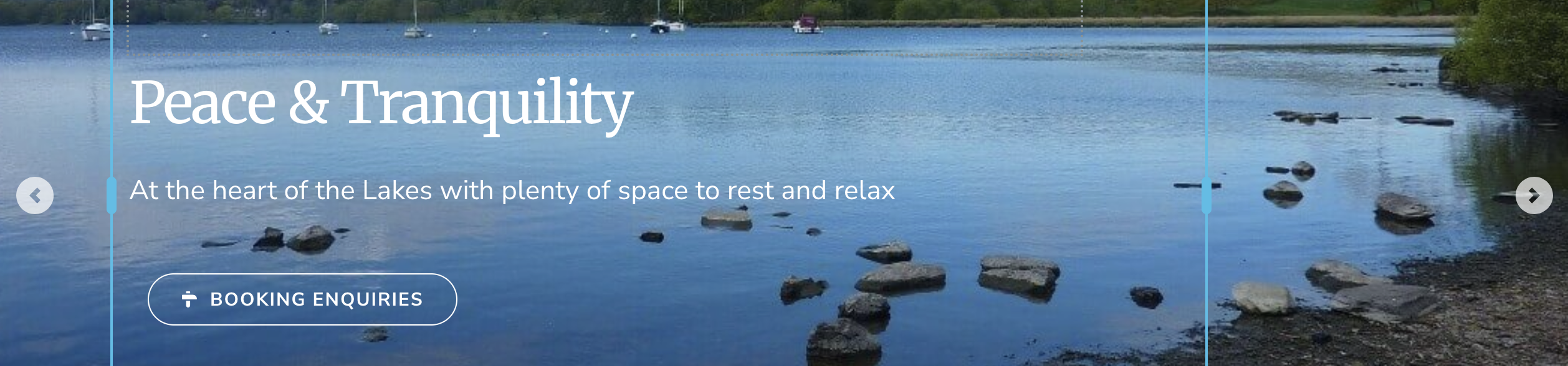
-

Hi Eilidh,
Thank you for reaching out.
We’re currently addressing the issues one at a time, so we can’t guarantee that everything has been fully resolved just yet. If you’d like us to take a closer look and ensure everything is working as expected, we’d be glad to help by updating the site for you.
Please feel free to send your site credentials to communitysupport@brizy.io and include the reference 34852618968722 in the subject line so we can prioritize your request.
We look forward to your update.
Best regards,
Ariel H.0 -
Hi Eilidh,
Thank you for your cooperation.
We’ve added a small CSS snippet to resolve the issue for now. Based on our checks, this appears to be related to a hard cache, which can sometimes cause older or conflicting assets to be served even after updates. We’ve also disabled JS Minify and HTML Minify, as these were contributing to the menu breaking.
I understand your concerns regarding the impact of these issues, and I apologize for the inconvenience. While we do our best to ensure stability, we recognize how critical reliability is for your websites, and your feedback is genuinely important to us. Our team is actively working to improve stability and prevent these types of issues in future updates.
As a precaution, we highly recommend keeping regular backups of your websites using plugins such as WPvivid (or a similar solution). It would also help to note the last known working version of your site, so you can quickly revert if anything unexpected occurs after an update.
Best regards,
Ariel H.0
Please sign in to leave a comment.
Comments
2 comments