Section Dropshadow

Hello, I would like to add a drop shadow under the entire navigation section. Is that possible? I see that I can only apply a border.

-

Hi Edwin,
You can achieve this by select the header container, set the border to none.
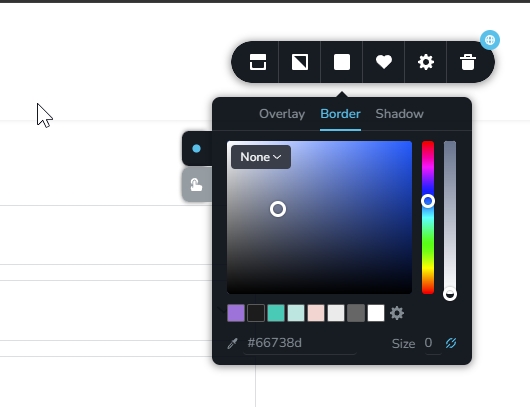
Then switch to the Shadow tab. From there, choose Outset, pick your preferred shadow color and opacity, and adjust the shadow properties as needed.
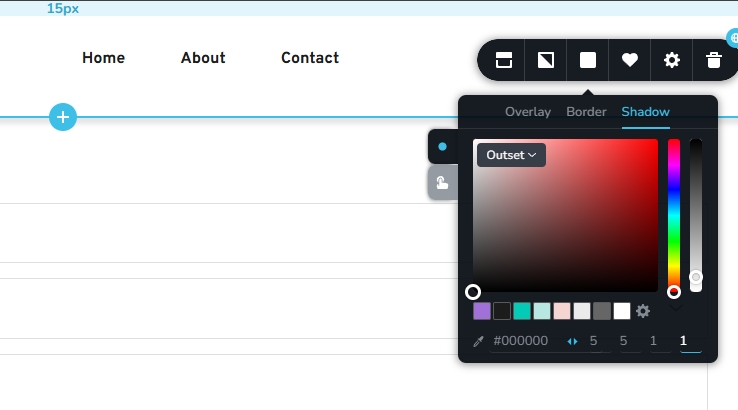
Please try this and let me know how it goes.
Best regards,
Ariel H.0 -
Hi Ariel,
When you mentioned clicking the container, I did so and saw the Shadow option. However, it doesn't fill the entire background. Could you possibly make a short video or provide more steps on how to achieve this?
 0
0 -

Hello Edwin,
Have a look at the sreen recording at https://jmp.sh/1OKXUQjT for the procedure to add a drop shadow for the navigation section.
0 -
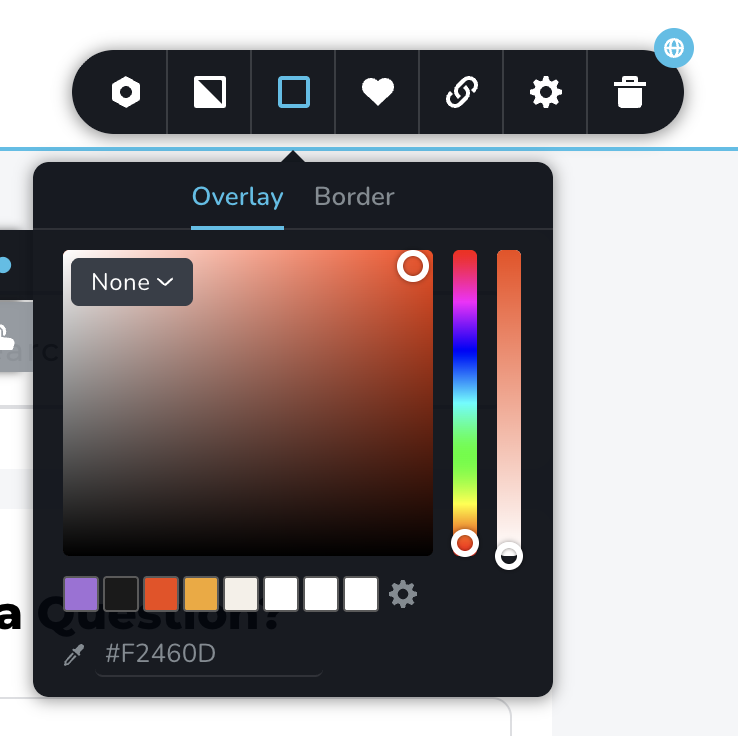
Hi, thank you for the screen recording. I don't see a shadow option on mine.
Please see my screenshot and recording.
 0
0 -
Hello Edwin,
You do not see a shadow option in your header because you are using a standard block. To fix the issue, use the header block (a block specifically designated for headers), as illustrated at https://jmp.sh/mNrEVWtB
0
Please sign in to leave a comment.
Comments
5 comments