Site Crash

Hello,
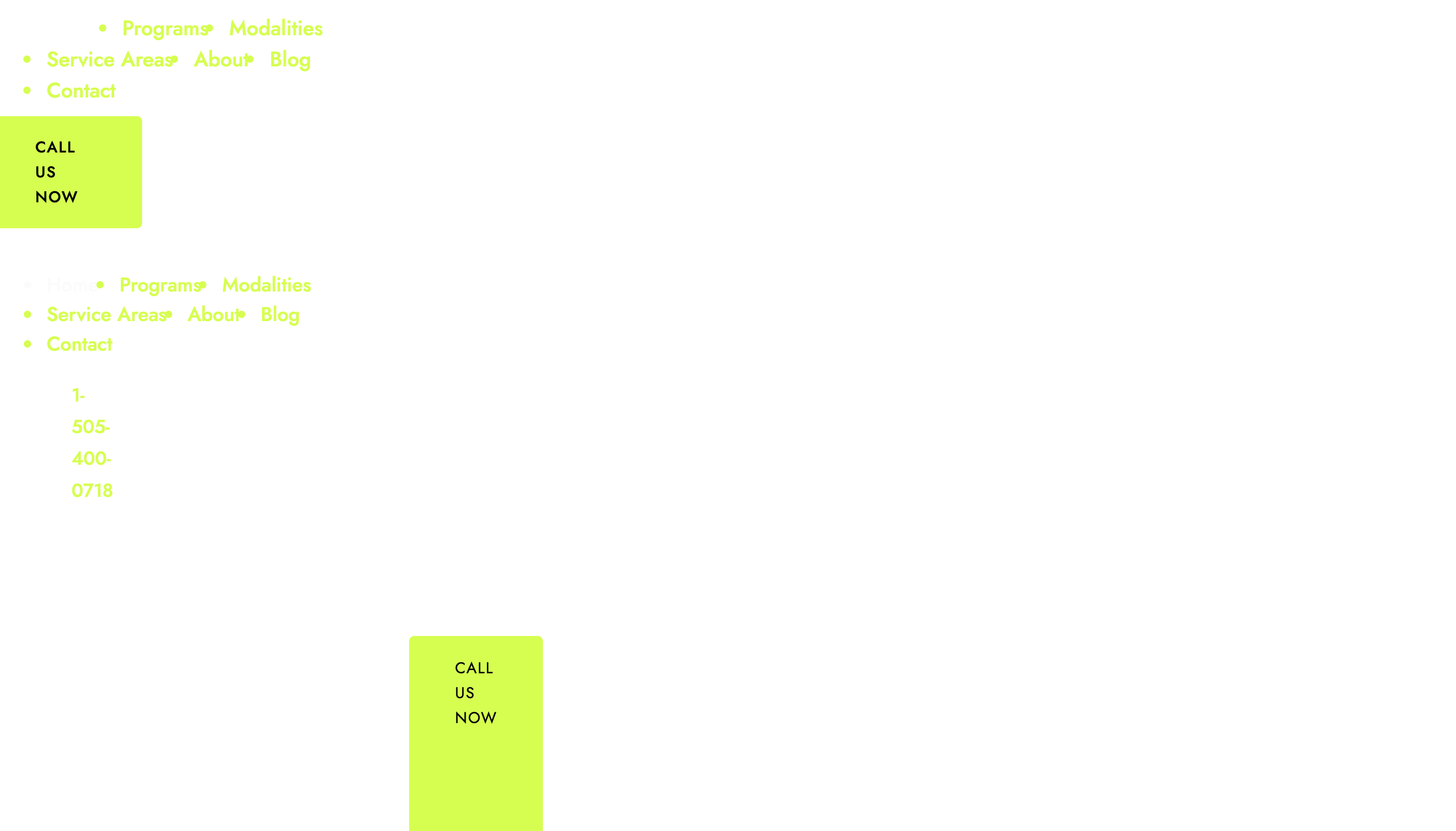
After I updated the phoine number on my client's site it crashed basically. It now looks like the second photo, and it should look like the first photo. I have cleared all the caches and deactivated and reactivated all the plugins. The site is www.athleteready.com. Thank you
-

Hello Roman,
To fix the above issue, kindly upload these files to the respective folders using an FTP client like FileZilla or using the File Manager plugin
- Download the CSS file from https://jmp.sh/XSTZzOUo and uplod it to the folder /wp-content/plugins/brizy/public/editor-build/prod/editor/css/
- Download the CSS files from https://jmp.sh/EdTFEooB and upload it to the folder /wp-content/plugins/brizy-pro/public/editor-build/prod/css
If you need help with uploading these files, kindly give us access to your WordPress dashboard. Please add a new user to your WordPress Dashboard and send the following details to our email: communitysupport@brizy.io
- Support Forum reference: https://support.brizy.io/hc/en-us/community/posts/34751560538514
- WordPress Admin URL:
- Username
- Password
Your email must include a link to this thread's URL, otherwise we will be unable to reference your support ticket. Please notify us in this thread when you send us the email.
0 -
Hello, I tried to upload the files but was unsuccessful in fixing the problem. I have sent you an email with the required info.
Thank you!
0 -
Hello Roman,
We have received your credentials. However, when attempting to install and activate any File Manager plugin, we see an error message from your host https://wpx.net/ and uploading files to your website using a plugin is not possible.

Kindly consider uploading the two CSS files to its respective folders using the File Manager included within the WPX hosting control panel.
- Download the CSS file from https://jmp.sh/XSTZzOUo and uplod it to the folder /wp-content/plugins/brizy/public/editor-build/prod/editor/css/
- Download the CSS files from https://jmp.sh/EdTFEooB and upload it to the folder /wp-content/plugins/brizy-pro/public/editor-build/prod/css/
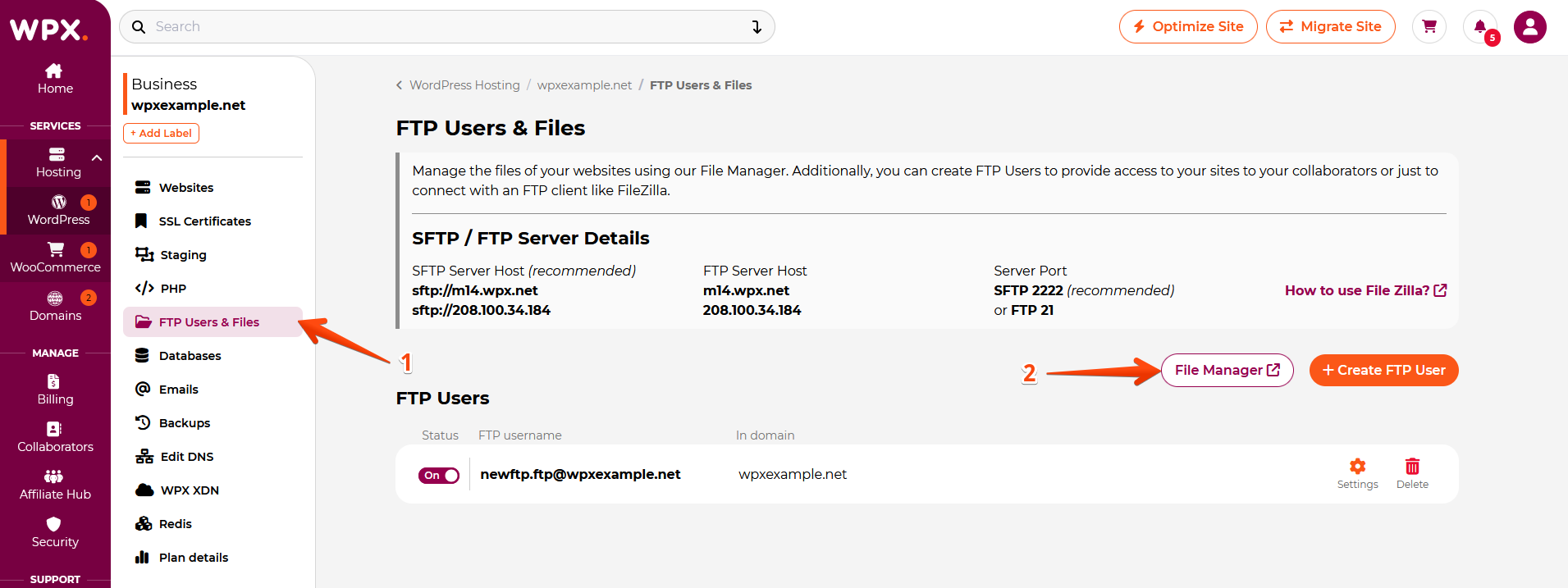
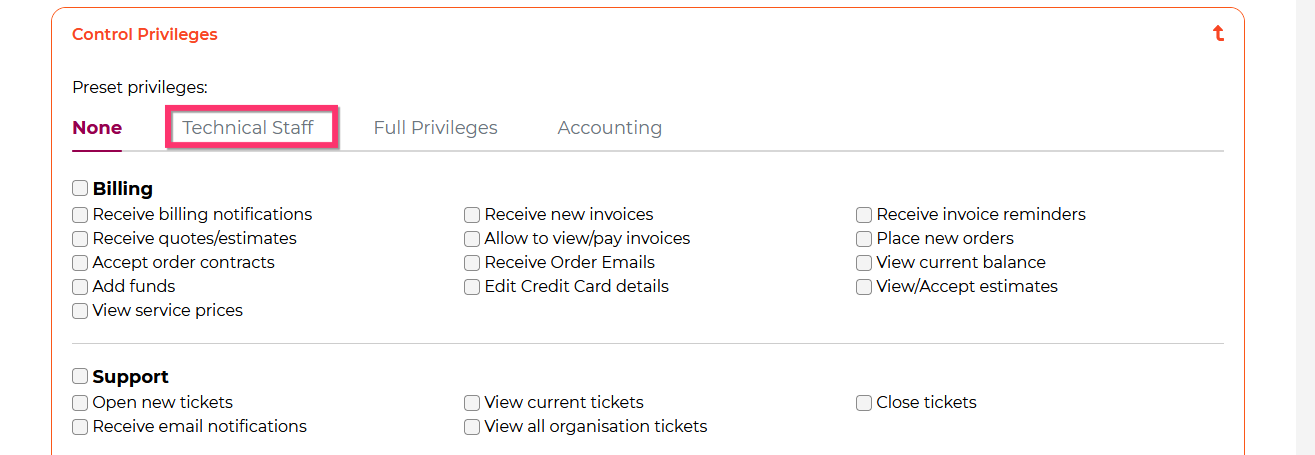
If you need help with uploading the fles, please add communitysupport@brizy.io as a collaborator following the procedure at https://wpx.net/kb/how-can-i-add-a-developer-as-a-contact-to-my-hosting-account/ and assign us the "Technical Staff" privileges.
 0
0 -
Hello,
I tried to uplpoad the files myself and it didn't work. I have added you as a collaborator and sent an invite to the email address you specified.
Thank you!
0 -
Hello Roman,
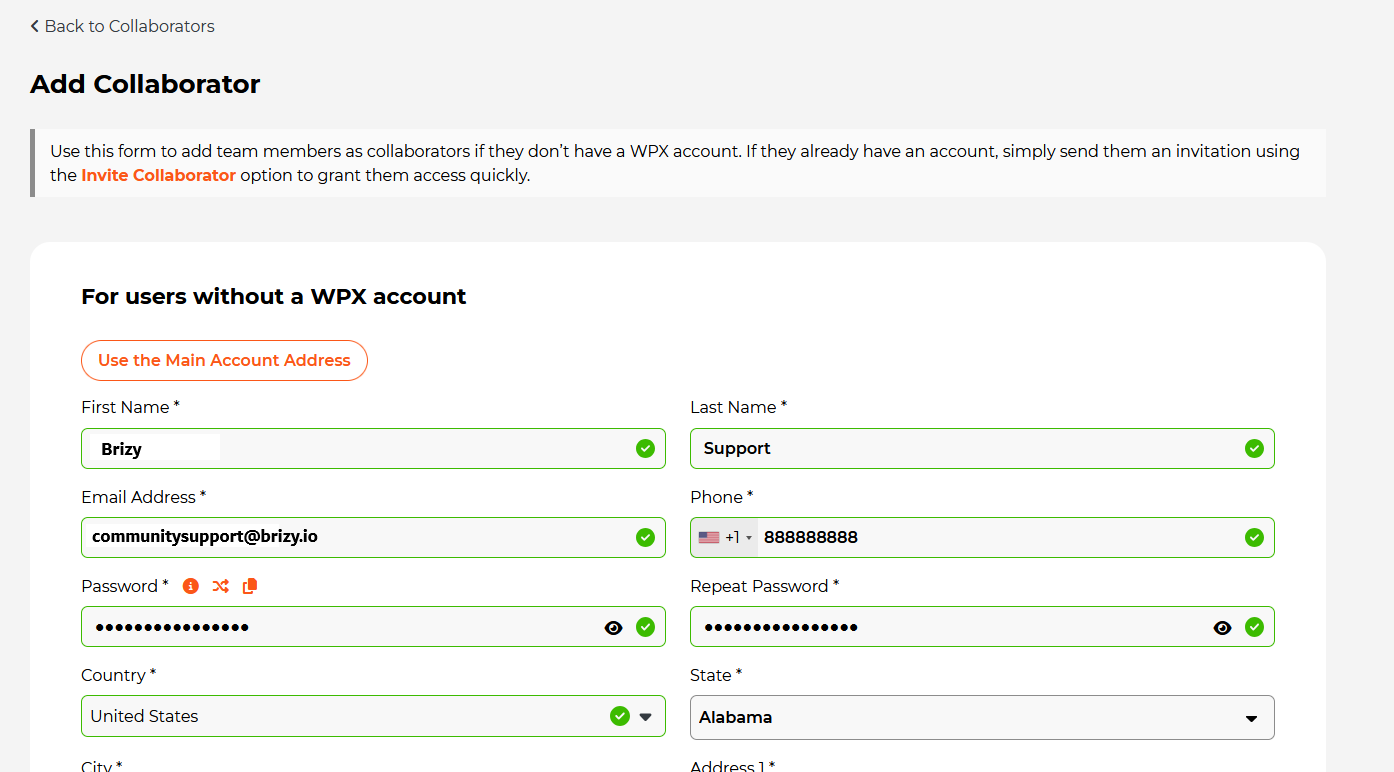
We do not have a WPX account. When you add us as a collaborator, please also create a password for us and send it to us by email. You may need to delete the existing collaborator and add us again.
 0
0 -
Ok I sent it.
Thanks George!
0 -
Hello Roman,
We have uploaded the missing CSS files to https://athleteready.com/. Please check if everything works fine.
0 -
Hi George,
The site is back up. The only thing I've noticed is that the drop down menus are making this error when the page first loads:
 0
0 -
Hello Roman,
Are you asking about a flash of unstyled content that occurs during page load? This is due to another bug with Brizy and we are still working on fixing it.
0 -
That might be it. What is happening is that when the page first loads those two hover menus appear both already opened even thought the mouse is not over them, and they are on top of each other.
0 -
Hello Roman,
Yes, we are working on the bug fix; however, it is taking longer than expected because it requires the resolution of another issue first.
0 -
Ok, thanks for letting me know George and thanks for you quick help on the initial issue!
0 -
Hi George, the site crashed again with the same issues, if you could please help me fix it. Thank you.
0 -
Hello Roman,
We apologize for the inconvenience. We have fixed it. Please check.
0 -
Hi George,
The site has crashed again and is doing the same thing.
Thanks!
0 -

Hi Roman,
We've now fixed the issue.

In case this happens again, you can try making small adjustments to the affected blocks, such as temporarily adding a bit of padding or changing the width of each block from top to bottom, and then hitting Update.
This forces the affected blocks to recompile and can help restore the layout properly.
Here’s a short screencast from another customer demonstrating the process:
https://youtu.be/k6KW04mBaYUYou can also install a plugin like WP Vivid to back up a working version of your site. That way, if the site breaks during an update, you can easily restore the last working version.
Best regards,
Ariel H.0
Please sign in to leave a comment.
Comments
16 comments