Inquiry About Exporting Brizy Templates

I would like to know if it is possible to export a WordPress Brizy template for an entire website and share it with others who do not have access to my account but have their own WordPress Brizy accounts.
Could you please confirm if this feature is supported? If it is, I would appreciate any guidance on the process.
0
-

Hello Edwin,
You can share your Brizy Template design with another Brizy user following the steps below
- Open the each template design in the Brizy editor.
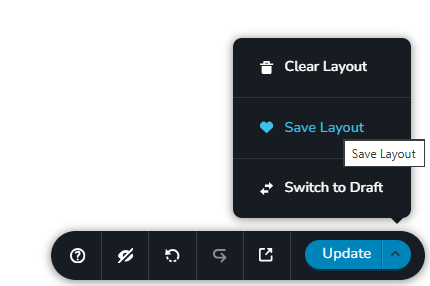
- Select the "Save Layout" option towards the bottom right corner to save the design to your "Blocks and Layouts library".
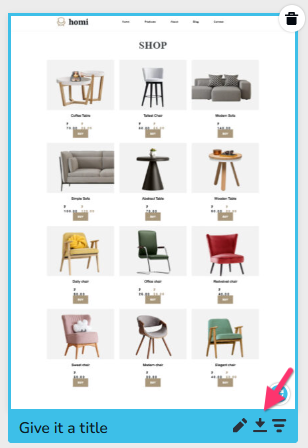
- In your "Saved Blocks and Layouts" library, select the "Layouts" library on the left sidebar and hover over the template design you just saved and click on the "Download" icon to download the design as a ZIP file.
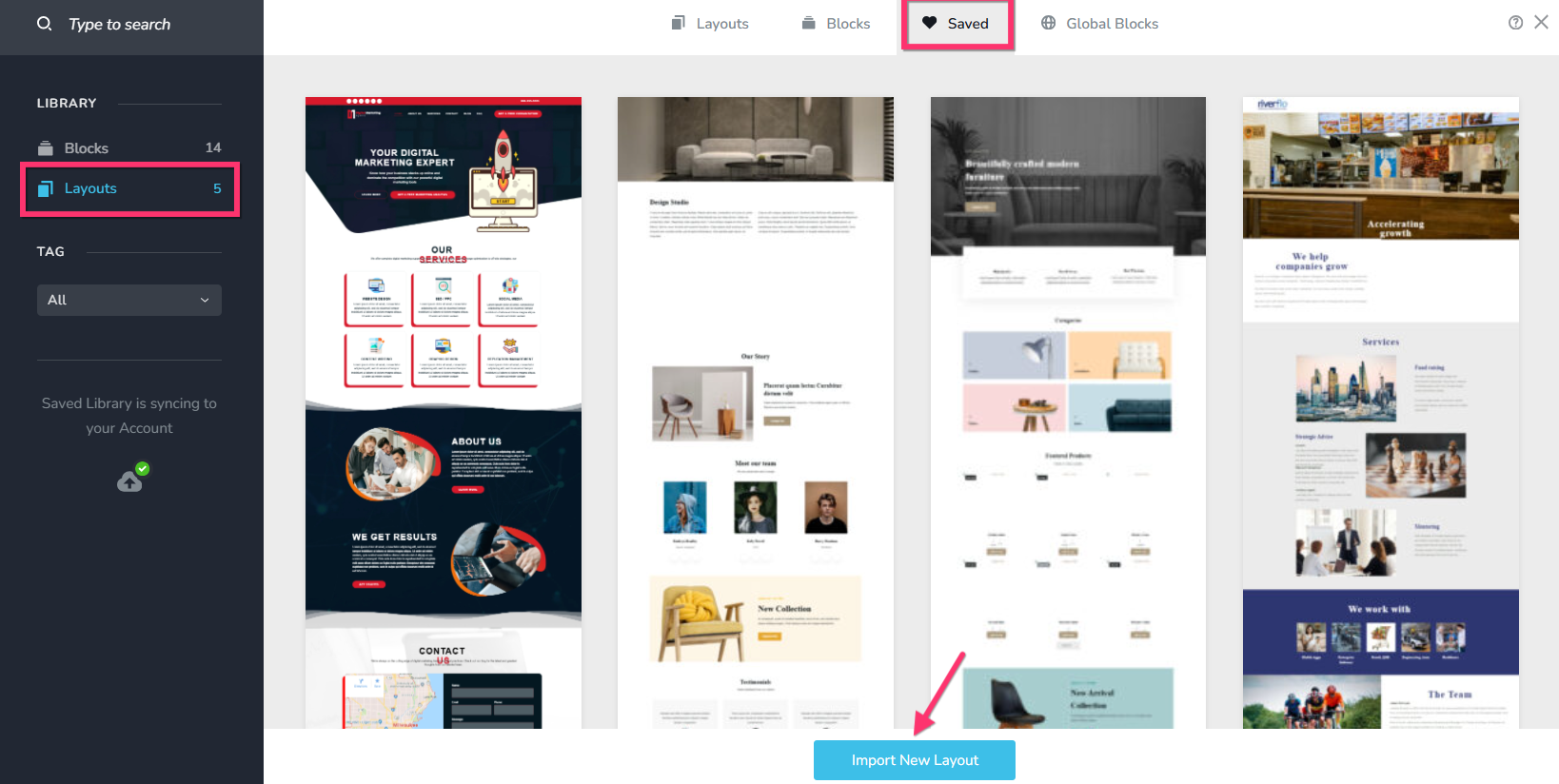
- Send the ZIP file by email to the other person. Request them to import the design into their "Saved Blocks and Layouts Library" by selecting the "Import New Layout" button.
0
Please sign in to leave a comment.
Comments
1 comment